Your HR, in your pocket.
Apply for leave and see the balance before you do. Download last month's payslip at 11 pm. Upload the certificate HR asked for from your phone. Thank a colleague where everyone can see it. Raise a concern nobody else can.
Up to 50 employees free for 12 months. No card, no sales call.
The questions you stop having to ask
"How much leave do I have?"
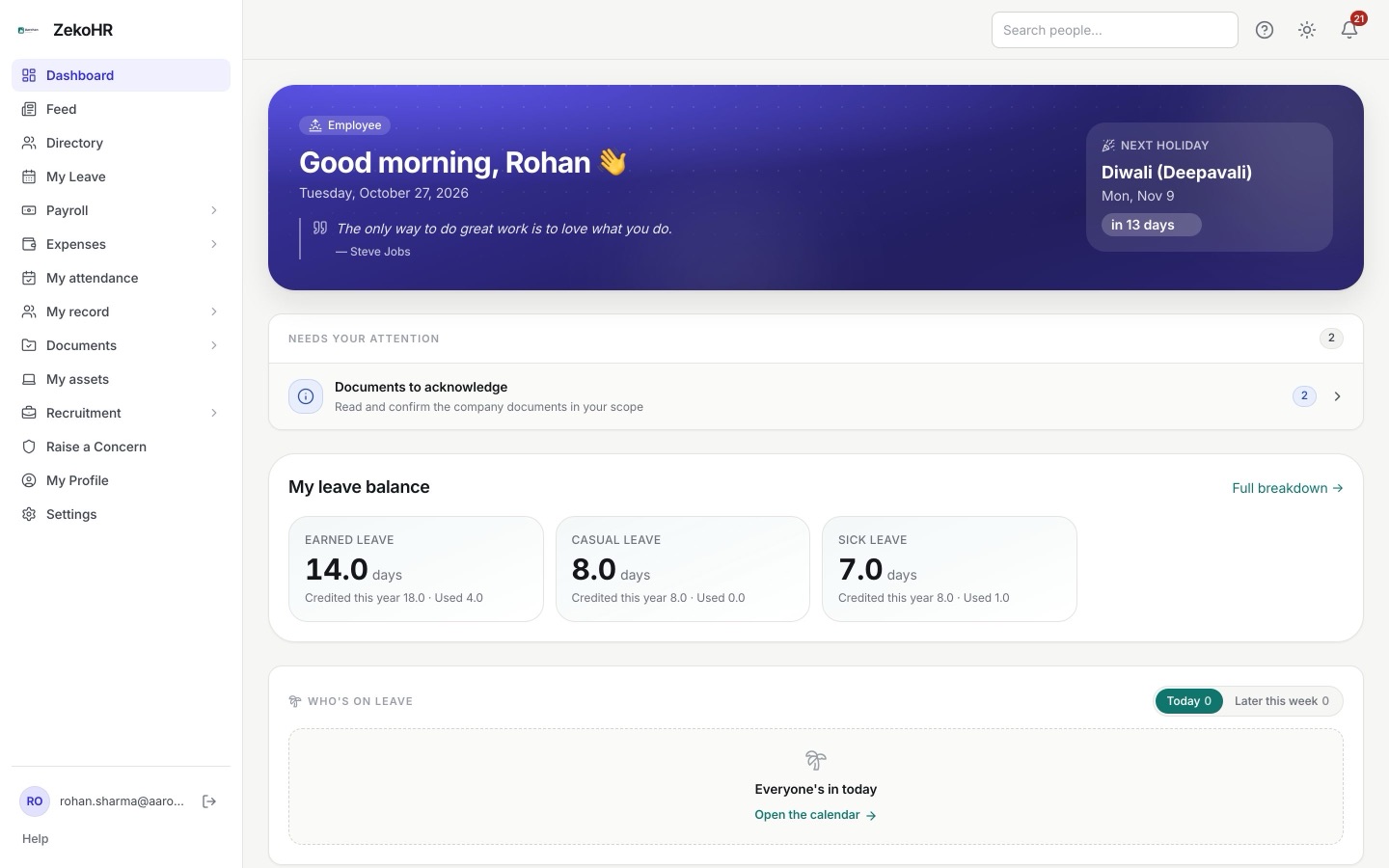
Your balance by type is on the dashboard and on My Leave, with approved future leave already reflected. Apply with dates, half days or hours, and an attachment if needed.
"Where is my payslip?"
Every published payslip is in My Payslips with a year filter and PDF download. Raise a payroll query from the same place if a line looks wrong.
"What did HR need from me again?"
Needs your attention lists document requests and rejected uploads with inline re-upload. Policies to acknowledge and letters issued to you are a tap away.

Self-service that respects your time
Mobile-first in your phone browser, light or dark, with nothing to install. Your profile, timeline and documents. Expense claims with receipt photos and advance requests. A feed with kudos, polls and celebrations. A grievance channel with named or anonymous reporting that only HR sees.
- Leave balance, requests, cancellations and the holiday list
- Payslips, payroll queries and your tax declaration
- Documents, letters, policies and your onboarding checklist
- Feed, kudos, polls, celebrations and a confidential grievance channel
Illustration of an employee portal on a phone with leave balance and a payslip.
Your first week
Accept the invite
Set your password from the email, add a photo, check your details. Anything sensitive you change goes to HR as a change request.
Work through onboarding
Your checklist is on your profile. Tick items, upload evidence, acknowledge policies. HR verifies the rest.
Use it when you need it
Leave, payslips, claims, documents. The help panel on every screen explains the screen you are on.
When ZekoHR is not the right choice
You expected an app from the store
There is no app-store app. The portal runs in your phone browser at your company's subdomain; add it to your home screen if you like.
You want to clock in and out
Attendance is recorded by HR, not by you. Your attendance view shows what was marked.
Common questions
Can I see who else is on leave before I apply?
Yes. The team calendar shows approved leave for the people you can see, and the holiday list shows the year's fixed and restricted holidays.
Can I change my bank details myself?
You can request the change. Sensitive fields go to HR as a change request so there is a record of who changed what.
Is a grievance really confidential?
Yes. You choose named or anonymous. Anonymous reports get a secret tracking code for status; cases are visible only to HR Managers and Admins.
Can I turn off some notifications?
Yes. Notification preferences let you choose events and channels. Security-critical messages are always delivered.