Running monthly payroll
A payroll run is one company for one month. Creating it computes a draft payslip for every active employee who has a salary assignment effective in that month. From there the run moves through review, finalize and publish. This article covers creating the run and reading the list; the review and publish steps have their own articles.
Who can do this: Admins with `payroll.manage.any`, HR Managers with `payroll.manage.assigned_companies` for their companies. `payroll.view.any` or `payroll.view.assigned_companies` (Accounts role, for example) can open runs read-only.
Where to find it
Sidebar Payroll → Payroll, URL path `/payroll`. A run opens at `/payroll/runs/<id>`. This module must be enabled on your plan; Admins can check Settings → Billing.
Before you start
Check that the company has pay components, at least one active salary structure and a salary assignment for every employee you expect to pay. See Pay components and payroll setup, Salary structures and Assigning salaries. Have the month's attendance LOP figures to hand; they are typed in during review.
Creating a run
- Click New run.
- Company: choose the company. HR Managers see only companies in their scope.
- Month (1 to 12) and Year (2000 to 2100) default to the current month.
- Click Create run. ZekoHR computes every draft payslip immediately and opens the run page.
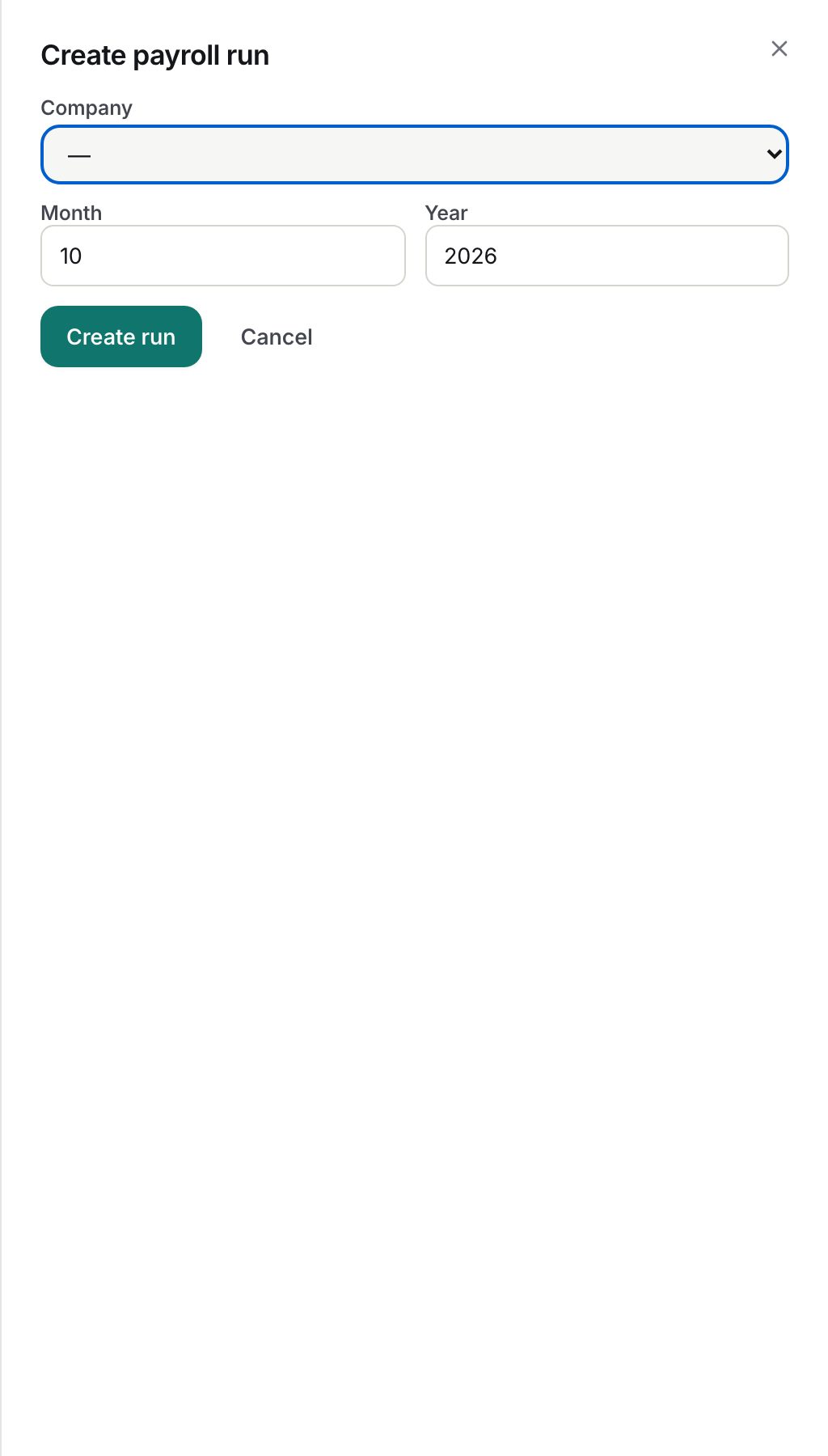
Creation is refused when a run already exists for that company and month ("A payroll run already exists for this company and month.") or when the company has no active employees.
Who gets a payslip
- Every employee whose status is active and whose company matches, including payroll-track contractors. Invoice-track contractors are excluded.
- The salary row used is the one with the greatest effective-from date on or before the last day of the month. Employees with no such row are skipped and listed as a warning so nobody is silently missed.
- Each payslip starts with 0 LOP days, the full-month amounts from the structure, and any queued expense reimbursements added as extra earning lines (see Payroll extras and reimbursements).
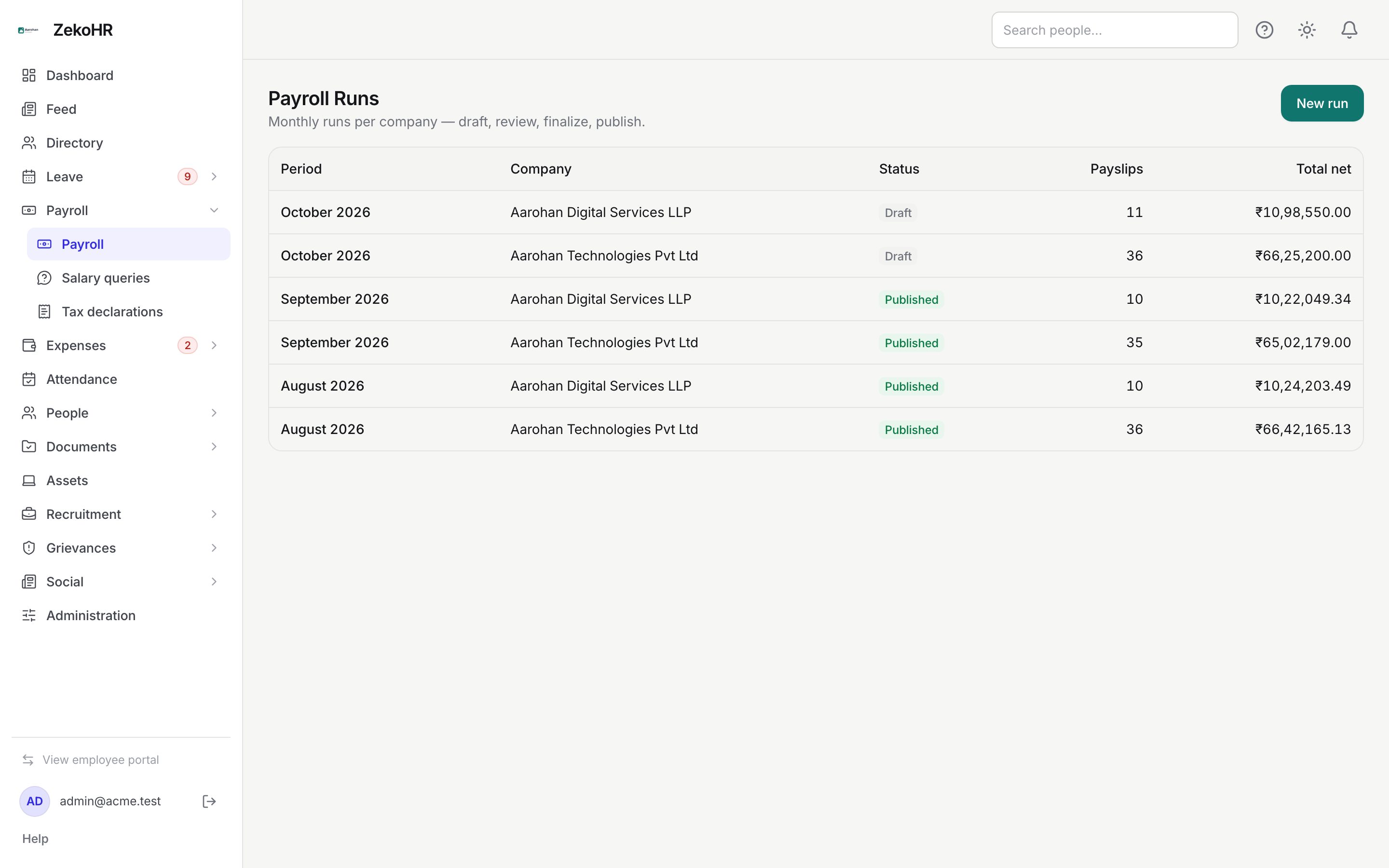
What the run list shows
| Column | Meaning |
|---|---|
| Period | Month and year, for example October 2026; click to open |
| Company | The legal entity the run pays |
| Status | Draft, Finalized or Published |
| Payslips | Number of payslips in the run |
| Total net | Sum of net pay across payslips, in the company currency |
Runs are ordered newest period first. On a phone the list becomes cards with the same fields.
The run page at a glance
The run page shows the period and status, four totals (Payslips, Total gross, Total deductions, Total net), the pre-flight report while the run is draft or finalized, and the review grid with one row per employee: Employee, Designation, Gross, LOP days, Paid days, Deductions, Net and a PDF button once a PDF exists. An edited badge marks payslips with manual inputs.
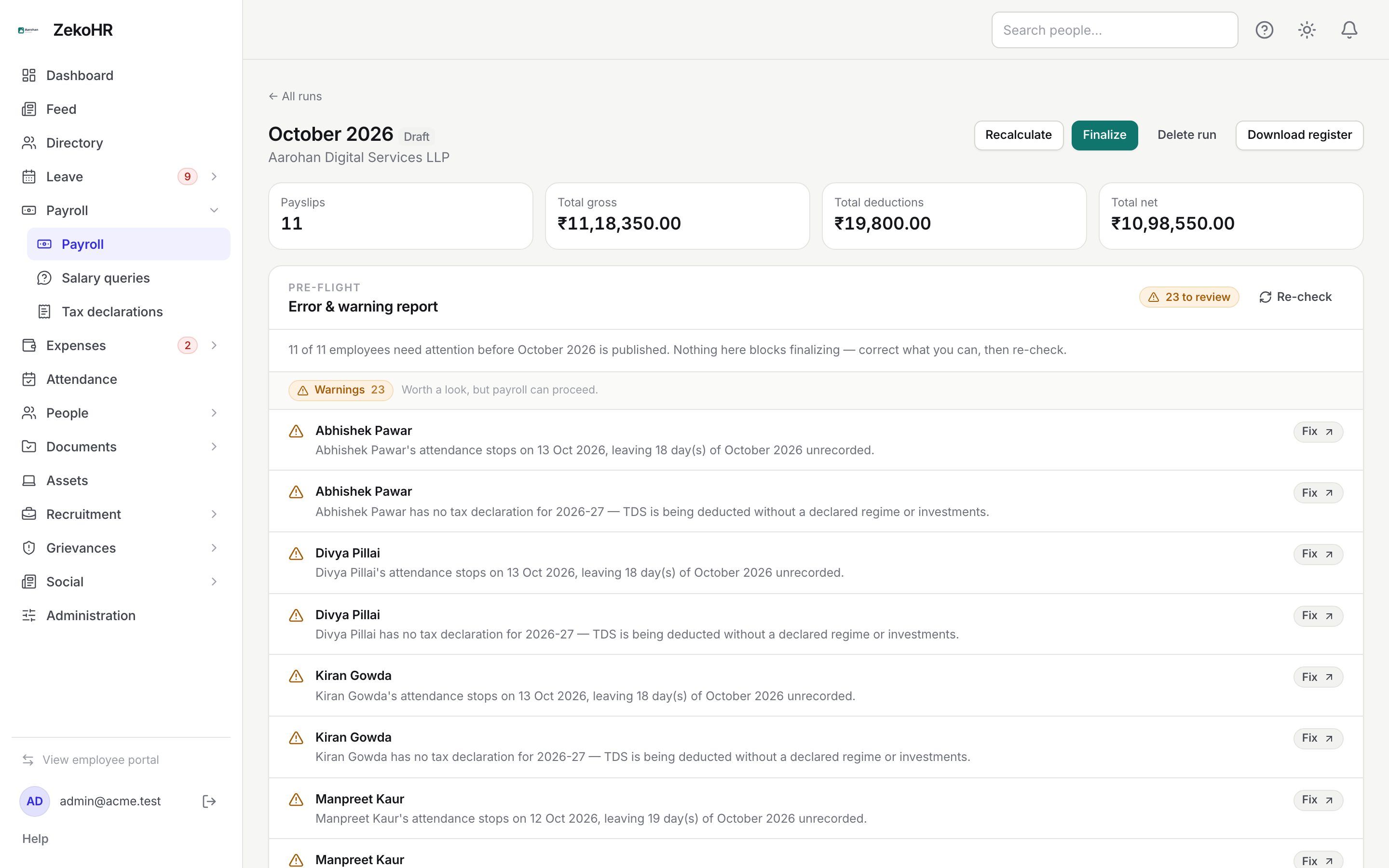
Draft actions are Recalculate, Finalize and Delete run. Download register is available in every status.
Statuses
| Status | Meaning | What happens next |
|---|---|---|
| Draft | Editable; payslips recompute on demand | Review, enter LOP, fix pre-flight findings, then Finalize |
| Finalized | Locked; PDFs generating | Publish, or roll back to draft |
| Published | Visible to employees; emails sent | Roll back only if a later run is still draft |
What happens next
- Creating a run and deleting a draft are both written to the audit log.
- No notification is sent at creation. Employees learn about a payslip only at publish.
- Queued expense payouts are linked to the run so they are marked paid when it publishes.
Rules and limits
- One run per company per month. Delete the draft (draft only) to start over; a finalized or published run must be rolled back first.
- Multi-company organisations create one run per company; totals and the register are per run.
- Days in month are calendar days; proration always divides by 28 to 31.
- Statutory deductions are whatever the structure or your overrides say. ZekoHR does not compute PF, ESI, PT or TDS.
- Runs are scoped: a run for a company outside your HR scope is not visible.
Troubleshooting
New run is missing. Your role has payroll view rights but not manage rights.
The run has no payslips. No employee has an effective salary assignment for that month. Assign salaries and click Recalculate.
An employee is listed as skipped. Their assignment starts after the month's last day, or they have none. Fix the assignment and recalculate.
Totals look too high. Nobody has entered LOP days yet; every payslip starts at a full month.