Apply for leave
The Apply for leave form files a request against one of your leave types and sends it to your reporting manager. It checks dates, mode, balance and the type's application window before anything is saved, so a request that reaches your manager is already valid.
Who can do this: employees with `leave_requests.apply.self` (in the Employee role). Managers approve with `leave_requests.approve.direct_reports`; HR and Admins can also act with `leave_requests.approve.any`.
Where to find it
Leave → My Leave, then Apply for leave. Also under Quick actions on the dashboard. URL: `/leave/apply`.
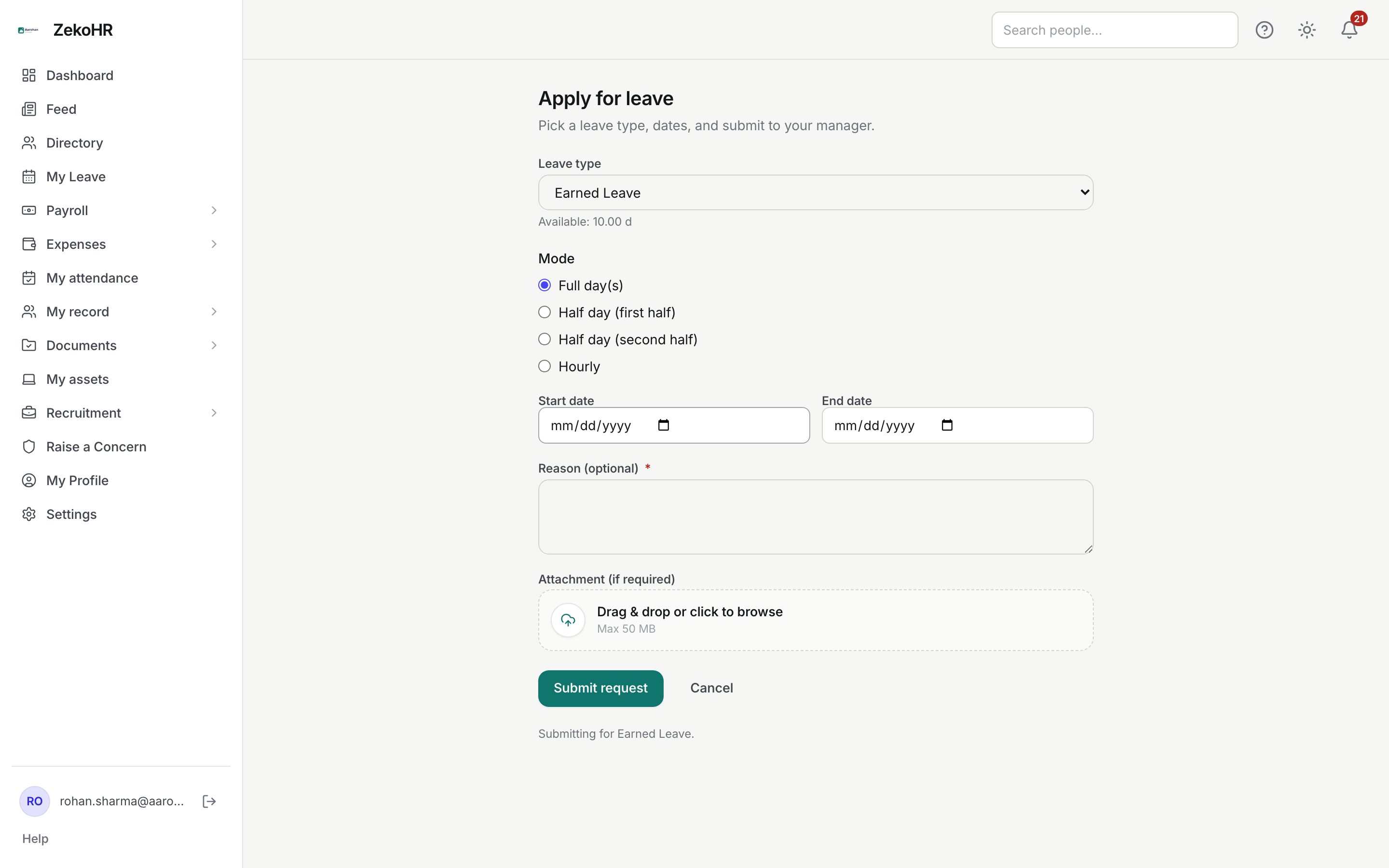
Applying for a full day or a range
- Choose a Leave type. The list only contains types you have a balance for. Under it the form shows Available: N d (or h), which is your current balance minus any pending requests.
- Leave Mode on Full day(s).
- Pick a Start date and an End date. End date cannot be before the start date; leave it blank for a single day.
- Fill in Reason. It is optional unless your company has made it mandatory, in which case the label carries an asterisk and the form will not submit without it. Maximum 1000 characters.
- Add an Attachment (if required) by dragging a file onto the dropzone or clicking it. One file, up to the size shown (50 MB by default). Some leave types require an attachment once a request reaches a certain length; the form tells you if it is missing. The file is stored with the request, but your approver cannot open it from the Approvals queue, so put the key facts in Reason and share the document with your manager or HR directly if they ask for it.
- Click Submit request. You return to My Leave with the new request under Pending. Cancel discards the form.
Only working days count. Weekends as configured for your company and mandatory holidays on your company calendar are skipped. Restricted holidays count as working days. A range that contains no working days is refused with "Selected range contains no working days."
Half days and hourly leave
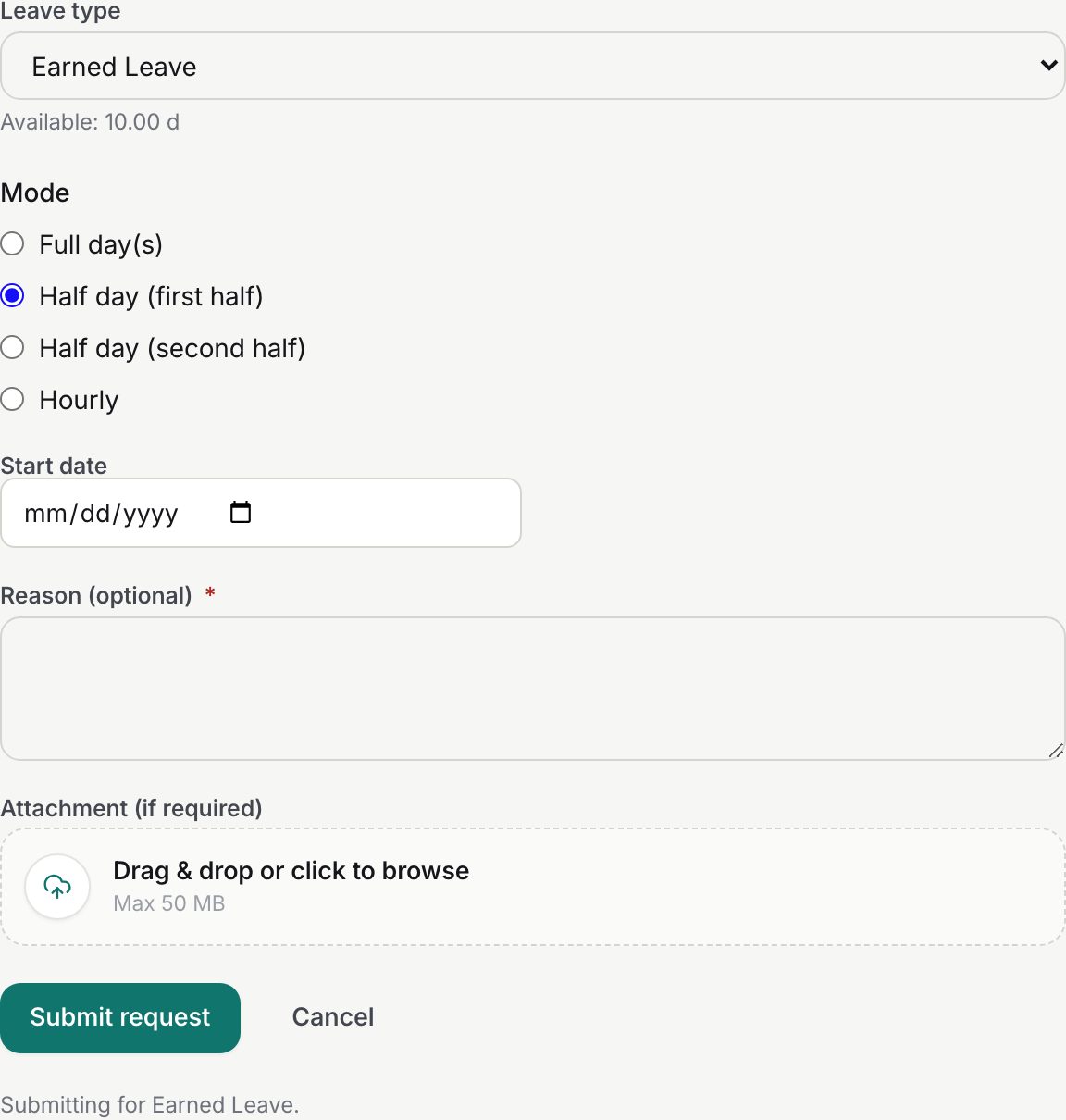
- Choose Half day (first half) or Half day (second half). The End date field disappears because a half day is always a single date. It counts as 0.5 of a day and the date must be a working day.
- Choose Hourly to take part of a day in hours. An Hours field appears (minimum 0.25, in steps of 0.25). Hours are converted to days using the company's hours per working day, for example 4 hours on an 8-hour day is 0.5.
- Both modes must be allowed on the leave type. If not, you get "This leave type does not allow half-day requests" (or hourly).
Rules and limits
The form runs these checks in order and reports the first failure next to the field:
| Check | Rule |
|---|---|
| Reason | Required when the company's leave application policy says so. |
| Dates | End on or after start; half-day and hourly need a single date; hourly needs hours above zero. |
| Mode | Half-day or hourly must be enabled on the type. |
| Working days | At least one working day in the range. |
| Attachment | Required when the request length reaches the type's "attachment required after" threshold. |
| Advance window | Start date no later than today plus the type's advance window (90 days by default). |
| Backdated window | Start date no earlier than today minus the type's backdated window (0 by default, so no past dates). |
| Overlap | No other pending or approved request of yours may overlap the dates. |
| Balance | Available minus the request must not go below zero. Comp-off checks available credits instead. |
What happens next
- Your request is saved as Pending and assigned to your reporting manager as recorded at that moment. Nothing is debited yet, but the amount is held against Available.
- An in-app notification and a "leave applied" email go to the people your company's policy names: by default your manager and HR, optionally Admins or specific people. If you have no manager, HR still receives it and can approve. The applicant is never notified of their own request.
- On a decision you receive a "leave approved" or "leave rejected" notification with the decider's name and any comment. Approval debits the ledger; the request then shows on the team calendar and in Who's on leave.
- Each step is logged in the audit log with the leave type and the day equivalent.
Troubleshooting
The form shows a Request Leave Allocation card instead of the fields. You have no balances yet; send the request so HR can allocate.
"This leave type accepts requests at most N day(s) in advance." Your start date is beyond the type's advance window. Wait, or ask HR whether the window should be longer.
"You already have a leave request that overlaps these dates." Cancel the earlier request from My Leave first, or change the dates.
"Insufficient balance: available X, requested Y." Pending requests count against you. Cancel one or pick a different type.