Receipts, mileage and per diem
Each expense category has a kind: standard, mileage or per diem. The kind changes the fields you fill in and how the amount is worked out. Categories also carry receipt rules and spending limits that produce policy flags on your lines.
Who can do this: Every employee with `expenses.create.self`. Category rules are set by HR Managers and Admins with `expense_config.manage`.
Where to find it
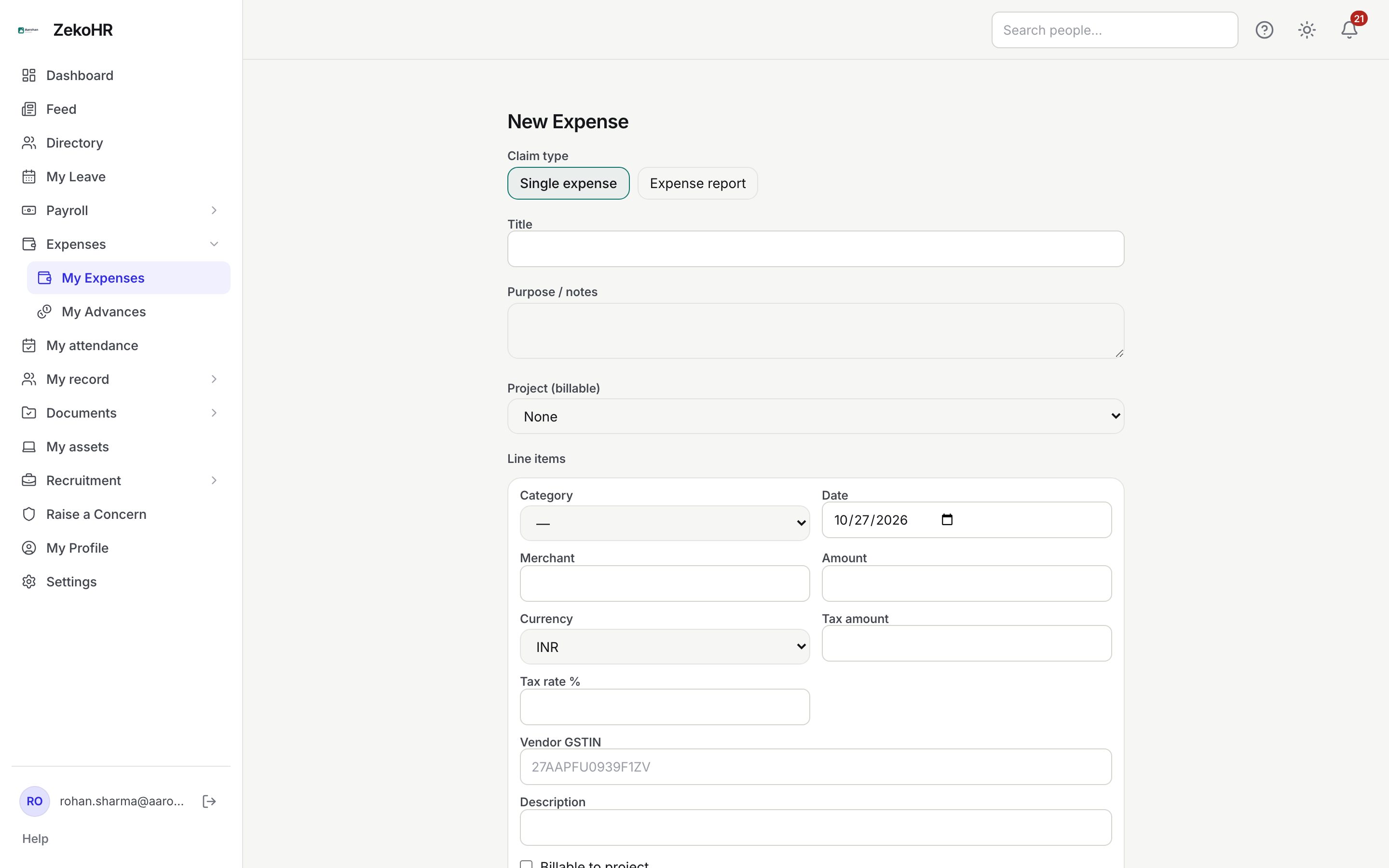
Expenses → My Expenses → New Expense (`/my-expenses/new`) for entering lines, and the claim detail page (`/my-expenses/{id}`) for receipts and policy chips.
Standard lines
A standard category (Travel, Meals & Entertainment, Accommodation and so on) asks for Merchant, Amount, Currency, tax fields and Description. ZekoHR stores the amount, the currency and the INR value.
Mileage lines
- Pick a category whose kind is Mileage (the default seeded one is called Mileage, category code MILE).
- The merchant, amount and currency fields disappear. Enter Distance (km) instead, in steps of 0.1 km.
- The amount is distance multiplied by the category's Rate / km. The rate is snapshotted on the line, so a later rate change does not alter old claims. The line is always INR.
- Mileage lines never require a receipt, even if the category's receipt setting is on.
The seeded default is INR 12 per km; HR sets it under Expenses → Expense Categories.
Per diem lines
- Pick a category whose kind is Per diem (default Per Diem, category code PERDIEM).
- Enter Days, in steps of 0.5, so a half day is 0.5.
- The amount is days multiplied by the category's Rate / day, snapshotted on the line and always in INR. The seeded default is INR 1,500 per day.
- Per diem lines never require a receipt.
Receipts
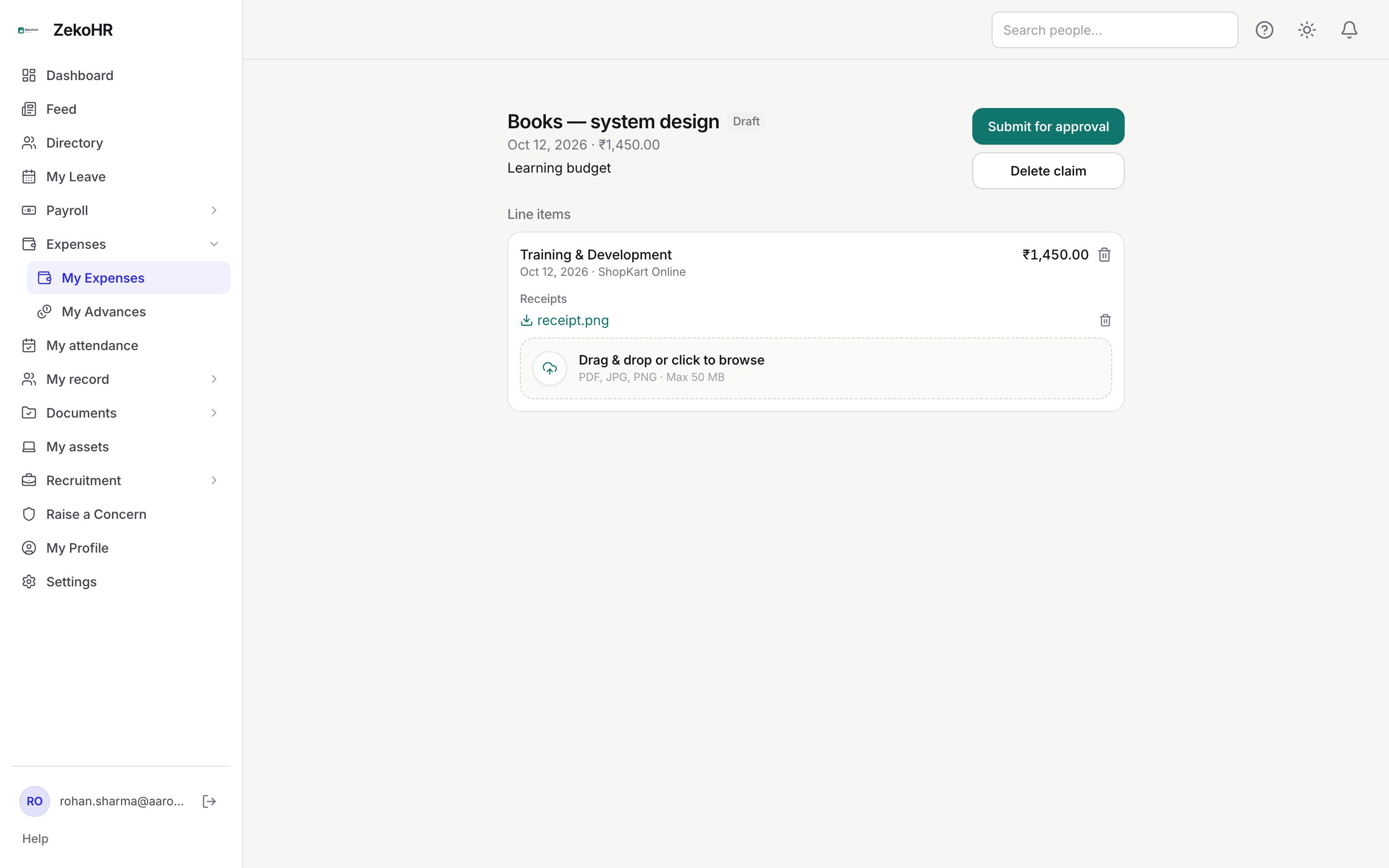
Receipts are attached on the claim detail page after you save the draft.
- Open the claim from My Expenses.
- Under the line's Receipts heading, drop a file on the dropzone or click it to choose one. Accepted types: PDF, JPG, JPEG, PNG, WEBP. The size cap is 50 MB unless your organisation changed it.
- The file appears as a download link. Click the name to download it. While the claim is a draft a bin icon removes it.
- Attach as many receipts as you need; each upload adds one file.
Approvers, HR and Accounts who can see your claim can also download the receipts.
Policy flags
ZekoHR re-evaluates a line after every change to it or its receipts, and again on submit, and shows chips under it.
| Flag | Trigger | Severity |
|---|---|---|
| A receipt is required for this expense | Category has Receipt required on and the line has no receipt. Never raised on mileage or per diem lines | Warning, or block if the category has Block over-limit on submit |
| Amount exceeds the per-item limit of N | INR amount above the category's Per-item limit | Warning or block, as above |
| Another expense with the same amount, date, and merchant already exists | A different line of yours matches on date, merchant and INR amount | Always a warning |
Amber chips are warnings. Red chips are blocks. Blocks do not prevent you from submitting; they prevent the approver from approving unless an HR Manager or Admin enters an override reason, which is written to the audit log.
What happens next
Approvers see the same chips. A manager without override rights sees "Only HR/Admin can override policy violations." and will usually send the claim back; a sent-back claim returns to Draft with its receipts intact, so add the missing receipt and resubmit.
Rules and limits
- The per-item limit and the duplicate check compare the INR value of the line, not the foreign amount.
- The duplicate check only runs when the line has a merchant, and it looks across all your claims, whatever their status.
- Only the claim owner can upload or delete receipts, and only while the claim is a draft.
Troubleshooting
I cannot see Distance (km) or Days. The category you picked is a standard one. Choose the mileage or per diem category your company has configured; if none exists, ask HR.
The mileage amount is zero. The category has no Rate / km set. HR must set a rate; the line stores the rate in force when it was saved, so re-create the line after the fix.
A duplicate warning appears but I only entered the expense once. Another line of yours, possibly on an older claim, has the same date, merchant and INR amount. Check your other claims before submitting; if both are genuine, add a note in Purpose / notes so the approver understands.