Raising a salary query
A salary query is a private, threaded question to HR about your pay. You can raise it against one published payslip ("why is this deduction here") or as a general question with no payslip ("when is my first salary paid"). HR answers in the same thread, you can reply, and either side can close it. Queries go to the HR team for your company, never to your reporting manager.
Who can do this: employees with `payroll_queries.submit.self` to raise and `payroll_queries.view.self` to read and reply (both are in every default role). HR handles them with `payroll_queries.manage`.
Where to find it
Sidebar Payroll → My salary queries, URL path `/my-payroll-queries`. You can also start one from inside a payslip: Payroll → My Payslips, open a slip, click Raise a query. This module must be enabled on your plan; Admins can check Settings → Billing.
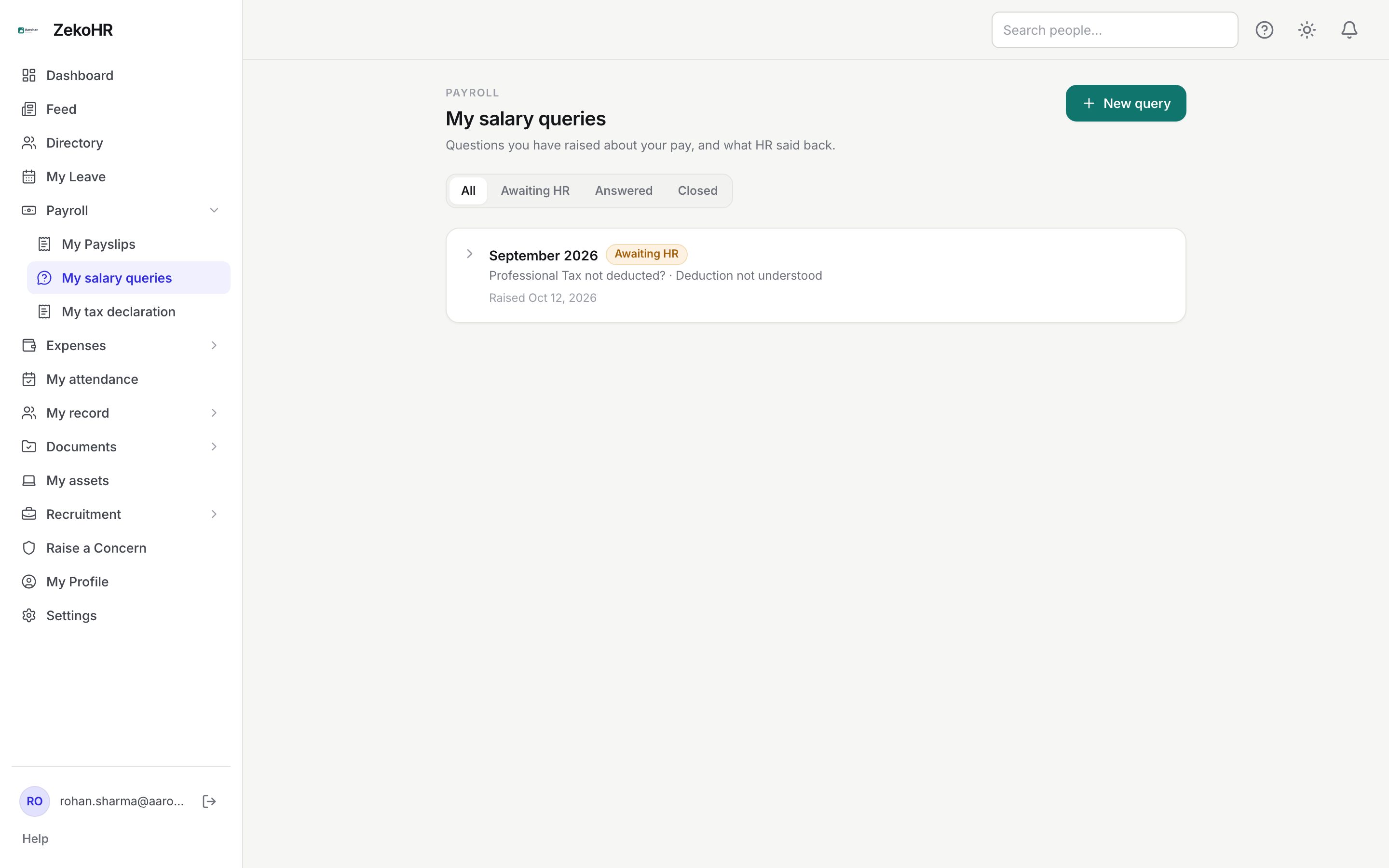
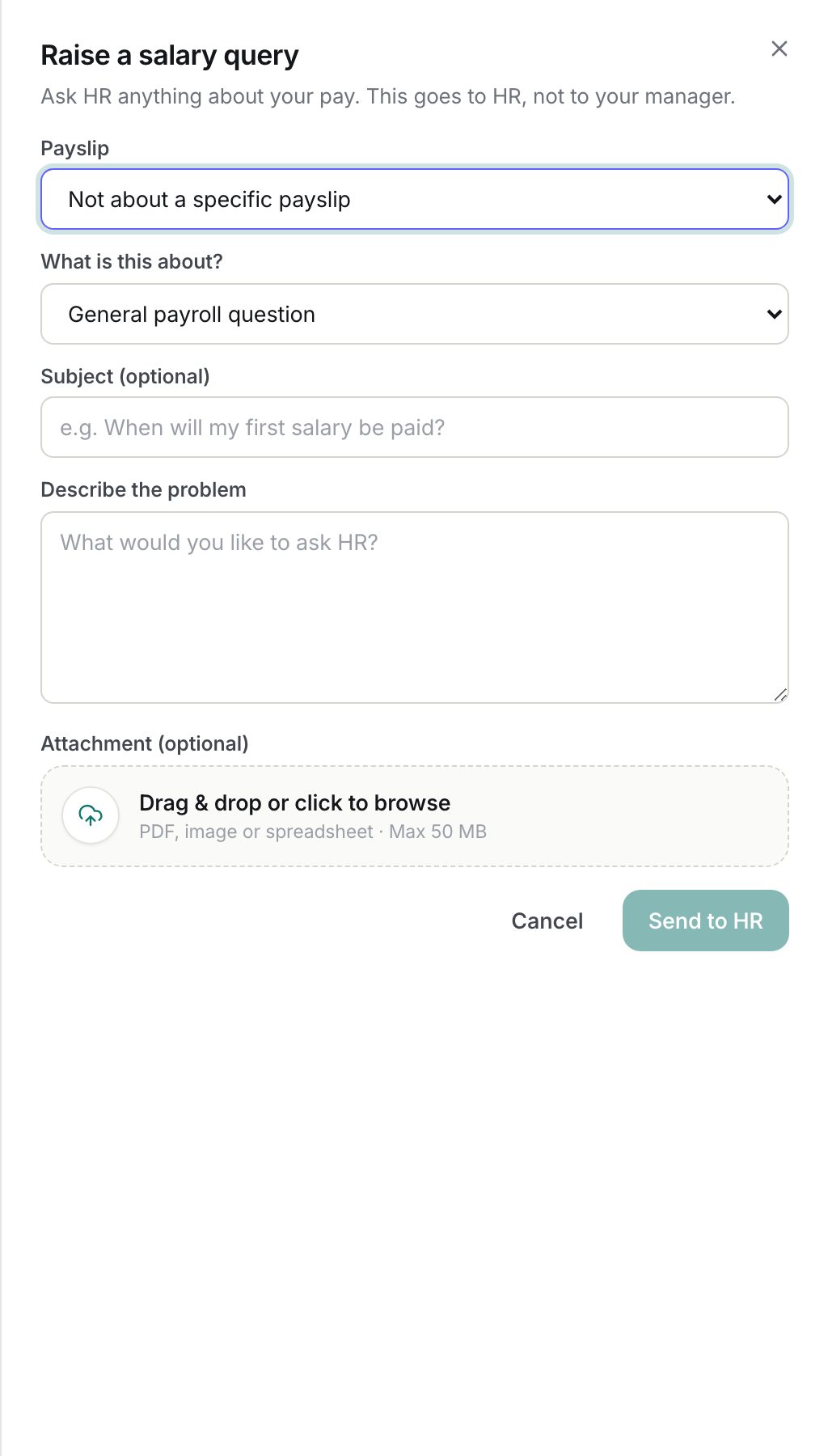
Raising a query
- Click New query (top right, or in the empty state).
- Payslip: pick one of your published payslips, or leave Not about a specific payslip for a general question. If you have no payslips yet the dialog says so and you can still ask a general question.
- What is this about?: choose a type. For a payslip query the list is Net or gross amount looks incorrect, Deduction not understood, A pay component is missing, Tax / TDS question, Bank account or payment not received and Something else. A general query also offers Salary structure / CTC, Payslip not available and General payroll question.
- Subject (optional): up to 150 characters, shown in the list. Offered for general queries.
- Describe the problem: required, 5 to 5000 characters. Say which figure looks wrong and what you expected. HR can already see the payslip.
- Attachment (optional): one file, PDF, JPG, JPEG, PNG, WEBP, DOC, DOCX, XLS, XLSX or CSV, up to the upload limit set for your organisation (50 MB by default). One attachment per query; add further evidence in replies as text.
- Click Send to HR. A toast confirms Query sent to HR and the new query opens in the list.
When you start from a payslip, the payslip is fixed and the subtitle reads "About your <period> payslip".
Following the thread
Click a row to expand it. Your opening description is the first message; HR's answers appear in blue bubbles on the opposite side. Type in the box and click Reply to add to the thread, or click Close query when you are done. A closed query shows This query is closed. Raise a new one if you still need help with this payslip. and no longer accepts replies.
Statuses
| Status | Shown as | Meaning | What happens next |
|---|---|---|---|
| open | Awaiting HR | Raised, or you replied after an answer | HR sees it at the top of their queue |
| answered | Answered | HR has posted the latest message | Reply to reopen it, or close it |
| closed | Closed | Ended by you or HR | Read-only; raise a new query if needed |
What happens next
- On submit, every HR handler for your company gets an in-app notification and an email (`payroll_query.submitted`) with your name, the period, the type and a link to the queue.
- When HR answers, you get an in-app notification and an email (`payroll_query.answered`) with the response and a link that opens the thread directly.
- Your replies do not send email; they move the query back to Awaiting HR so it resurfaces in the queue.
- Submitting, answering, replying and closing are all written to the audit log.
- A query does not change the payslip. If HR agrees the figure is wrong they correct the payroll run separately, which may withdraw and republish the payslip.
Rules and limits
- You can only attach your own payslips from published runs. Anything else returns "not found".
- A general query needs you to be assigned to a company; otherwise the form tells you to contact HR directly.
- Queries are private to you and in-scope HR. Nobody else, including your manager, can see them.
- The period label on a query is a snapshot taken when you submit, so it stays readable even if the run is later rolled back.
- Closed queries cannot be reopened; raise a new one.
Troubleshooting
I cannot find my payslip in the picker. Only published payslips are listed. If the month has not been published, raise a general query of type Payslip not available.
My attachment was refused. Check the file type against the list above and the size limit. Compress a large scan or convert it to PDF.
HR answered but I still have a question. Type a reply; the status returns to Awaiting HR and HR is prompted again.
The email link opens the list but not my query. The link carries `?query=<id>`; if you are signed in as a different user the query will not be yours and nothing opens.