Policies and acknowledgements
Policies are formal documents with a lifecycle: a draft nobody sees, a published version employees must read and acknowledge, and an archive that keeps the record. Each policy applies to all or selected companies and departments, carries an integer version plus a label you choose (v1.4, v2026.1), and counts acknowledgements only against the version that is live now.
Who can do this: Admins and HR Managers with policies.manage. Employees read and acknowledge with policies.view. HR scope does not narrow this permission: anyone with policies.manage can manage every policy in the organization.
Where to find it
Documents → Policies (`/policies`). Employees see what applies to them under Documents → My policies.
Creating a draft
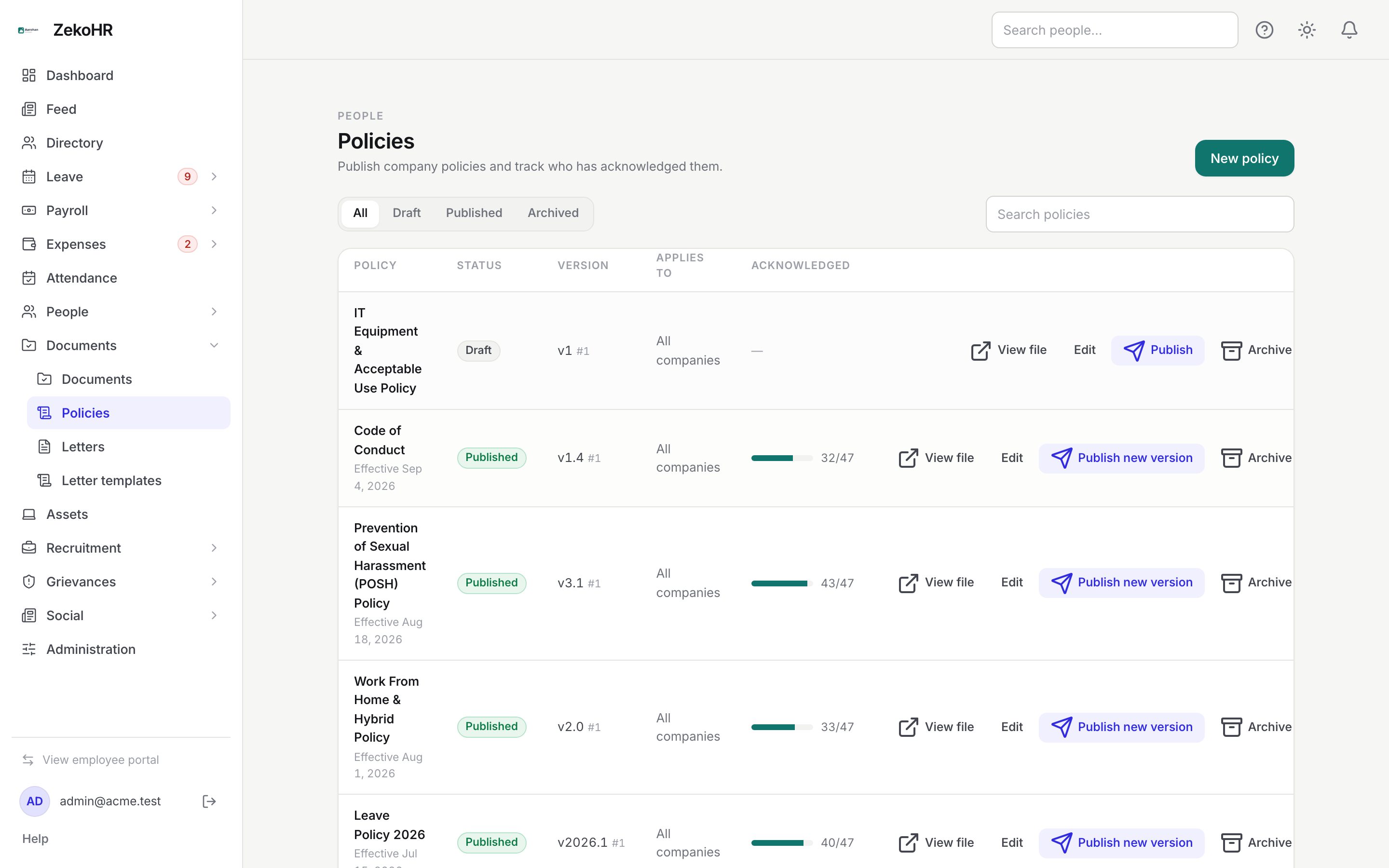
- Click New policy. The dialog notes that it is saved as a draft and nobody sees it until you publish.
- Title (required, up to 160 characters) and Description (up to 5000 characters, shown to employees as a summary).
- Version label (up to 40 characters, free text such as v1.0) and Effective date.
- Policy document: drag or choose a PDF, DOC or DOCX up to the cap shown in the drop area (50 MB by default). Optional at draft stage; attach it before publishing.
- Require employees to acknowledge: on by default. Untick for reference-only policies.
- Companies: tick the companies it applies to; leave empty to apply to all. Departments appears once departments exist; leave empty to apply to all. The two filters are combined, so Company A plus Engineering reaches Engineering staff of Company A only.
- Click Create draft.
Publishing and new versions
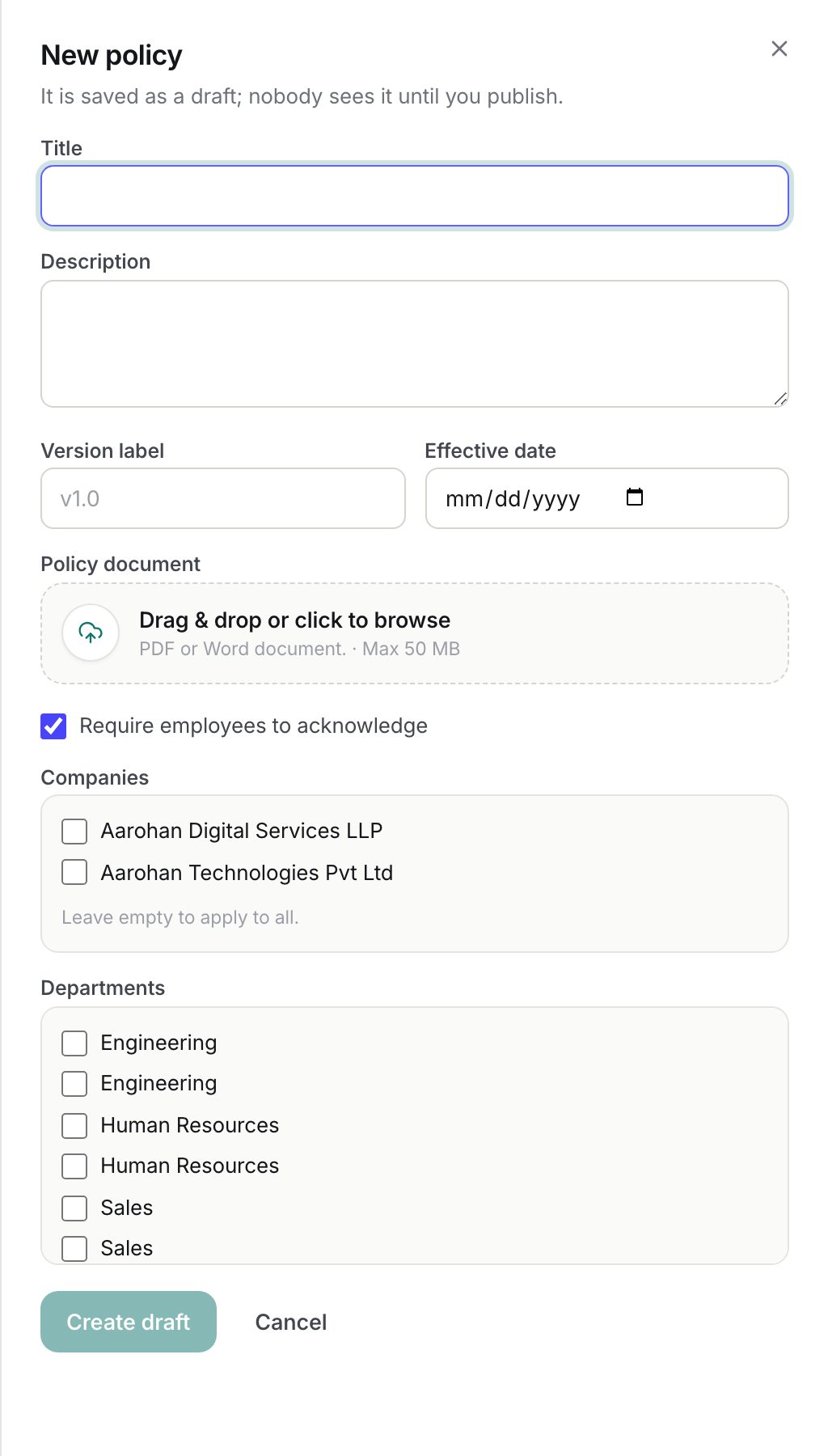
- Click Publish on a draft (or an archived policy). The Publish policy dialog repeats the version label and effective date so you can set them in the same step. Confirm with Publish.
- On a published policy the button reads Publish new version. The dialog warns that everyone who acknowledged the current version will be asked again and that their earlier acknowledgement is kept as history. Confirm with Publish new version; the version integer increases by one.
- Re-publishing an archived policy restores it at the same version; nobody is asked to acknowledge again unless you publish a new version afterwards.
Editing and archiving
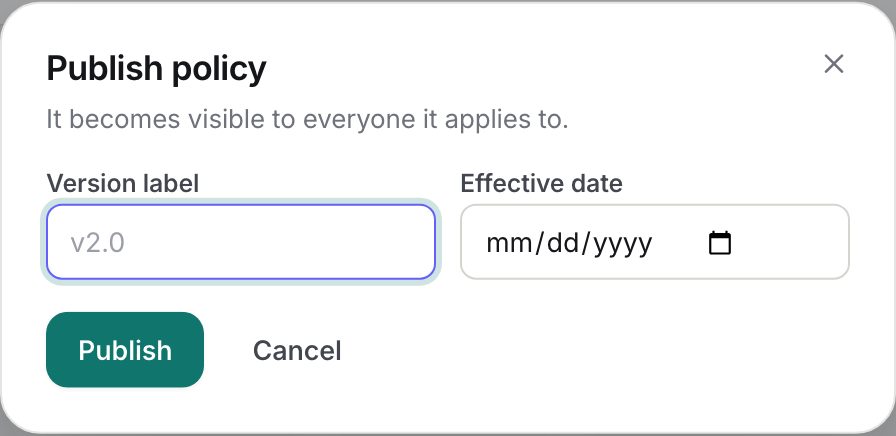
- Edit opens the same form. Edits never change the version or clear acknowledgements, including replacing the file, which is intended for typo fixes. If employees must re-read it, publish a new version.
- View file opens the attached document.
- Archive removes the policy from every employee's list. Acknowledgements are kept. Archived policies can be published again.
- Filter the table with All, Draft, Published, Archived and the Search policies box.
Statuses
| Status | Meaning | What happens next |
|---|---|---|
| Draft | Created, invisible to employees | Attach the file, then Publish |
| Published | Live for everyone it applies to; acknowledged column counts the current version | Edit for small fixes, Publish new version for substantive changes, Archive to retire |
| Archived | Hidden from employees, history kept | Publish to restore |
The Version column shows your label with the integer after it (v1.4 #1). Acknowledged shows a bar and count such as 32/47 only for published policies that require acknowledgement; the denominator is active employees in scope.
What happens next
- Publishing does not send a notification or email; it appears on each employee's My policies page under Needs acknowledgement with an Action needed badge. Use an announcement in the Feed if you want people told.
- Employees acknowledge per version; the count resets to zero on a new version without deleting any acknowledgement rows.
- Audit entries: policy.created, policy.updated, policy.published, policy.version_published, policy.archived, each with the before and after status, version, label and effective date. Individual acknowledgements are not audited; the acknowledgement row is the record.
Rules and limits
- Status and version are never set through Edit; only Publish and Archive move them.
- Employees only ever see published policies that match both their company and department. An employee with no company or department matches only policies that are not narrowed on that axis.
- Replacing the file keeps one file per policy; the previous file is discarded.
- A policy can be published without a file; employees then acknowledge without a Read button, so attach the document first in practice.
- The acknowledgement count is computed from active employees only; leavers drop out of the denominator.
- The Policies module must be enabled on your plan; Admins can check Settings → Billing.
Troubleshooting
The acknowledged count dropped to 0/47. You published a new version. That is expected; the earlier acknowledgements are still stored against the previous version.
An employee says the policy is not on their list. Check the companies and departments ticked on the policy against the employee's record. Both must match, and the policy must be Published, not Draft or Archived.
I replaced the PDF but nobody is asked to acknowledge again. Edit never bumps the version. Click Publish new version.
Publish is greyed out or fails. Only users with the policy management permission can publish. Ask your Admin to check Settings → Roles & permissions.
I need to see who has not acknowledged. The Policies table shows the count only; there is no per-person acknowledgement report for policies. Ask the team directly, or post an announcement in the Feed naming the policy. If you need a per-person read receipt, publish the file as an organization document instead, which has an Acknowledgments list.