Giving kudos and the recognition leaderboard
Kudos is public recognition on the feed. You pick one or more colleagues, optionally tag a company value they demonstrated, and say what they did well. Every kudos counts towards the recipient's place on the Recognition leaderboard that sits beside the feed.
Who can do this: Any employee with `social.post.self` can give kudos; `social.view` shows the leaderboard. Admins with `social.manage.any` define the company values in Social → Feed Settings. This module must be enabled on your plan; Admins can check Settings → Billing.
Where to find it
Feed in the sidebar, URL `/feed`. The Kudos tab is inside the post composer, the Kudos filter pill shows only recognition posts, and the Recognition panel is in the right rail on desktop (a collapsible Recognition section above the feed on mobile). The `/recognition` URL redirects to the feed.
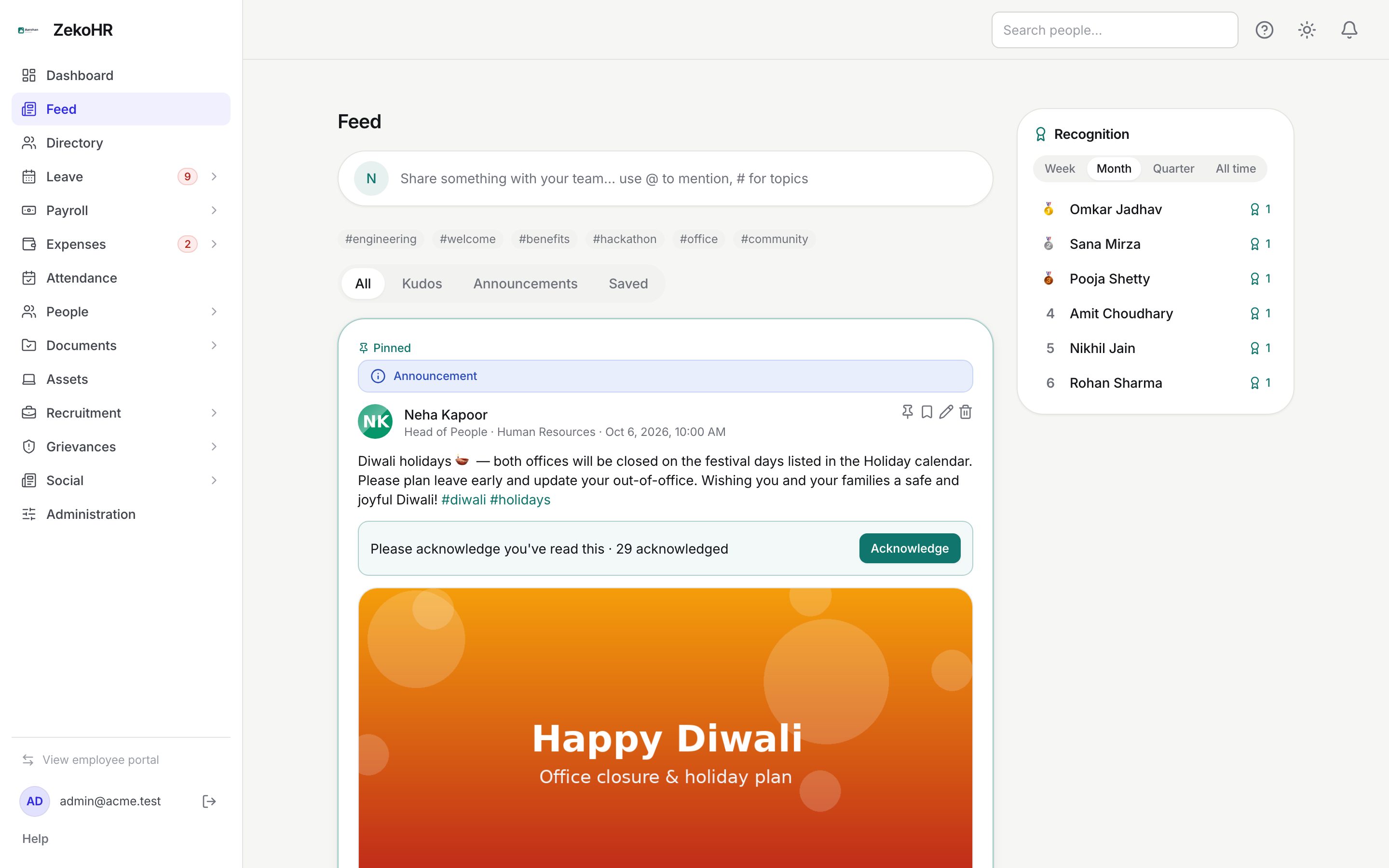
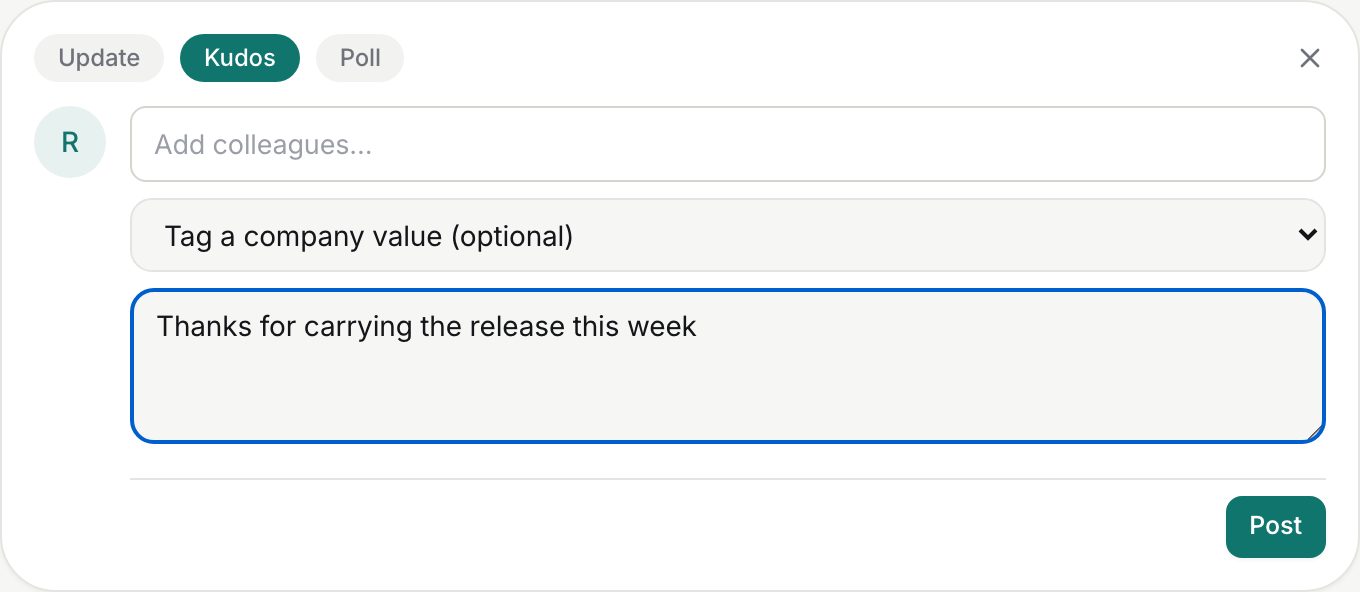
Giving kudos
- Click Share something with your team… to open the composer and choose the Kudos tab.
- In Add colleagues… type at least two letters of a name and click the match. A chip appears for each person; click the cross on a chip to remove them. You can recognise up to 20 people in one post, but not yourself.
- Optionally pick a value from Tag a company value (optional). The list contains the values your Admin has defined; if none exist the dropdown is empty and you can skip it.
- In Say what they did well… write the message. `@mentions` and `#hashtags` work here too, and a web link produces a preview card.
- Click Post. At least one colleague is required; without one the post is rejected with "Pick at least one colleague to recognize."
The published post reads "*Your name* recognized Colleague A, Colleague B · *Value*" in its header, followed by your text. Kudos posts take reactions and comments like any other post and cannot carry photo, file or video attachments.
The leaderboard
| Control | Meaning |
|---|---|
| Week / Month / Quarter / All time | The period counted. Month is the default. Week is the last 7 days, quarter the last 3 months. |
| Rank | Medals for the top three, numbers from four onwards. Up to ten people are shown. |
| Count | The number of kudos posts in which the person was named as a recipient during the period. |
The leaderboard counts recipients across the whole organisation, regardless of the per-company feed setting. If nobody has been recognised in the period, it shows No kudos yet with a hint to give some from the feed.
What happens next
- Each recipient (other than you) gets an in-app notification and an email saying you recognised them, with the first 120 characters of your message and a link to the post. The email uses the same social.mentioned template as an ordinary mention.
- The post appears under All and Kudos on the feed for everyone in scope, and the recipients' counts on the leaderboard rise immediately.
- Giving kudos writes nothing to payroll, appraisal records or the employee timeline. It is recognition only.
Rules and limits
- Recipients: 1 to 20 per post. Mentions in the text: up to 50. Message: up to 5,000 characters.
- Company values are organisation-wide; there is no per-company list. Values that an Admin deletes stop appearing in the dropdown, but existing kudos posts keep the value name they were tagged with.
- The value is a tag only; it does not change scoring or ranking.
- A kudos post can be edited or deleted by its author or by a moderator. Deleting the post does not remove the leaderboard credit, because the credit is recorded against the recipient at posting time.
- In per-company feed mode the colleague picker only lists people in your company.
Troubleshooting
The value dropdown is empty. No company values have been defined yet. Ask an Admin to add some under Social → Feed Settings; you can still post kudos without a value.
I cannot add a colleague. Type two or more characters and pick from the list; free text is not accepted. Check they belong to your company if the feed is per-company.
My kudos post was rejected. You did not pick any colleague, or the message exceeded 5,000 characters.
The leaderboard shows someone with more kudos than I can see on the feed. The leaderboard counts all companies in the organisation; the feed may be showing only your company.
A deleted kudos still counts on the leaderboard. Expected; see Rules and limits.