Notifications
ZekoHR tells you about things that need you or concern you: a leave decision, a payslip, a document request, a mention in the feed, an interview you are on. Each event can reach you in the app (the bell and the Notifications page) and by email. You choose which, per event, except for a few security events that are always delivered.
Who can do this: Everyone, with `notifications.view.self` to read and `notifications.preferences.manage.self` to change preferences. Both are in every default role.
Where to find it
The bell in the top bar opens the last five. Notifications at `/notifications` shows the full list. Preferences live under Settings → Notifications (`/settings/general`).
The bell
The bell shows a red badge with the unread count (99+ above 99) and refreshes every minute. Clicking it opens a dropdown of the five most recent entries. Opening the dropdown marks everything as read on the server; new entries stay bold until you close it so you can still tell what just arrived. Click an entry to jump to the related page. See all opens the Notifications page.

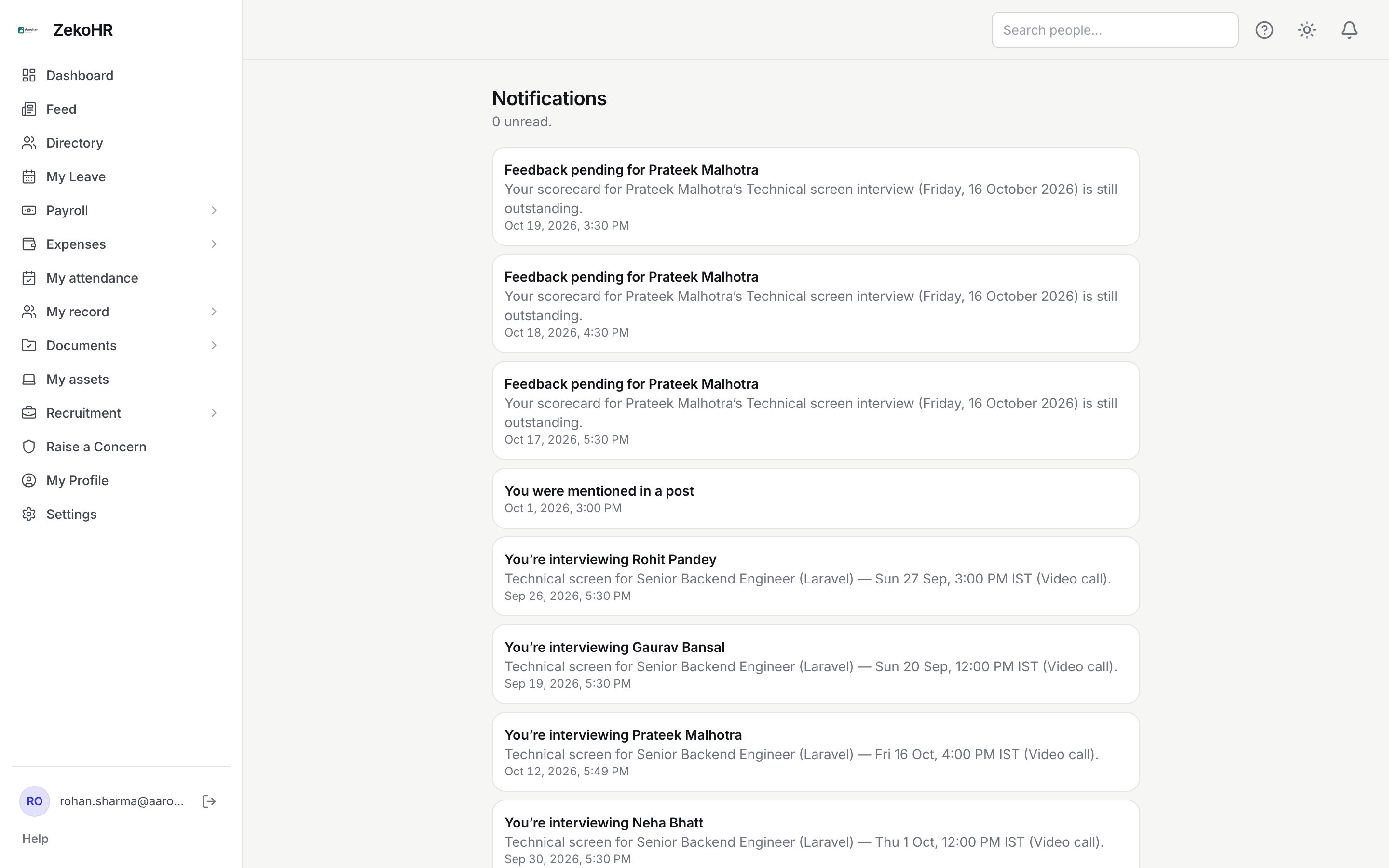
The Notifications page
The page lists your 100 most recent in-app notifications, newest first, with the title, an optional detail line and the date and time. The subtitle reads N unread. Opening the page marks everything read, and Mark all read is there for the badge if it lags. Entries that have a destination are clickable; informational ones are not. The empty state reads No notifications yet.
Channels
| Channel | Where it arrives | Notes |
|---|---|---|
| in-app | The bell and the Notifications page | Kept until you read it; not deleted |
| Your work address | Uses your organisation's branded templates; HR can customise them | |
| webhook | Not a personal channel | The column appears in preferences but every event reads as a dash, so there is nothing for you to set here |
Changing your preferences
- Open Settings; the Notifications tab is selected by default.
- The table lists one row per event, named by its key (for example `leave.approved`), with a checkbox per channel. A dash means the event does not use that channel. (always on) marks security-critical events whose boxes cannot be changed.
- Untick the channels you do not want and press Save preferences. Saved. confirms it.
Events you never touched are enabled on every channel they support.
Events you can tune
| Group | Events |
|---|---|
| Leave | `leave.applied` (to the approver), `leave.approved`, `leave.rejected`, `leave.canceled` (in-app only), `leave.allocation_requested`, `leave.allocated` |
| Expenses | `expense.submitted`, `expense.approved`, `expense.rejected`, `expense.sent_back` (in-app only), `expense.reimbursed`, `expense.advance.requested`, `expense.advance.approved`, `expense.advance.rejected`, `expense.advance.disbursed` |
| Documents | `document.request_created`, `document.request_reminder`, `document.rejected`, `document.expiring`, `document.expiring_soon`, `org_document.published` |
| People and payroll | `employee.onboarding.assigned`, `employee.onboarding.completed`, `employee.onboarding.item.needs_verification`, `letter.issued`, `change_request.submitted`, `change_request.decided`, `payroll.payslip_published`, `payroll_query.submitted`, `payroll_query.answered` |
| Social and recruitment | `social.mentioned`, `social.commented` (in-app only), `celebration.greeting`, `recruitment.internal.*` interview and feedback reminders |
| Grievances and contractors | `grievance.submitted`, `grievance.status_changed`, `contractor.*` worker requests and engagement endings |
| Reminders | `pending_actions.reminder` (email only, a digest of your Needs your attention list), `trial.lifecycle` (email only, trial updates for Admins) |
Always delivered
`employee.invited`, `employee.offboarding.scheduled`, `employee.offboarding.completed`, `security.tokens.revoked`, `security.two_factor.enabled`, `security.two_factor.disabled`, `security.two_factor.reset` and `account.export_ready` ignore preferences.
What happens next
Saving preferences takes effect for the next event; nothing already sent is recalled. Reading a notification only changes its read state; it does not acknowledge a document or approve anything. Emails are logged in Settings → Email log for Admins.
Rules and limits
- The bell and the page show the in-app channel only. Email delivery is recorded for Admins but not listed here.
- Each notification links to a page inside ZekoHR; links to other sites in an email are never used as the in-app destination.
- Preferences are per user and per workspace. Signing into another workspace has its own set.
Troubleshooting
The badge will not clear. Open Notifications and press Mark all read. The badge also refreshes within a minute on its own.
I get in-app alerts but no email. Untick and re-tick the email box for that event and save; then check spam and your address on My Profile.
I cannot untick a row. It is marked (always on). These are security and account events.
Clicking a notification does nothing. It is informational with no destination, such as a greeting.