Interview panelist guide
When HR adds you to an interview panel you get an email with the candidate summary, a resume link and a feedback link, and My interviews appears under Recruitment in your sidebar. After the interview you rate the candidate on the scorecard. Your feedback is private until you submit it, and the rest of the panel's feedback unlocks only after you have, so everyone's view stays independent.
Who can do this: Any employee who is a panelist on an interview. No permission is needed; being on the panel is the relationship that grants access. You see only the candidate summary and resume for your interviews, never salary, screening or other applications.
Where to find it
Recruitment → My interviews, at `/recruitment/my-interviews`. Links in the invitation email open the interview directly (`/recruitment/my-interviews/{id}`).
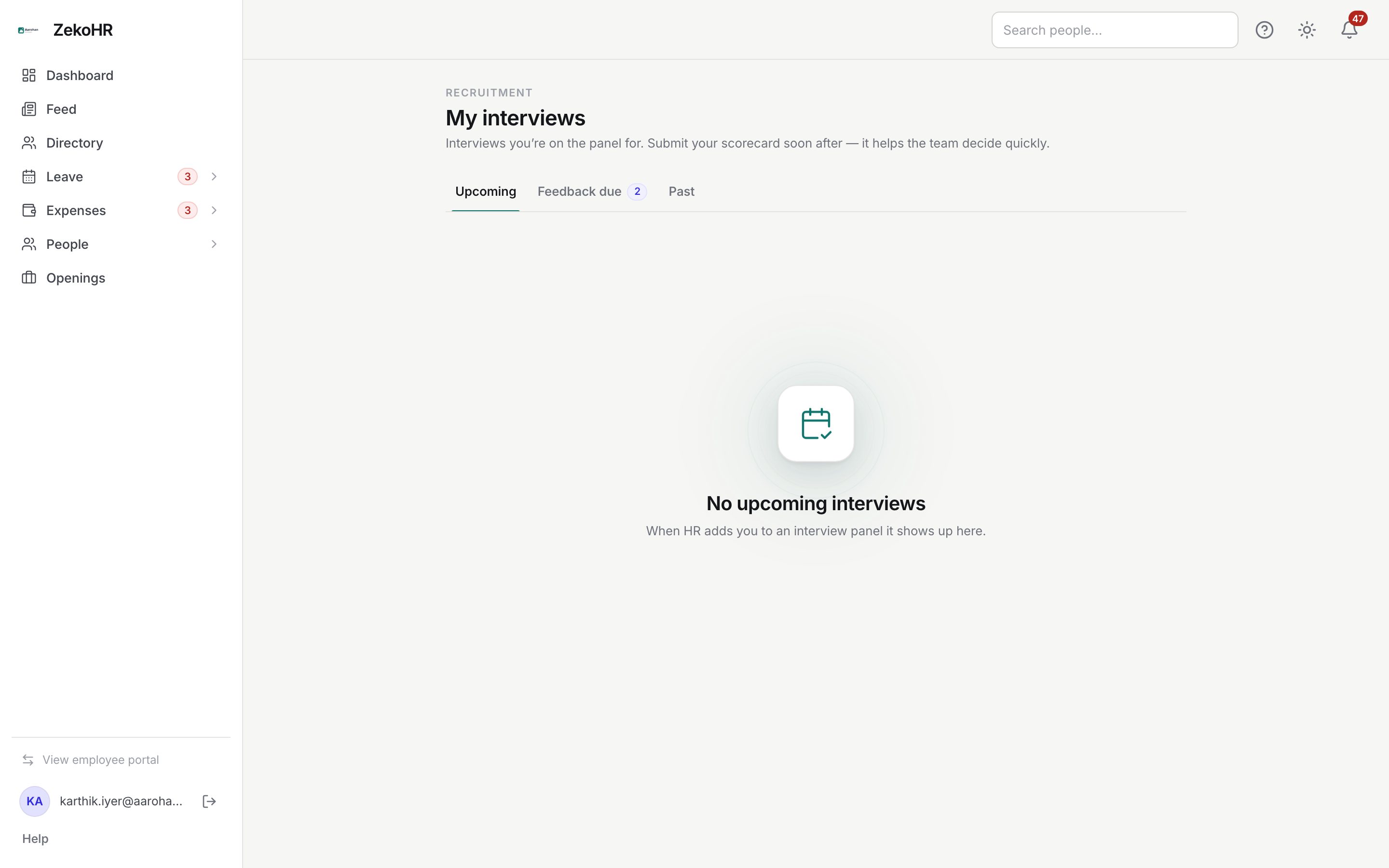
The three tabs
| Tab | What it lists |
|---|---|
| Upcoming | Scheduled interviews you are on, soonest first, with the round, job, time and mode. |
| Feedback due | Interviews that have started or completed where you have not submitted. The count sits on the tab. |
| Past | Everything else, newest first. |
Each row shows Feedback in, Draft saved or Feedback due badges.
Before the interview
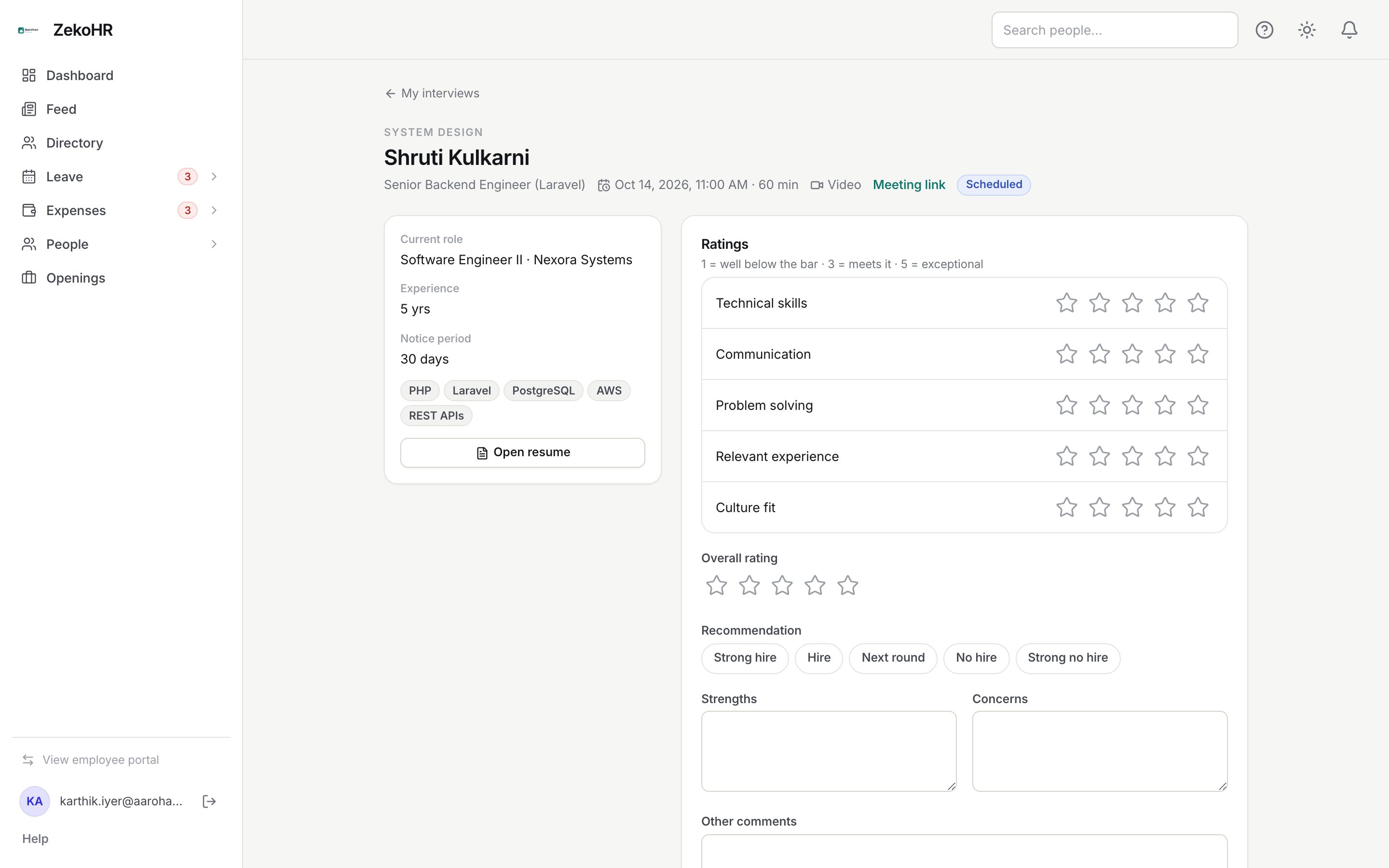
- Open the interview. The left column shows the candidate's current role, experience, notice period and skills, and Open resume opens the resume in a new tab.
- What this round assesses shows the round description HR wrote.
- The header carries the time, duration, mode and, for video, the Meeting link.
- You can start typing notes and click Save draft before the interview starts; a banner reminds you that submitting opens once it has started.
Filling in the scorecard
- Under Ratings, give 1 to 5 stars on each criterion (1 = well below the bar, 3 = meets it, 5 = exceptional). The criteria are the round's own, or the organisation's default list (Technical skills, Communication, Problem solving, Relevant experience, Culture fit).
- Give an Overall rating (1 to 5).
- Pick a Recommendation: Strong hire, Hire, Next round, No hire or Strong no hire.
- Add Strengths, Concerns and Other comments (each up to 10,000 characters).
- Save draft stores whatever is there. Submit feedback requires every rating and the recommendation; missing fields are highlighted.
After submitting, your feedback is shown as a card with Edit my feedback underneath, and Panel feedback lists what other panelists submitted.
Statuses
| Badge | Meaning |
|---|---|
| Feedback due | The interview has started or completed and you have not submitted. |
| Draft saved | You saved a draft; it is not visible to anyone else. |
| Feedback in | Submitted. |
| Scheduled / Completed / Cancelled / No-show | The interview's own status. |
What happens next
Submitting notifies the recruiter and hiring manager (`feedback_submitted`). When the whole panel is in, they get `round_complete` with the round summary, and the interview is marked completed automatically once its end time has passed. If you have not submitted 24 hours after the interview ended you get a reminder, then one a day up to three times, and HR sees the overdue count on their dashboard.
Rules and limits
- Only a panelist writes their own feedback; HR cannot write it for you.
- Submitting needs the interview to have started. Drafts are allowed any time before.
- Submitted feedback can be edited for 7 days, and only while the candidate is still in an interview stage. It cannot be turned back into a draft.
- Nothing can be changed once the interview is cancelled, marked no-show, or HR has closed feedback.
- You cannot be removed from a panel after submitting.
Troubleshooting
I cannot see My interviews. It appears only while you are on at least one panel. Ask HR to check the panel.
Submit feedback is disabled. The interview has not started yet. Save a draft and come back.
Other panelists' feedback is locked. Submit yours first.
Open resume says it could not open. The candidate has no resume on file, or the interview was cancelled. Ask HR.