Cash advances
A cash advance is money paid to you up front for expenses you are about to incur. You request it from My Advances, your manager or HR approves it, Accounts pays it out, and you settle it by filing claims against it. Only the part of a claim that exceeds the advance is reimbursed.
Who can do this: Every employee with `expense_advances.request.self` and `expense_advances.view.self`. Approval needs `expense_advances.approve.direct_reports` (managers), `expense_advances.approve.assigned_companies` (HR Manager, Accounts) or `expense_advances.approve.any` (Admin). Paying it out needs `expense_advances.disburse.assigned_companies` or `expense_advances.disburse.any`.
Where to find it
Expenses → My Advances in the sidebar, at `/my-advances`. The link to settle an advance is on the New Expense form at `/my-expenses/new`.
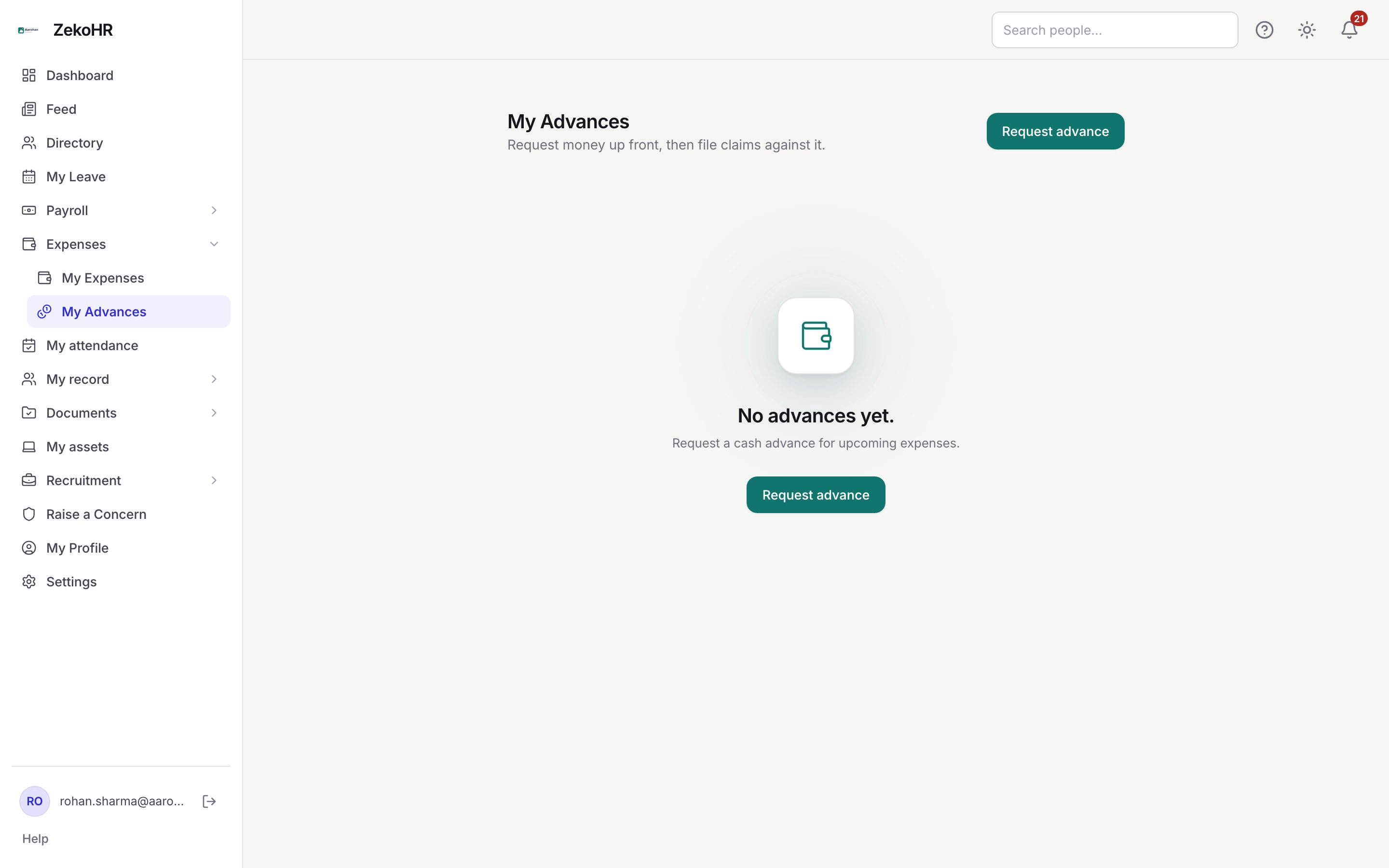
Requesting an advance
- Click Request advance.
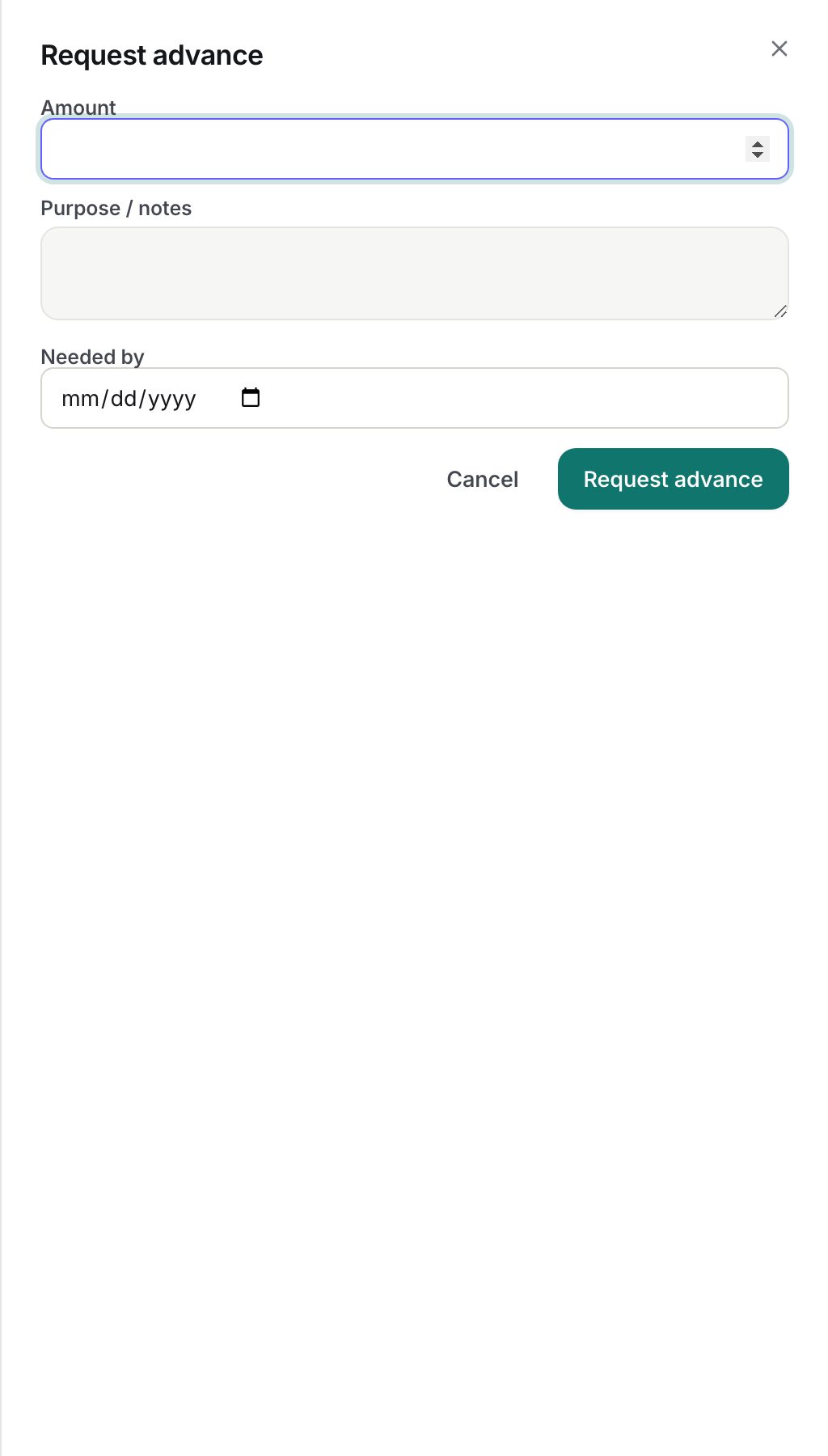
- Fill in Amount (required, at least 0.01, in INR).
- Fill in Purpose (required, up to 2000 characters). This text is what your manager and Accounts see, so say what the trip or purchase is.
- Optionally set Needed by, the date you need the money.
- Click Request advance in the dialog. The request appears in your list with the status Requested.
Each card shows the amount, the status badge, the purpose and the needed-by date, plus a progress line such as "Waiting for approval · requested 12 Oct 2026", "Approved ₹25,000.00 · 13 Oct 2026", "Paid by bank transfer · 14 Oct 2026 · Ref NEFT123" and "Closed · 30 Oct 2026". A rejected advance shows a red banner with "Not approved" and the reason the approver typed, or "No reason was recorded."
Settling an advance with claims
- Create a claim as usual from My Expenses → New Expense.
- When you hold at least one advance that is Disbursed or Partially reconciled with money outstanding, a Settle against advance dropdown appears above the line items. Each option shows the purpose and the outstanding amount.
- Pick the advance, add your lines, save and submit.
- When the claim is approved, ZekoHR offsets the claim total against the advance automatically. The amount settled is the smaller of the claim total and the advance's outstanding balance.
You can link several claims to the same advance until it is fully settled.
Statuses
| Status | Meaning | What happens next |
|---|---|---|
| Requested | Waiting for your approver | Approve or reject |
| Approved | Approved for the requested amount | Accounts pays it out |
| Rejected | Declined with a reason | Final; request again if needed |
| Disbursed | Paid to you; outstanding equals the approved amount | File claims against it |
| Partially reconciled | One or more approved claims have reduced the outstanding balance | Keep filing claims, or Accounts closes it |
| Closed | Outstanding is zero, or Accounts closed it and recorded the remainder as recovered or written off | Final |
What happens next
- On request, your reporting manager, any Admin and the company's HR Manager and Accounts users get an email and in-app notification.
- You get an email and in-app notification when the advance is approved, rejected and disbursed. The disbursement notice names the payment mode and reference.
- When a linked claim is approved, the claim's record shows the settled amount, and the advance's outstanding balance drops. If it reaches zero the advance closes itself.
- If the claim total is larger than the outstanding balance, only the difference goes to reimbursement. If the claim is fully covered, Accounts sees "fully settled against a cash advance; nothing to reimburse" and no payout is created.
- Every decision is logged in the audit log (`expense_advance.approved`, `expense_advance.rejected`, `expense_advance.disbursed`, `expense_advance.closed`).
Rules and limits
- An advance is always requested in INR from the app.
- Approval is a single step. The approver is your reporting manager at the time of the request, but HR Managers and Accounts in your company and Admins can also decide it.
- You can only link a claim to your own advance, and only while that advance is Disbursed or Partially reconciled; the dropdown offers nothing else.
- The link is read at approval time. If the advance is closed before the claim is approved, nothing is settled and the full claim is reimbursed.
- You cannot withdraw or edit an advance request from the app. Ask your approver to reject it and request again.
Troubleshooting
Settle against advance does not appear on the claim form. You have no advance in Disbursed or Partially reconciled status with outstanding money. Approved-but-unpaid advances do not qualify.
My advance was approved but I have not been paid. Disbursement is a separate step done by Accounts or HR under Expenses → Advances. The status changes to Disbursed when they record the payment.
My claim was approved but the advance balance did not change. The claim was not linked to the advance when it was created, or the advance was already closed. A link cannot be added after submission.