Reimbursements and payroll push
The Reimbursement Register is the Accounts worklist of approved claims. For each one you choose how it is paid: queue it so the amount lands as an earning line on the employee's next payslip, or record a payment you have already made by bank transfer, cash or UPI. Each claim is reimbursed exactly once.
Who can do this: Accounts and HR Managers with `expenses.reimburse.assigned_companies` for their own company; Admins with `expenses.reimburse.any` for every company.
Where to find it
Expenses → Reimbursements in the admin view, at `/reimbursements`. Claim titles link to the detail page at `/my-expenses/{id}`.
Filtering the register
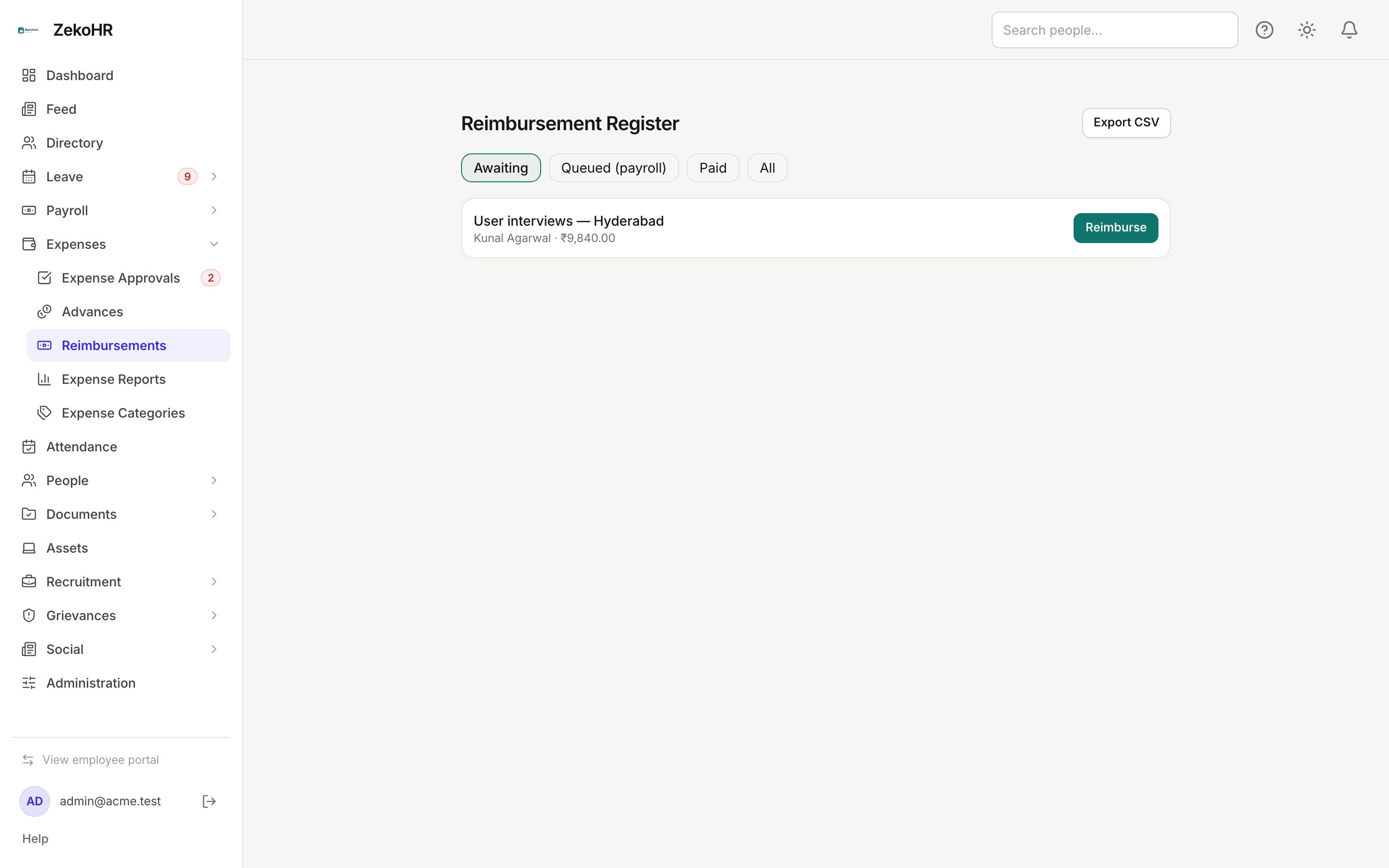
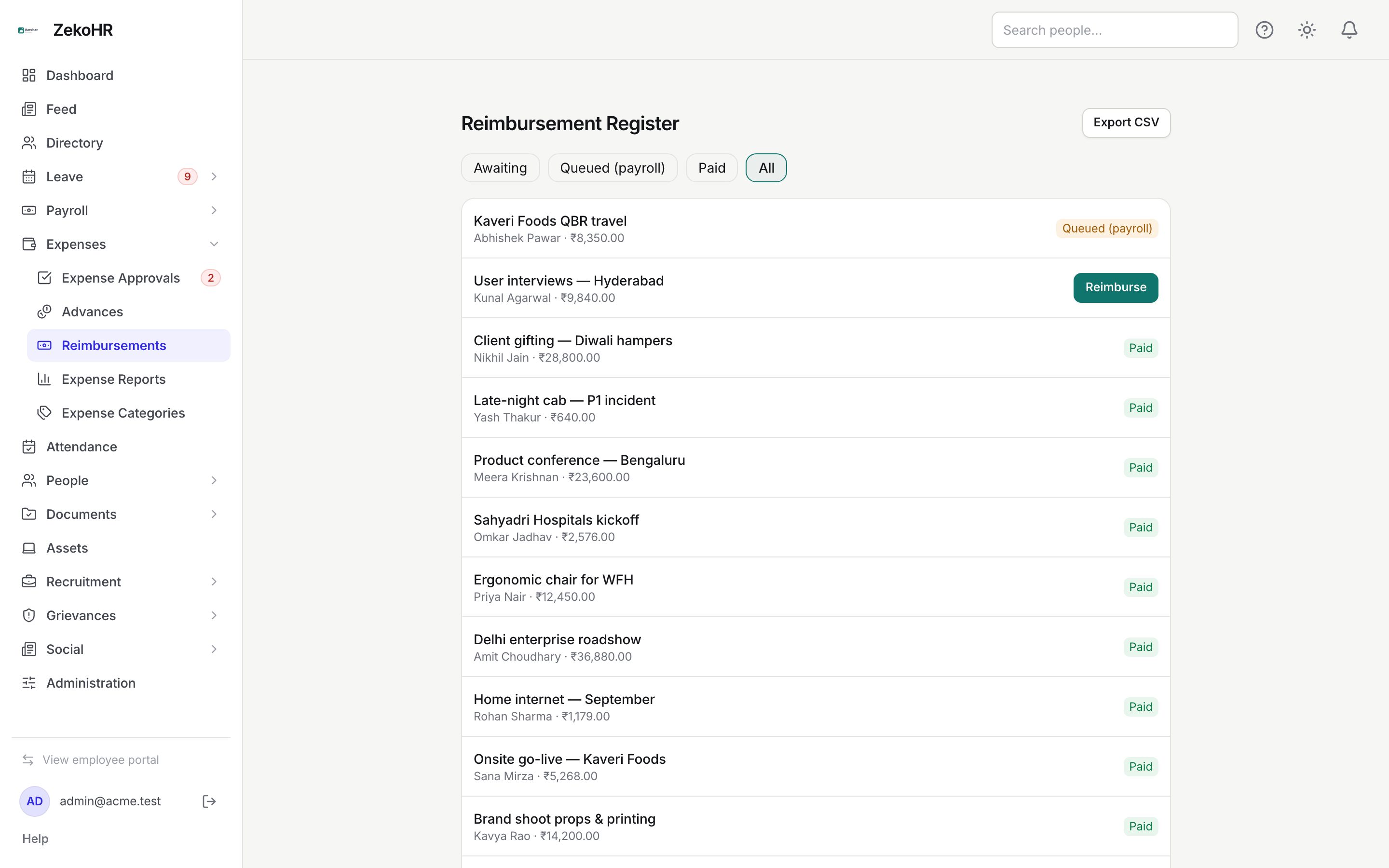
The filter chips at the top are Awaiting (approved and awaiting reimbursement; the default), Queued (payroll), Paid and All. Every row shows the claim title, the employee and the INR total. Rows without a decision show Reimburse; the others show their reimbursement badge.
Reimbursing a claim
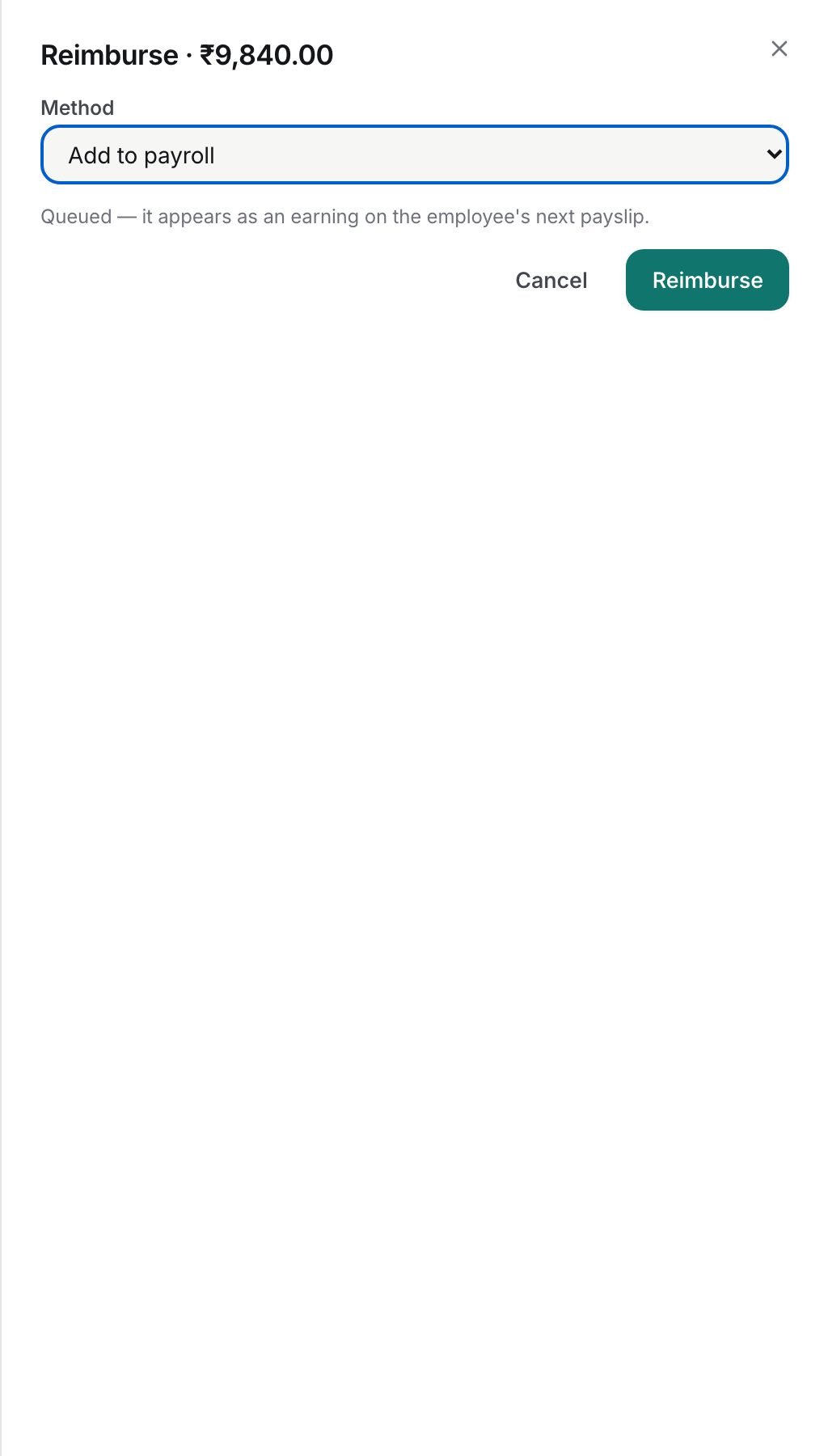
- Click Reimburse on the row. The dialog title shows the claim total.
- Choose Method:
- Add to payroll (default). The hint explains that the amount is queued and appears as an earning on the employee's next payslip. Nothing else to fill.
- Pay out-of-band. Record a payment already made: Payment mode (Bank transfer, Cash or UPI) is required; Payment reference (up to 255 characters, such as the UTR) is optional but recommended.
- Click Reimburse.
The amount paid is the claim total minus anything already settled against a linked cash advance. If the advance covered the whole claim, the dialog returns "This claim is fully settled against a cash advance; nothing to reimburse." and no payout is created.
How payroll push works
- The claim is marked Queued (payroll) and a payout record is created against the claim's company.
- Whenever a payroll run for that company is created, recalculated or finalized while in Draft, ZekoHR adds every queued payout of each employee on that run as an extra earning line labelled "Reimbursement" followed by the claim title (or the claim number when the claim has no title). Lines are rebuilt on every recalculate, so they never duplicate and a payout that is no longer queued drops off.
- When the run is published, the payout and the claim flip to Paid with the publish timestamp.
- If the run is rolled back, the payout returns to Queued (payroll) and is picked up by the next draft run.
The reimbursement line is an earning on the payslip. ZekoHR does not compute PF, ESI, PT or TDS automatically; those remain manual pay components, so check the tax treatment of reimbursements with your payroll team.
Statuses
| Badge | Meaning | What happens next |
|---|---|---|
| Awaiting | Approved, no payout yet | Reimburse it |
| Queued (payroll) | Payout waiting for the next payroll run | Injected into the next draft run of the company; Paid on publish |
| Paid | Out-of-band payment recorded, or the payroll run containing it was published | Final |
Exporting
Export CSV downloads `expense-reimbursement-register.csv` with Claim ID, Employee, Title, Amount, Currency, Reimbursement Status, Method, Payment Ref and Paid At. The export covers every approved claim in your scope regardless of the chip selected.
What happens next
The employee is emailed and notified in-app: for payroll the message says it will appear on their next payslip; for out-of-band it names the mode and reference. The claim's detail page shows the reimbursement status and reference. The action is journalled on the claim and written to the audit log as `expense_claim.reimbursed` with the method.
Rules and limits
- Only claims in Approved status can be reimbursed, and only once; a second attempt returns "This claim has already been reimbursed."
- Company scoping: with the company-scoped permission you see and pay only claims in your own company.
- Payroll push requires the employee to be on the payroll run (an assigned salary in that company). An employee with no salary assignment stays Queued until they are added to a run.
- A queued payout is injected only into a run of the claim's company.
- An out-of-band payment is final as soon as it is recorded; there is no undo in the app.
Troubleshooting
The queued amount is not on the payslip. The run was created before you queued the claim and has not been recalculated since, or the employee is not on the run. Recalculate the draft run.
The claim shows Paid but no payment reference. It was paid through payroll; the reference lives on the payslip line, not the claim.
Reimburse says nothing to reimburse. The linked cash advance covered the full claim. Nothing is owed to the employee.
I cannot see claims from another company. You hold the company-scoped permission. An Admin can see all companies.