Adding contractors and agencies
The Add Contractor wizard creates the party, its first person and, for individuals, the first engagement in one go, then optionally sends the portal invitation. Agencies get an admin login first; workers are added afterwards from the agency page or proposed by the admin. People created before this module as "Contractor" employees can be converted from the banner on the list.
Who can do this: HR Managers and Admins with `contractors.manage`, for companies in their HR scope. Bulk import additionally needs `employees.bulk_import`.
Where to find it
People → Contractors → Add Contractor, at `/contractors/new`. One step per screen so it works on a phone; Next is pinned to the bottom.
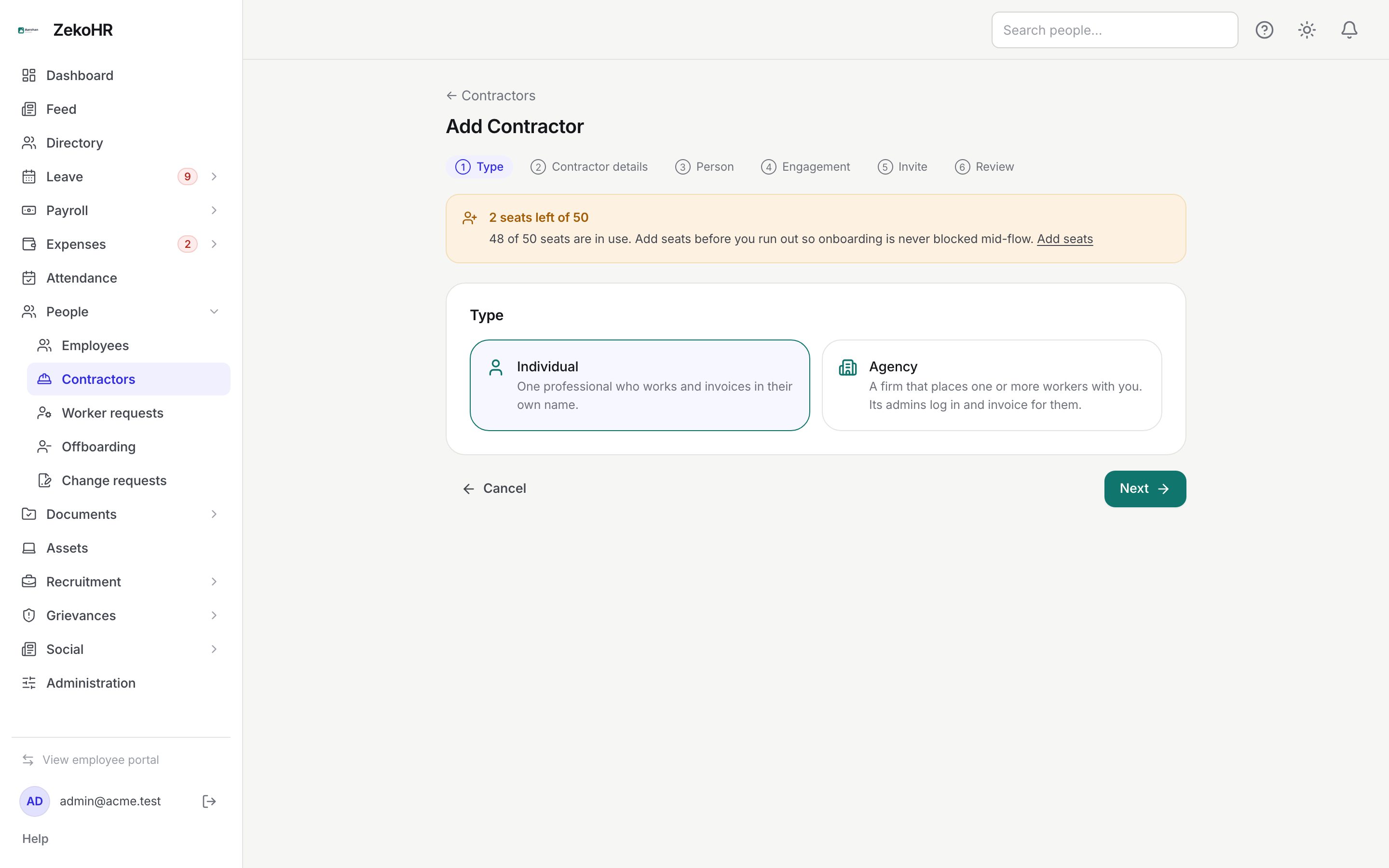
The wizard
- Type: Individual (one professional contracted in their own name) or Agency (a firm whose admins log in and manage the workers it places with you).
- Contractor details / Agency details: Legal name (required, as on PAN), Display name, PAN (5 letters, 4 digits, 1 letter), GSTIN (15 characters with a valid check digit; leave blank if not GST-registered; its PAN must match the PAN entered), MSME / Udyam number, Country (two letters, IN) and Currency (three letters, INR). Bank details: account holder name, account number (6 to 34 characters, stored encrypted and shown masked), IFSC (for example HDFC0001234), bank name. TDS defaults: section (for example 194J) and rate (0 to 100), copied onto each new engagement. Agencies also get Agency admins can propose workers.
- Person / Agency admin: First name and Work email required (the email must be unused in your organisation), Last name, Phone, Designation. The first agency admin logs in for the agency and uses a seat.
- Engagement: required for an individual. For an agency tick This admin also works on an engagement only if they do; otherwise skip and add workers later. Fields are described in Engagements.
- Invite: Send the portal invite now. They set a password and see only what Settings → Contractor access allows. You can resend from the Contractor page.
- Review: check each block (Edit jumps back), note that creating uses 1 seat, then Create Contractor.
Validation runs per step; a server error jumps you back to the step that owns the field.
After creation
The Contractor page shows Overview (PAN, GSTIN, MSME, country and currency, masked bank details, TDS defaults, and for agencies whether admins may propose workers), the Master services agreement (MSA) slot (one file: PDF, Word or image), People and Engagements. From here:
- Edit details changes everything except the type. Leave the account number blank to keep the stored one.
- Deactivate marks the party inactive; nobody is offboarded automatically, you decide per person. Activate reverses it.
- Add person (agencies only): Role Agency worker or Agency admin, the person fields, an engagement (required for workers; optional for admins) and Send the portal invite now. Each person uses a seat.
- Send invite on a person who has not logged in, or Invite all pending. People who completed sign-up are skipped.
- Add engagement on any person opens the engagement drawer.
Other ways in
| Route | How |
|---|---|
| Recruitment | On Mark as joined, choose Hire as: Contractor; the offer's company and joining date prefill the engagement. See Pre-joining. |
| Bulk import | Bulk import on the list opens the Imports module with the `contractors` type (party plus engagement per row). See Bulk import. |
| Legacy conversion | The banner {n} people are marked as "Contractor" employees → Review → Convert: enter legal name, PAN, GSTIN and an engagement. The person keeps their user, leave and payroll history and switches to the Contractor role. |
What happens next
The person is created through the same path as People → Add employee (seat guard, onboarding template, invitation after save, audit, timeline), with the Contractor or Contractor Agency Admin role instead of Employee. The home company is the engagement's company; an agency admin with no engagement has no company and no directory entry. When the engagement's leave mode is Same as employees, leave is allocated like a new hire.
Rules and limits
- An individual must have an engagement; an agency worker must have one; an agency admin may have none.
- Email is unique across users; a pending worker request with the same email also blocks.
- A party's type cannot change after creation.
- Offboarded people cannot be converted; an already converted person cannot be converted again.
Troubleshooting
GSTIN is rejected. Check all 15 characters and the check digit, and that characters 3 to 12 equal the PAN.
Create fails with "No seats left". Every Contractor, agency admin and worker uses a seat. Add seats, then retry.
The invite did not arrive. Open the Contractor page and click Send invite next to the person; people who already signed up are skipped.
Add person is missing. It only appears on agencies; individuals get engagements from the person row instead.