Employee portal and admin view
Managers, HR Managers and Admins have two ways of looking at ZekoHR. The admin view shows the team and organisation tools (approvals, people, payroll, settings). The employee portal shows the product as your staff see it: your own leave, payslips, documents and profile. View employee portal flips between them without signing out.
Who can do this: Anyone who holds at least one admin or HR navigation item. That includes Managers (via `leave_requests.approve.direct_reports`, `expenses.approve.direct_reports`), HR Managers and Admins. Plain employees have nothing to switch from, so the control is hidden for them.
Where to find it
View employee portal in the sidebar footer, just above your email address. In the employee portal the same spot reads Back to Admin/HR.
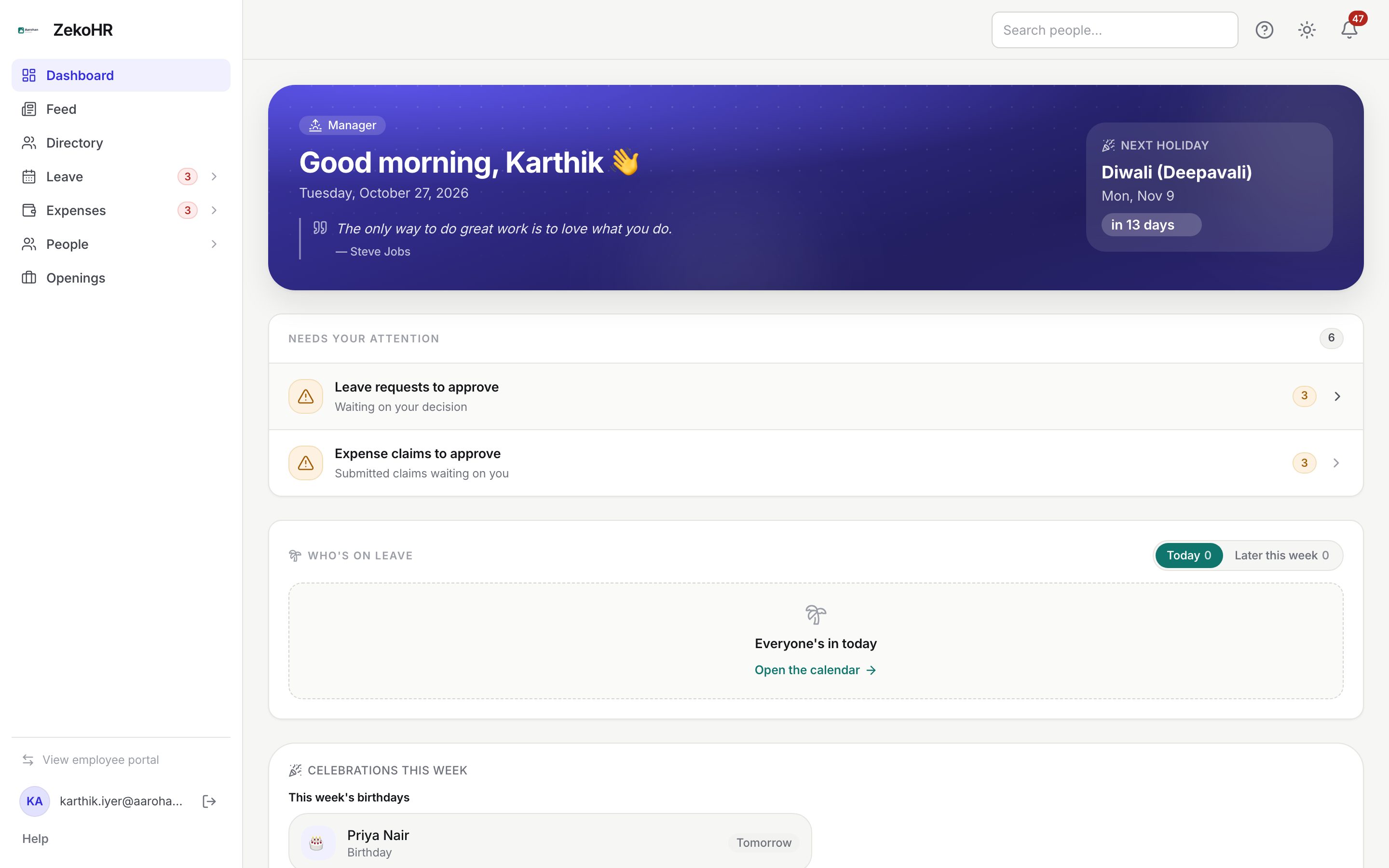
Switching views
- Press View employee portal. The sidebar rebuilds with the personal navigation and the dashboard shows your own leave balance, profile completeness and quick actions.
- Do what you came for: apply for your own leave, open your payslips, read a company document.
- Press Back to Admin/HR to return. Your choice is remembered in this browser, so you reopen ZekoHR in the view you left.
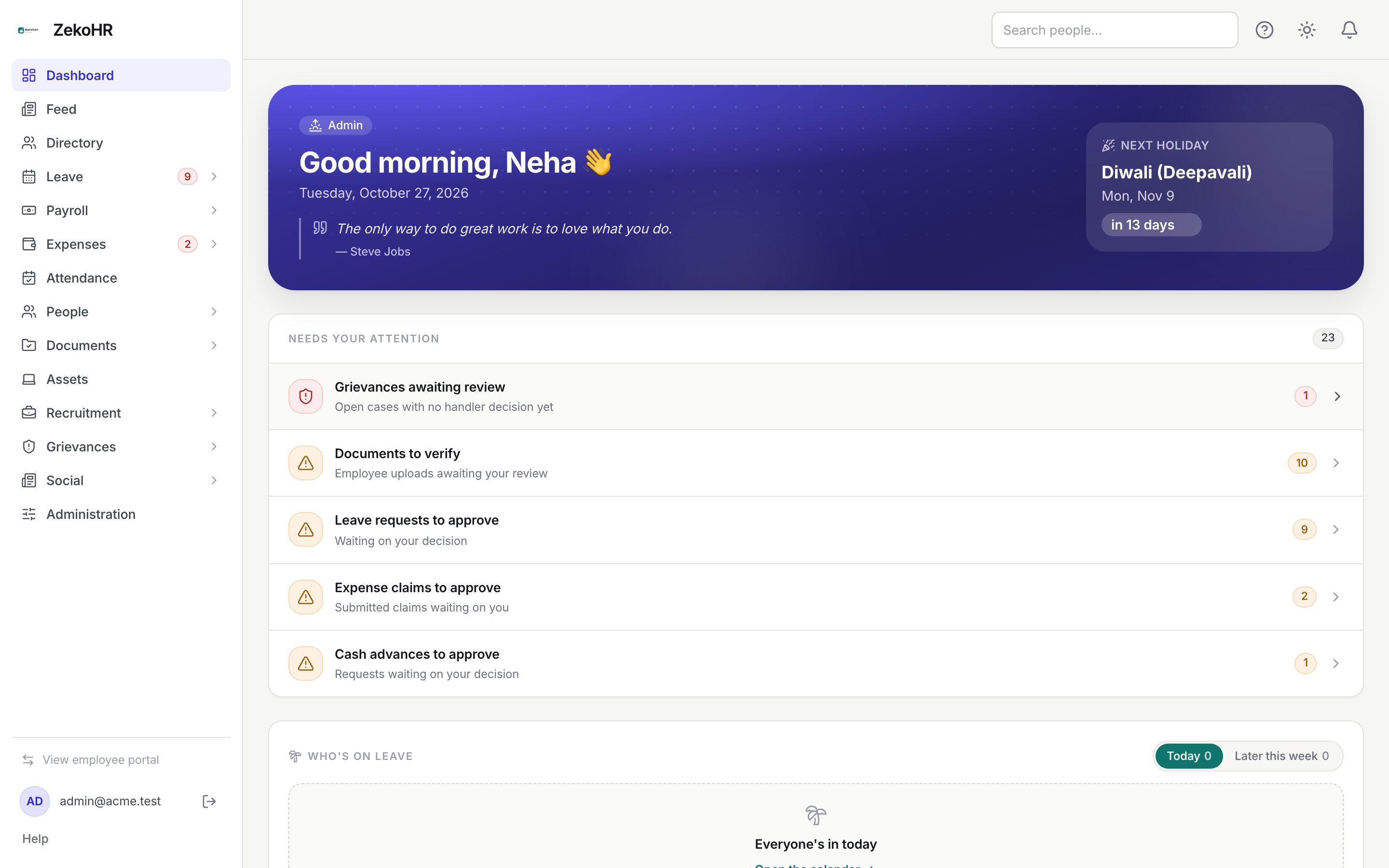
What each view shows
| Area | Admin/HR view | Employee portal |
|---|---|---|
| Shared entries | Dashboard, Feed, Directory | Same |
| Leave | Approvals, Leave Records, Calendar, Leave Requests (HR) | My Leave, Holiday Calendar |
| Payroll | Payroll, Salary queries, Tax declarations | My Payslips, My salary queries, My tax declaration |
| Expenses | Expense Approvals, Advances, Reimbursements, Expense Reports | My Expenses, My Advances |
| People | Employees, Onboarding, Offboarding, Change requests, Letters | My record (change requests, letters, policies) |
| Documents | Documents Center, verification queue | Documents (your own) |
| Administration | Administration (Settings) | Settings (notifications, password, language, security) |
| Dashboard cards | Needs your attention, Who's on leave, Celebrations, Today | The same plus My leave balance, Profile completeness and Quick actions |
| Personal pages | My Profile | My Profile |
A Manager's admin view is small: Leave → Approvals, Expenses → Expense Approvals and Openings for hiring managers. People → Employees also appears, but it lists nobody for a Manager; use Directory and the Approvals queue to see your reports. HR Managers and Admins see the full set.
What the switch does not change
The portal mode is a navigation preference, not a security boundary. Permissions govern every page and every request in both views:
- A deep link to an admin page still works while you are in the employee portal.
- Switching cannot grant or remove any access.
- Approvals you make from either view are recorded against you in the same way.
- Someone whose role is reduced to Employee is placed in the employee portal automatically, even if their browser remembered the admin view.
Impersonation is different
Viewing the employee portal shows ZekoHR as you would see it as an employee. To see it as a specific person, Admins use impersonation from that person's employee record. An amber bar then reads You are viewing the portal as {name}. Actions you take are recorded against your own account. with a Return to my account button, and the session is written to the audit log. Portal switching is not audited because nothing about your identity changes.
What happens next
Nothing is saved to your account when you switch; the choice is remembered by this browser only. The pending counts on Leave and Expenses in the sidebar keep updating in both views.
Rules and limits
- The control appears only when at least one admin or HR item is visible to you and its module is enabled on the plan. An HR Manager whose only admin surfaces are locked modules is kept in the employee portal.
- Contractors never see the switcher; an agency admin has no employee portal of their own.
- The admin dashboard carries nothing personal by design, so your own balances live in the employee portal only.
- The remembered mode is per browser. On a new device you start in the admin view.
Troubleshooting
I do not see View employee portal. Your role holds no admin or HR navigation items, or the modules behind them are not on the plan. Admins can check Settings → Billing and Settings → Roles & permissions.
My leave balance has disappeared from the dashboard. You are in the admin view. Switch to the employee portal.
A colleague with the same role sees a different sidebar. Their browser remembers a different mode, or their HR scope limits the companies they manage.
I want to see exactly what one employee sees. Use impersonation from their record under People → Employees; the portal switch only shows your own employee view.