Feed settings
Feed settings control two organisation-wide choices: the feed audience (one feed per company or a single shared feed) and the list of company values that employees can tag when giving kudos. Both take effect immediately with no save button.
Who can do this: Admins with `social.manage.any`. HR Managers can read the current audience setting through the feed but cannot change it. This module must be enabled on your plan; Admins can check Settings → Billing.
Where to find it
Social → Feed Settings in the sidebar, URL `/social-settings`.
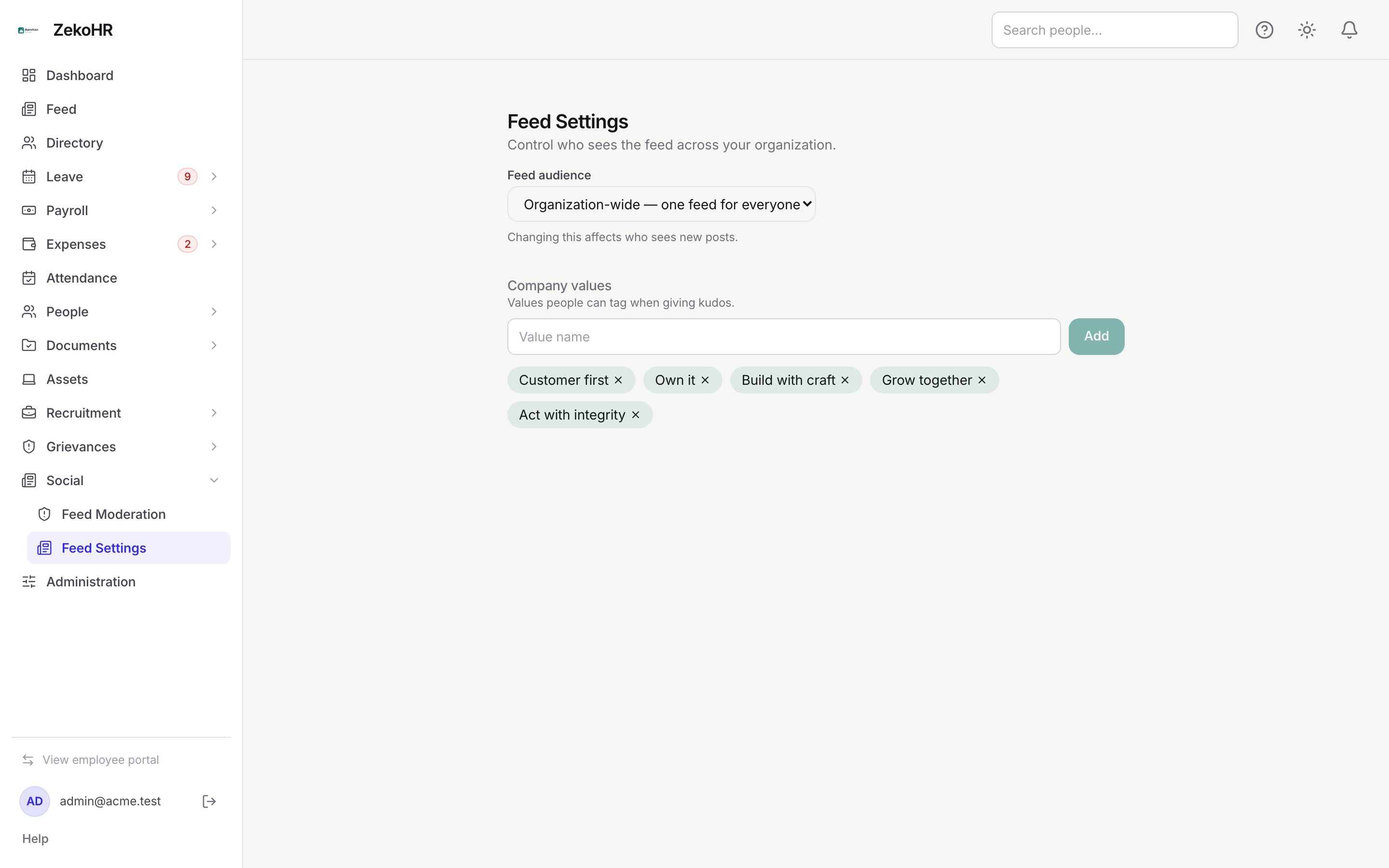
Setting the feed audience
- Under Feed audience choose one option from the dropdown:
- Per company; each company has its own feed. Posts are stamped with the author's company and shown only to that company. The `@` picker offers colleagues from the same company only. This is the default for a new organisation.
- Organization-wide; one feed for everyone. Posts carry no company and every employee sees them; the `@` picker searches the whole organisation.
- The change saves as soon as you pick it. The hint Changing this affects who sees new posts is literal: existing posts keep the stamp they were created with.
What the two modes mean for existing content when you switch:
| Switch | Posts created before the switch |
|---|---|
| Per company → Organization-wide | Old company-stamped posts become visible to everyone (the organisation-wide feed does not filter by company) |
| Organization-wide → Per company | Old unstamped posts stay visible to every company; new posts are company-scoped |
System content (celebration posts, platform announcements) is always visible: celebrations are stamped with the person's company, platform notices carry no company.
Maintaining company values
- Under Company values, type a name in Value name (up to 80 characters) and click Add. The button is disabled while the box is empty.
- The value appears as a chip. Values are listed alphabetically by name.
- Click the cross on a chip to delete the value. There is no confirmation.
Employees pick from this list in the Tag a company value (optional) dropdown when posting kudos. A deleted value disappears from the dropdown; kudos already tagged with it keep the name.
What happens next
- Audience changes apply on the next feed load for every user. No notification is sent.
- Neither the audience change nor value edits are written to the audit log.
- The leaderboard is unaffected by audience: it always counts kudos across the whole organisation.
Rules and limits
- There is one audience setting and one value list per organisation, not per company.
- Values are a label on kudos only; they carry no weighting or scoring.
- Moderators' scope is derived from company stamps, so in organisation-wide mode an HR Manager's reach is judged by the author's company instead.
- Who may post announcements, moderate or manage the feed is set on roles under Administration → Roles, not here.
- Contractor visibility of the feed and of announcements is set under Contractor access settings.
Troubleshooting
Employees in company A can see company B's posts after I switched to per company. Those posts were created while the feed was organisation-wide and have no company stamp. Only posts made after the switch are scoped.
A value I added does not show for employees. They need to reopen the composer; the list is fetched when the Kudos tab is selected.
I cannot open Feed Settings. The page is for Admins only by default.
I want different values for each company. Not supported; the list is organisation-wide.