Referrals
Every employee can refer a candidate for an open job or as a general referral. The person is added to the talent pool with you as the referrer, HR takes it from there, and you see coarse progress plus any reward. Salary, screening and interview details stay confidential. HR manages all referrals and rewards from their own Referrals page.
Who can do this: Everyone with `recruitment.refer.self` (Employee, Manager, HR, Admin, Contractor). HR with `recruitment.manage.any` or `recruitment.manage.assigned_companies` manages rewards.
Where to find it
Recruitment → Refer a candidate, at `/refer`. HR: Recruitment → Referrals, at `/recruitment/referrals`.
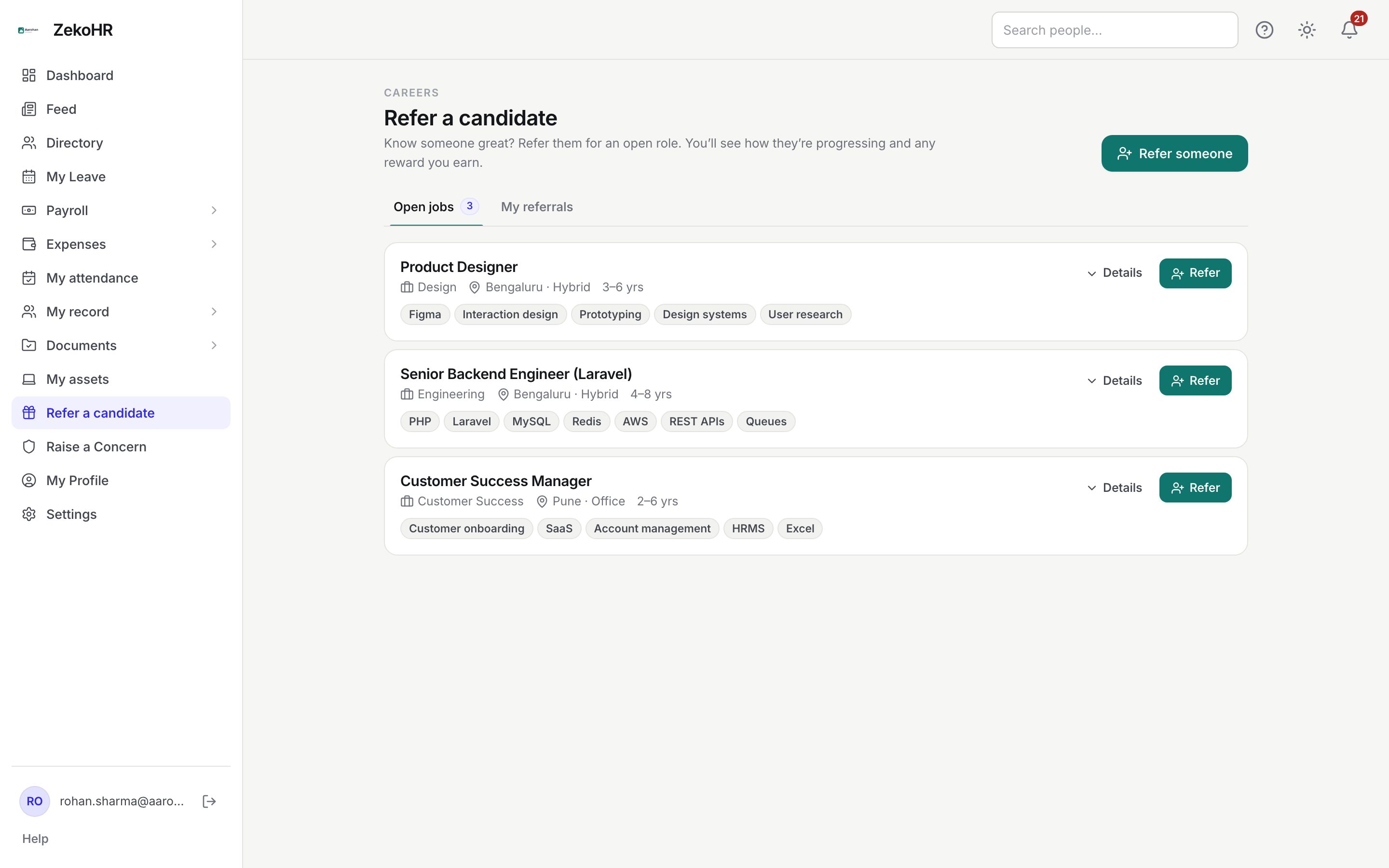
Referring someone
- On Open jobs, expand Details to read the description, then click Refer on the job, or Refer someone at the top for a general referral.
- Job: the chosen opening, or General referral (no specific job).
- First name, Last name, Email and Phone are all required (phone 6 to 20 digits, + - ( ) and spaces allowed).
- Optional: Current location, Current role, Experience (years), LinkedIn (full URL).
- How do you know them? is required; pick from Former colleague, Friend, Classmate, Family, Professional network, Other, or type your own.
- Why they'd be great (optional notes) and the Resume (required; PDF or Word up to 10 MB).
- Click Submit referral.
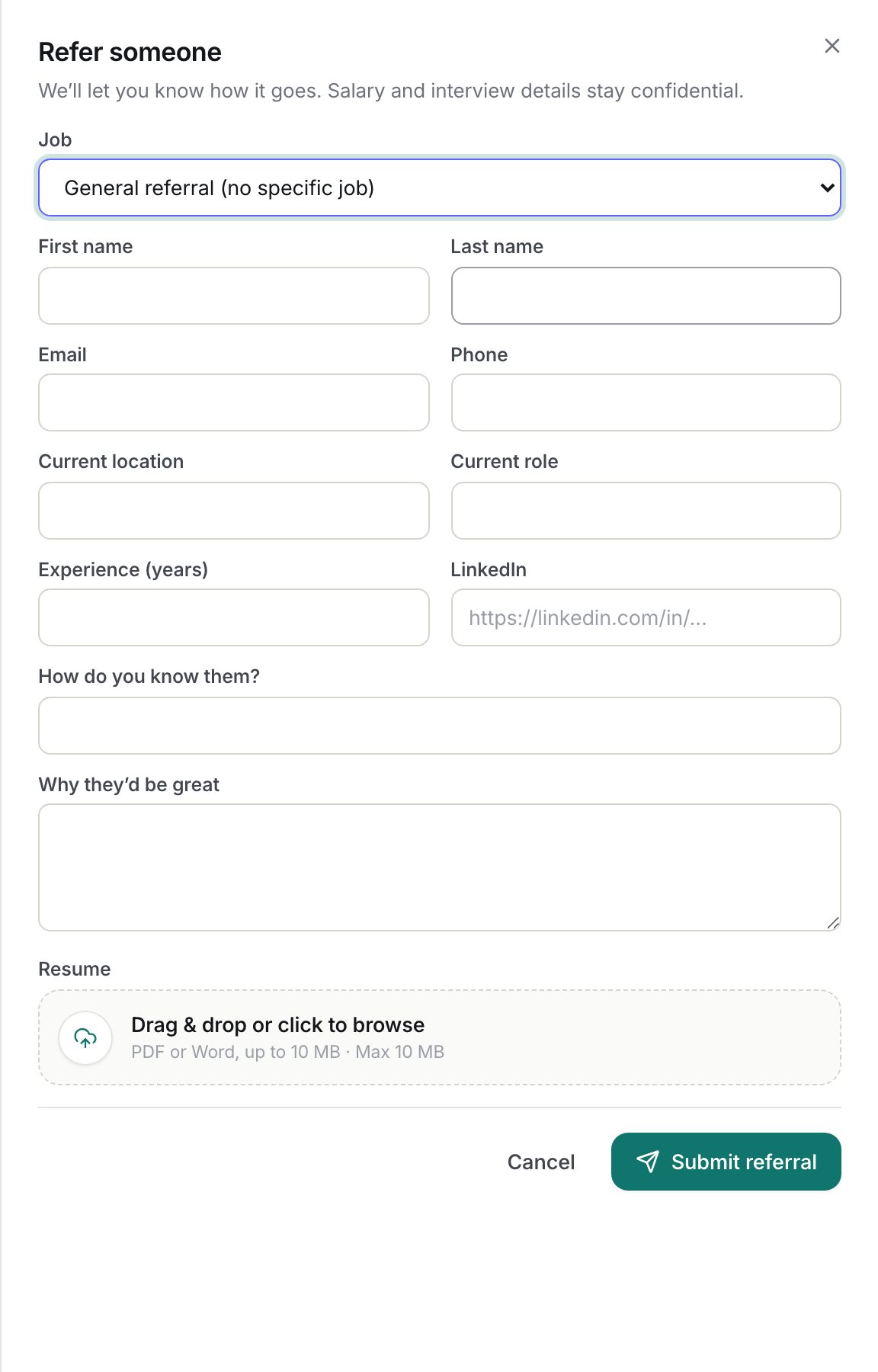
Tracking your referrals
My referrals lists each person with the job, date, a progress stepper and the reward badge. If the person was already in the talent pool you see a note that the reward goes to the first referrer. A pending reward shows the date it becomes eligible.
| Progress | Meaning |
|---|---|
| Submitted | Referral received, no application movement yet. |
| In review | HR is screening or has shortlisted. |
| Interviewing | Interviews are happening. |
| Offered | An offer is out or accepted. |
| Joined | They joined. |
| Not selected | The application ended without a hire. |
Statuses
| Reward status | Meaning | What happens next |
|---|---|---|
| Pending | Default for a first referral, with the organisation's default amount. | Becomes Eligible after the hire has stayed the configured number of days. |
| Eligible | The service period has passed. | HR marks it paid. |
| Paid | HR recorded the payment. | Final. |
| Forfeited | The application ended unsuccessfully, or the hire left before the window. | Final. |
| Not applicable | Duplicate referral, or no reward configured. | Final. |
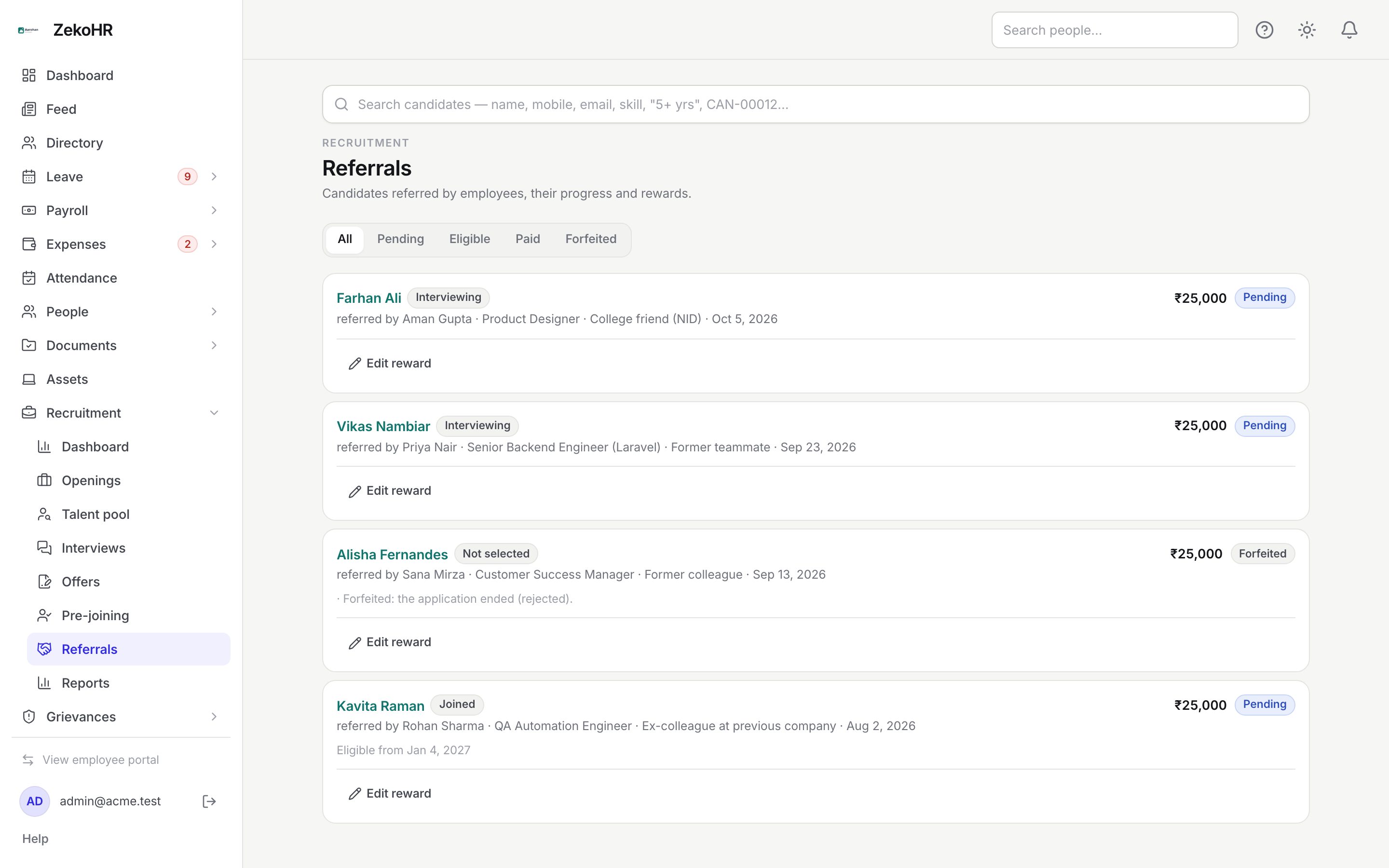
For HR: managing referrals
Recruitment → Referrals lists every referral, filterable by All, Pending, Eligible, Paid and Forfeited, with the referrer, job, relationship, date, progress, duplicate flag and the total due to pay for eligible rewards. Edit reward changes the Amount, Reward status (Paid cannot be chosen here) and a Note. Mark paid appears on eligible rewards. ZekoHR records the payment; it does not push the reward into payroll.
What happens next
The job's recruiter (or every recruitment manager for a general referral) is notified. The candidate is created with source Employee referral and you as the referrer; with a job, an application is created in the job's New column. Each day at 03:40 ZekoHR moves pending rewards to Eligible once the person has been joined for the days set in Settings → Recruitment → Referrals, and to Forfeited when the application ends unsuccessfully or the employee leaves before then. You get a referral update whenever the coarse status changes.
Rules and limits
- You cannot refer yourself or a current employee.
- Referring the same person for the same job twice is refused; a person already in the pool is still recorded but flagged as a duplicate with no reward.
- Only jobs that are open and have vacancies left are listed.
- You never see screening scores, feedback or salary on your referrals.
- A paid, forfeited or not-applicable reward cannot be marked paid again; a paid status cannot be edited back.
Troubleshooting
Submit fails with "This person is already an employee". The email belongs to an active employee; referrals are for outside candidates.
The reward shows Not applicable. Either the candidate was already in the pool (first referrer keeps the reward) or no default amount is set in settings.
No open roles are listed. There are no open jobs with vacancies right now; you can still send a general referral.
Refer a candidate is missing from my sidebar. The Recruitment module is off, or your role has had referrals removed under Settings → Roles & permissions.