Allocating leave
Allocation turns leave type settings into balances on an employee's record. ZekoHR does not allocate on hire by itself in every flow, so HR runs Bulk leave allocation for a company (or Initialize from defaults for one person), then corrects individuals with Manual adjustment, Edit or Grant comp-off. Every change is a ledger row with a note and an actor.
Who can do this: Admins with `leave_allocations.adjust.any`; HR Managers with `leave_allocations.adjust.assigned_companies` whose HR scope includes the employee's company. Viewing needs `leave_allocations.view.any`, `.assigned_companies` or `.own_company`.
Where to find it
Bulk: People → Employees → Bulk leave allocation (link at the top of the list). URL: `/employees/bulk-leave-allocation`. Per employee: People → Employees → (employee) → Leave Allocation tab. URL: `/employees/{id}?tab=leave_allocation`.
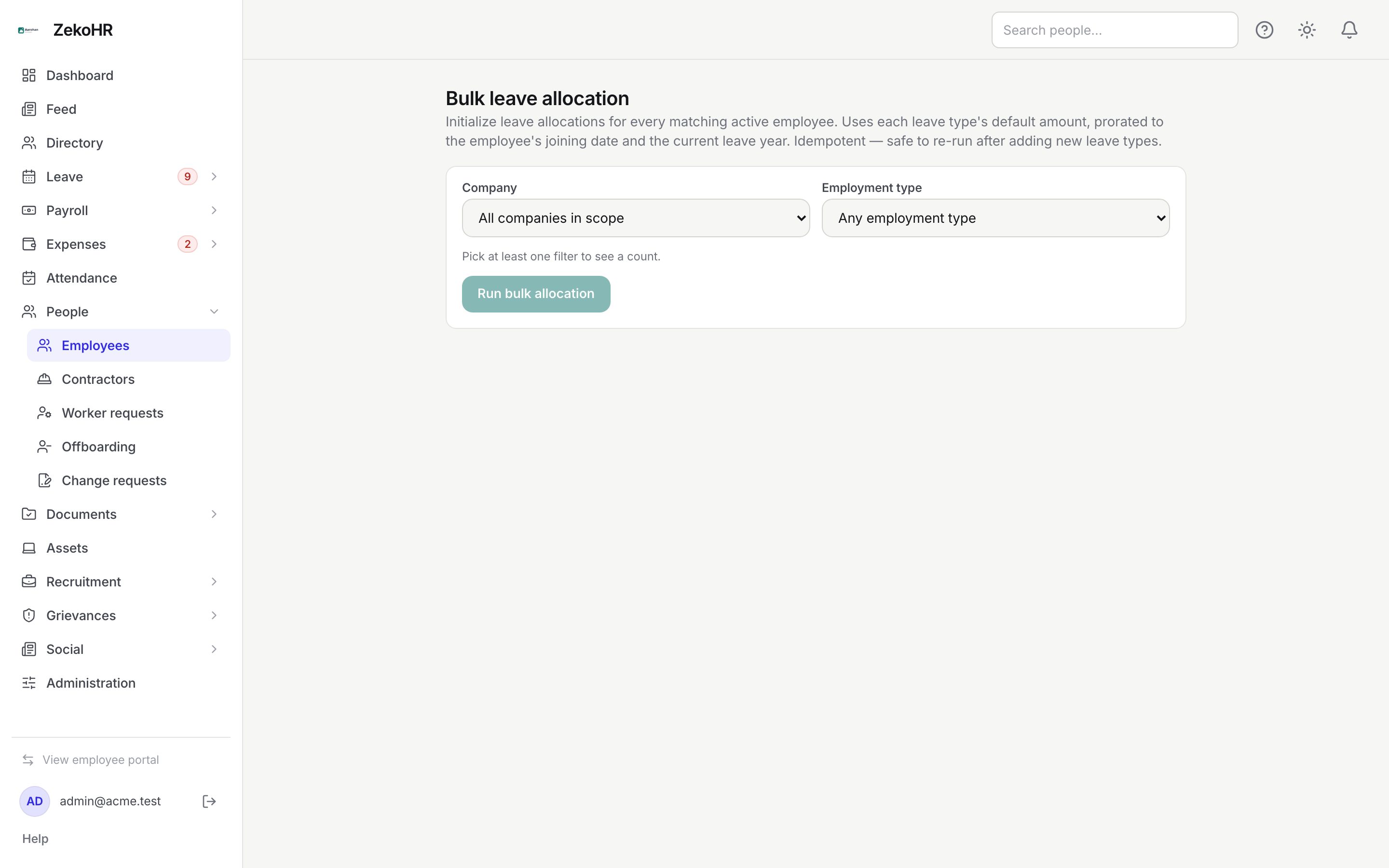
Running bulk allocation
- Choose a Company (or All companies in scope) and optionally an Employment type (Full-time, Part-time, Contractor, Intern). At least one filter is needed; the page then shows "Will target N active employees."
- Click Run bulk allocation.
- The report lists each person: +N new allocations, Already up to date, or Not allocated with the reason: "no company assigned", "company has no leave year configured" or "company has no active leave types".
It is safe to re-run after adding a leave type: existing allocations are untouched and only missing ones are created.
How the amount is calculated
For each active, non-comp-off type the employee is eligible for:
| Rule | Effect |
|---|---|
| Eligibility | Employment types unticked on the leave type are skipped. |
| Leave year | The current company leave year; a joiner's year is anchored on the later of today and their joining date. |
| Pro-rate none | Full amount. |
| Pro-rate by_month | Amount × months from the joining month to year end (joining month counts fully) ÷ 12. |
| Pro-rate by_day | Amount × calendar days from joining to year end ÷ days in the year. |
| Joining before year start | Full amount (the join date is clamped to the year start). |
| Joining after year end | Zero, no ledger row. |
The result is written as an "Initial allocation on join (prorated)" ledger row. Employees whose initial credit is below the full-year amount see "Pro-rata of N" on their balance.
Working on one employee
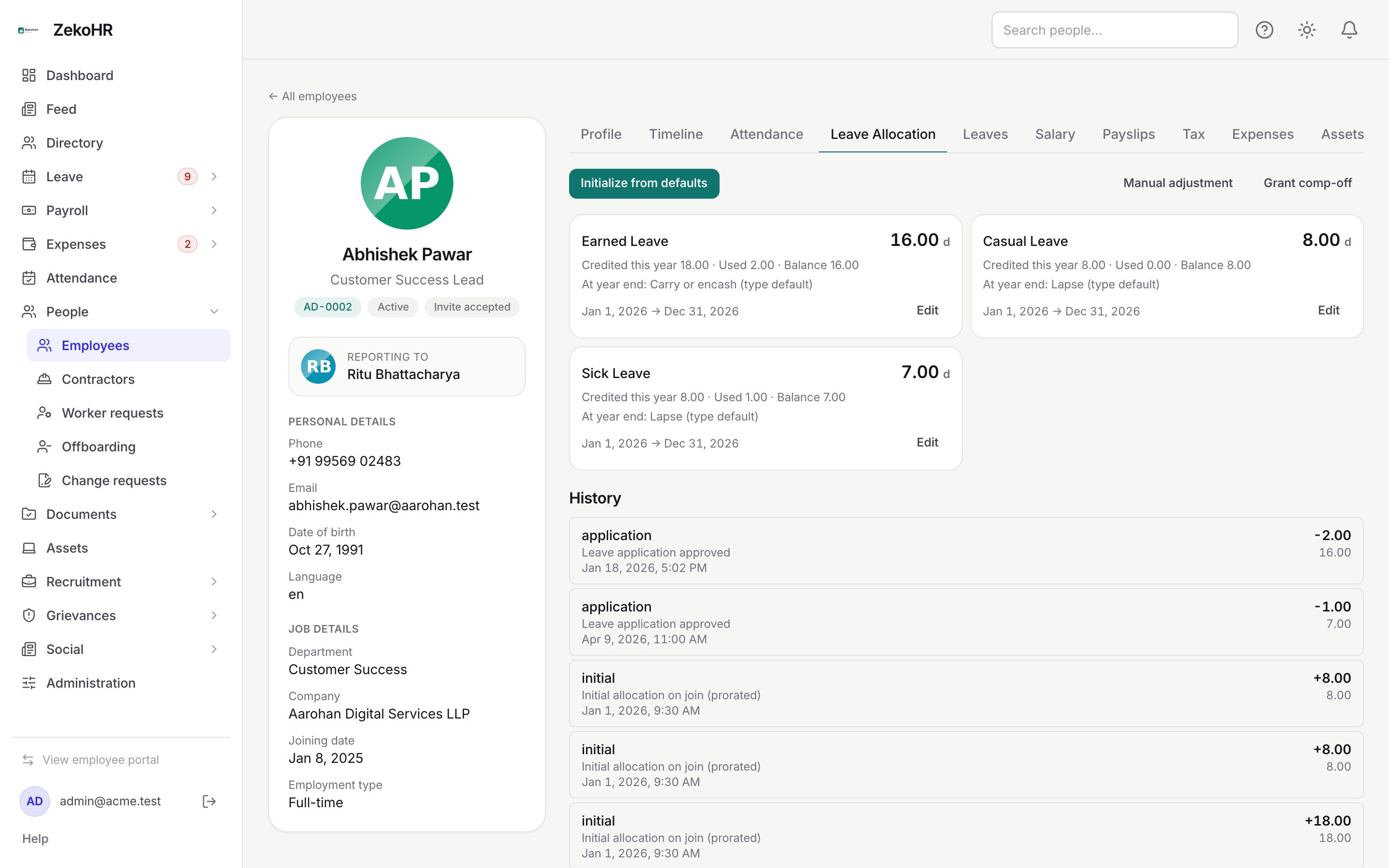
- Initialize from defaults does the bulk calculation for this person only and reports "Initialized N allocations." or "Already up to date". Blocking issues link to the Settings page to fix.
- The "N leave types not yet allocated" panel lists types without a balance; Allocate opens the adjustment dialog with the type's default amount pre-filled.
- Edit on a balance card opens Edit {type} allocation: set Credited this year to the correct absolute figure and optionally At year end. The preview shows Change to credited and Resulting balance. A Reason / note is required (up to 500 characters).
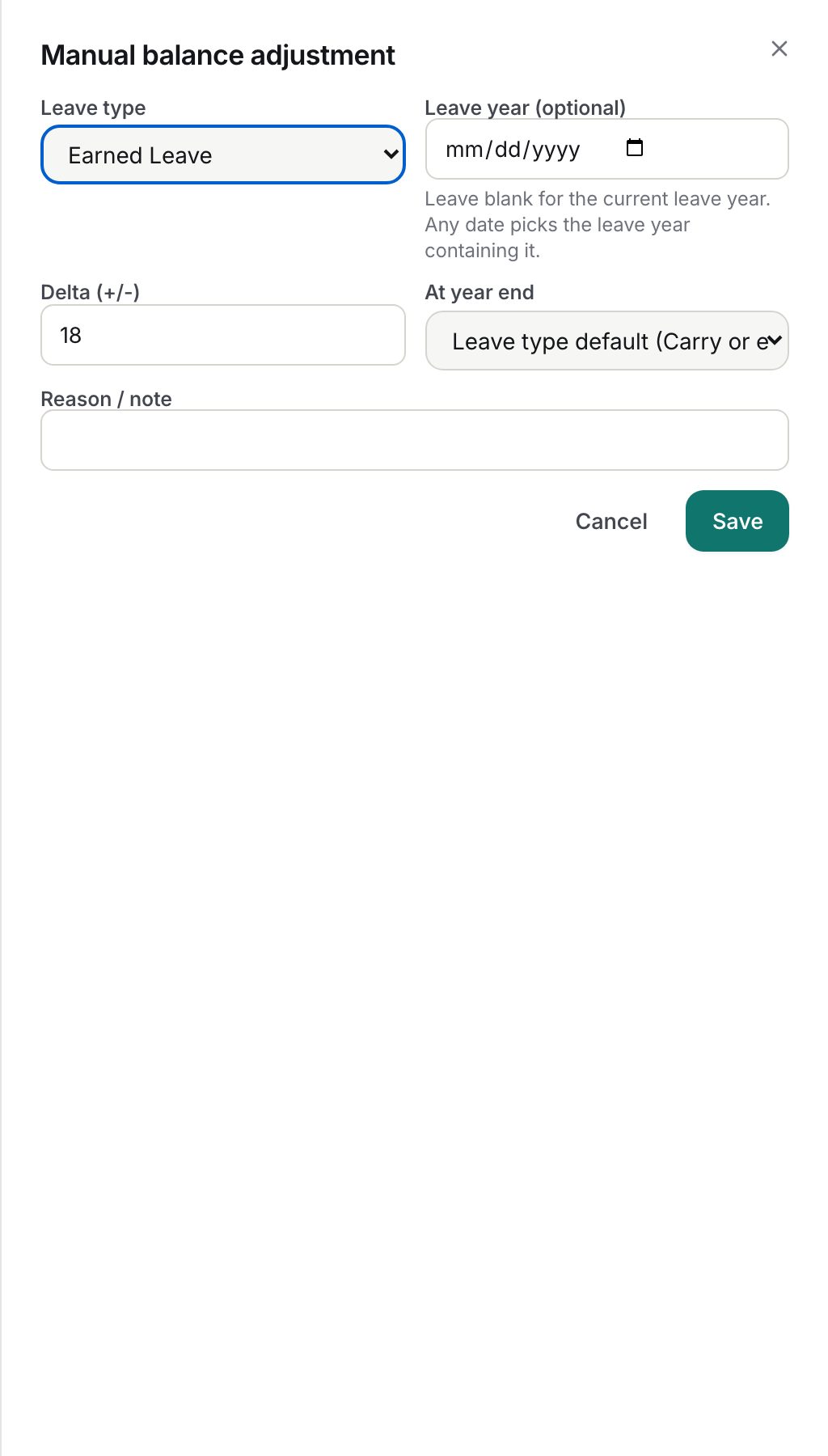
- Manual adjustment opens Manual balance adjustment with Leave type, Leave year (optional) (blank means the current year; any date selects the year containing it), Delta (+/-) in steps of 0.5, At year end (Leave type default, Carry forward, Encash, Carry or encash, Lapse) and Reason / note.
- Grant comp-off adds credits to a comp-off type, see Comp-off.
- History lists ledger rows: reason (initial, accrual, application, refund, adjustment, rollover_in, lapse, encashment), note, timestamp, delta and balance after.
What happens next
- Positive allocations and adjustments send the employee a "leave allocated" notification and email linking to My Leave. Negative adjustments are silent.
- Audit entries record each initialisation, each bulk run (with the filter used) and each adjustment (credited before and after, note, year-end action).
- The first allocation or adjustment locks the company's leave year boundary.
- Employees' Request Leave Allocation nudges arrive as `leave.allocation_requested` notifications linking to the employee's record.
Rules and limits
- Adjustments on a comp-off type are refused: its balance is only credits. The dialog lists non-comp-off types.
- The leave type must belong to the employee's company.
- Manual adjustment takes a delta and Edit takes a credited target; a change that works out to zero writes no row but can still update the year-end action.
- Contractors receive balances only when their engagement uses employee-style leave.
- HR Managers with no HR scope assignments cannot allocate for anyone; assign companies under Administration → Settings → HR scope.
- At a new leave year, balances exist only for employees with something carried forward. Run Bulk leave allocation on or after the first day of the new year for everyone else.
Troubleshooting
"You cannot adjust balances for this employee." Your HR scope does not cover their company.
Bulk run reports Already up to date but the employee sees nothing. The type may be flagged comp-off, or the allocation sits in a previous leave year. Check History and the leave type.
Resulting balance shows negative in the preview. The employee has used more than the new credited figure. Saving is allowed; reconsider the figure.