Payroll extras and reimbursements
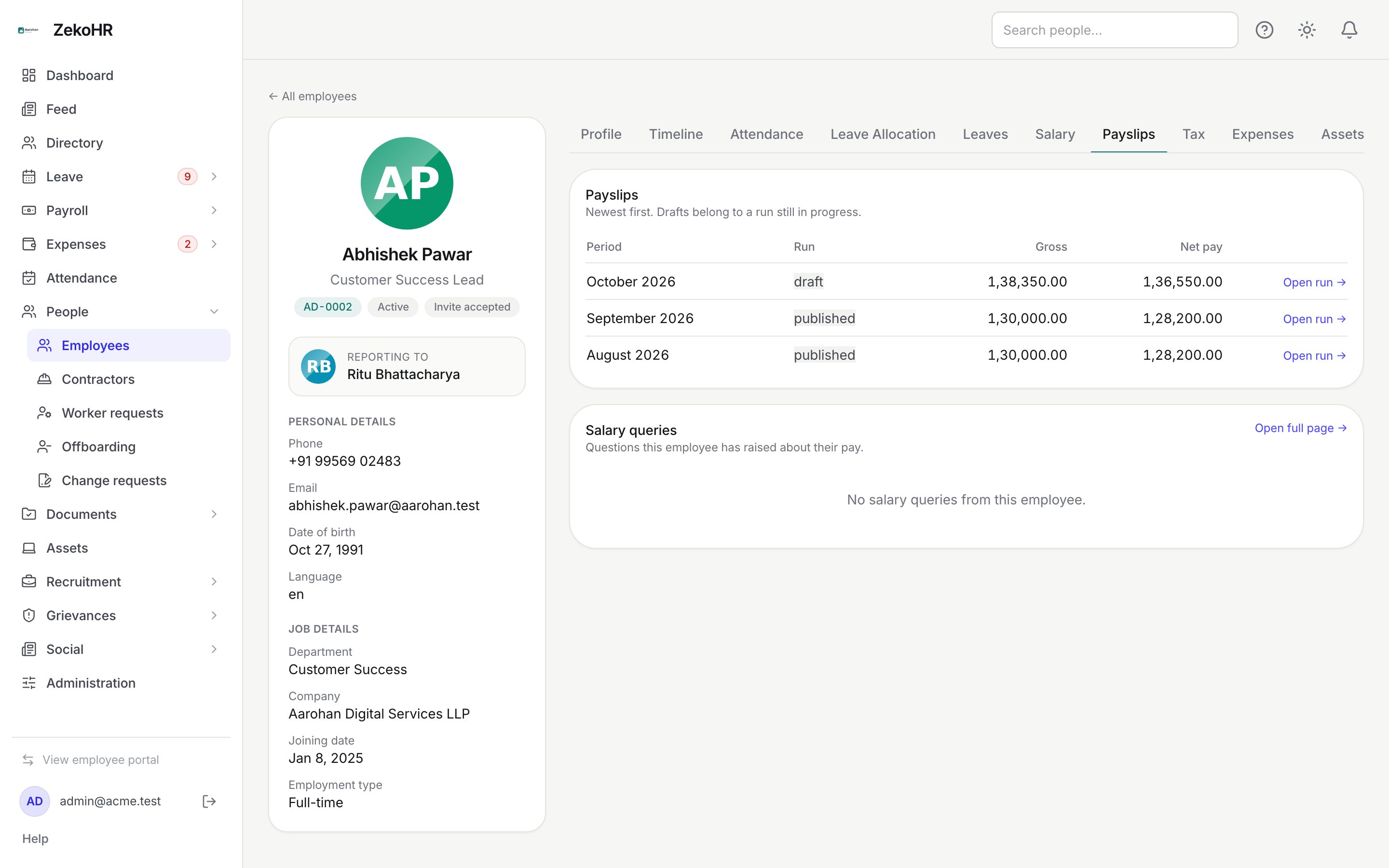
Two things sit alongside the core payroll run. First, expense reimbursements set to be paid through payroll are injected into draft payslips automatically as extra earning lines, so you never retype them. Second, each employee's profile carries Payslips and Tax tabs that show the person's payroll history, including drafts in progress, and their investment declaration, with the same actions as the central screens.
Who can do this: the Payslips tab needs `payroll.view.any` or `payroll.view.assigned_companies`; replying to queries there needs `payroll_queries.manage`. The Tax tab needs `tax_declarations.view.*`, and its Verify and Send back buttons need `tax_declarations.verify.*`. Reimbursement injection is automatic; marking a claim for payroll payout is done in the expenses module.
Where to find it
- Reimbursement lines: Payroll → Payroll, open a draft run, click an employee row; the line appears under Extra lines.
- Employee history: People → Employees, open a person, Payslips tab (`?tab=payslips`) and Tax tab (`?tab=tax`).
Reimbursements through payroll
When an approved expense claim is reimbursed with the method payroll, its payout waits in a queue. ZekoHR adds it to the claimant's payslip:
- When a run is created, every queued payroll payout for that company whose claimant has a draft payslip becomes an extra earning line named Reimbursement. <claim title> for the claim amount.
- On Recalculate and again at Finalize, the reimbursement lines are rebuilt from the queue: previously injected lines are stripped and re-added, so repeated recalculates never duplicate them and a payout un-queued in the meantime drops off.
- On Publish, each payout linked to the run is marked paid and its claim becomes reimbursed.
- On Rollback, the payouts return to queued for payroll so they ride the corrected run.
| Property | Behaviour |
|---|---|
| Line type | Earning, tagged EXTRA |
| Proration | Never; the full claim amount is paid regardless of LOP |
| Editing | Treat as system-managed; edit the claim in the expenses module instead |
| Register | Summed into the EXTRA column with any other extras |
| Employee view | Shown as a named line in the payslip breakdown and PDF |
Claims whose claimant has no draft payslip (no salary assignment, or not in this company) stay queued and appear in the next run that covers them. See Reimbursements and payroll push for the expenses side.
Other extra lines
You can add your own extra lines in the payslip editor while the run is draft: a one-off bonus, an arrears payment or an ad hoc recovery. Give each a name (up to 120 characters), choose Earning or Deduction and an amount. Extras survive Recalculate and are lost only if you delete the run. See Reviewing and finalizing a run.
The Payslips tab
Rows are newest first and include payslips from runs that are still draft or finalized, which is deliberate: the slip you most often want is the one being prepared. Each row shows the Period, the Run status badge, Gross and Net pay, with Open run linking to the run page where it can be edited. Below, Salary queries lists the person's queries with their status and description; Reply sends a response from here (closing is done in the queue).
The Tax tab
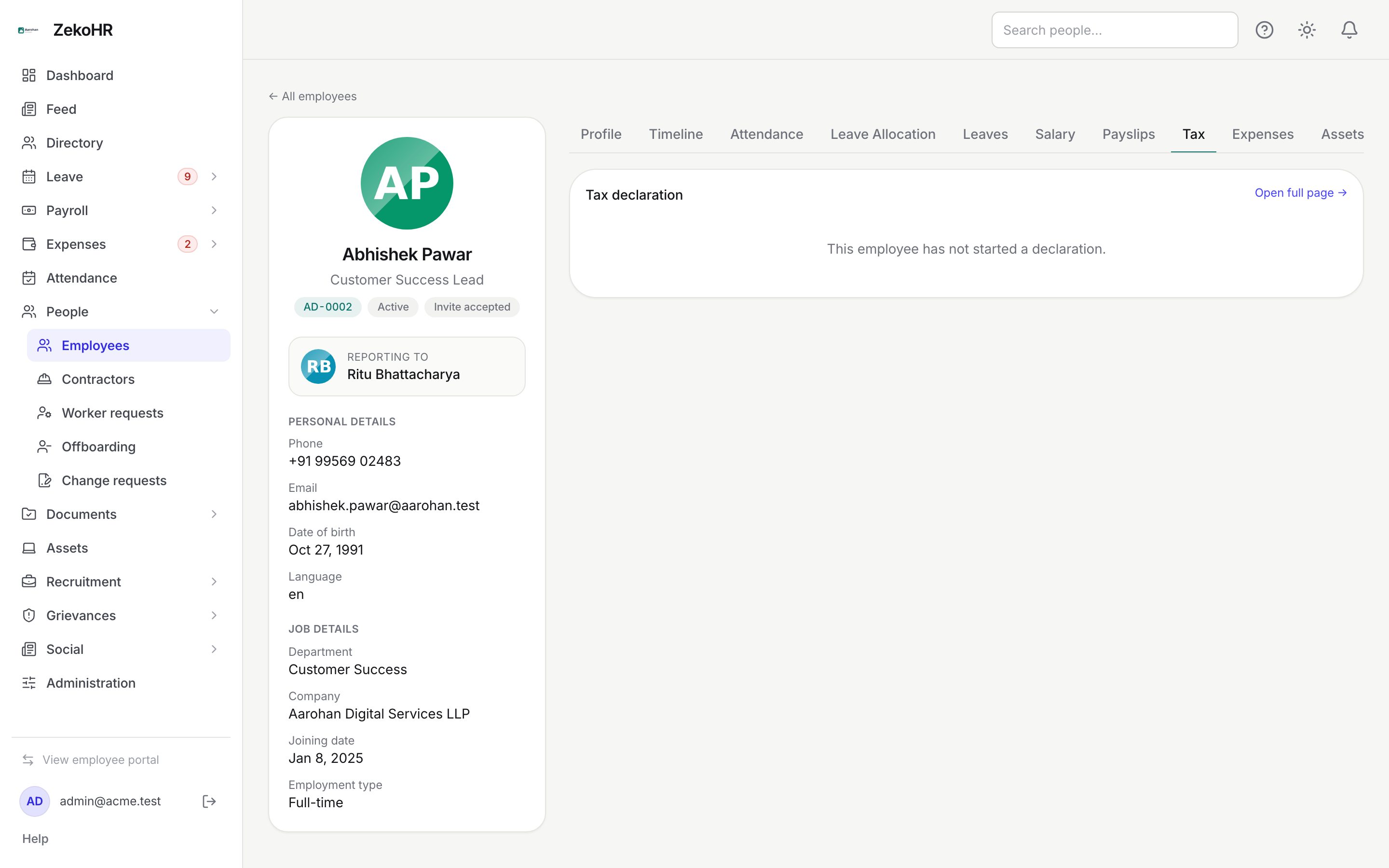
The tab shows the employee's declaration for the current financial year: regime, each item's section, particulars, declared amount and status, and any HR note. For a submitted declaration you can type a note and click Send back (note required) or Verify, exactly as in the queue. Proof downloads are only in the queue's review dialog.
What happens next
- Reimbursement injection and payout status changes happen inside the run actions (create, recalculate, finalize, publish, roll back) and are covered by those audit entries.
- A reply from the Payslips tab emails the employee and marks the query answered.
- Verify and send back from the Tax tab are written to the audit log; no email is sent.
Rules and limits
- Reimbursements are injected only into draft runs; a finalized run must be rolled back to pick up a payout queued after finalize.
- Only approved claims with a queued payroll payout are considered. Out-of-band payouts never touch payslips.
- Tabs follow HR scope: an employee outside your companies cannot be opened on the Payslips tab (you already know they exist from the profile).
- Draft payslips shown on the tab are not settled pay; the status badge says so.
Troubleshooting
A reimbursement is missing from the payslip. The claim was not approved, its payout method is not payroll, or it was queued after the run was finalized. Roll back and recalculate, or wait for next month.
The same reimbursement appears twice. Someone renamed the line manually so it no longer starts with "Reimbursement. ". Remove the renamed copy; the system-managed one is rebuilt on recalculate.
The Payslips tab is hidden. Your role lacks payroll view rights.
The Tax tab says the employee has not started a declaration. The declaration is created when the employee first opens My tax declaration; ask them to open it.