Announcements and polls
Announcements are the official voice on the feed: they get a labelled banner, can be pinned to the top, and can ask every reader to acknowledge them so you can see who has read a notice. Polls are open to everyone and give a quick vote with live percentages.
Who can do this: Posting an announcement, pinning and unpinning need `social.announce` (HR Manager and Admin bundles). Anyone with `social.post.self` can create a poll and vote. Everyone with `social.view` can acknowledge. This module must be enabled on your plan; Admins can check Settings → Billing.
Where to find it
Feed in the sidebar, URL `/feed`. The Announcement and Poll tabs are in the post composer. The Announcements filter pill shows only announcements.
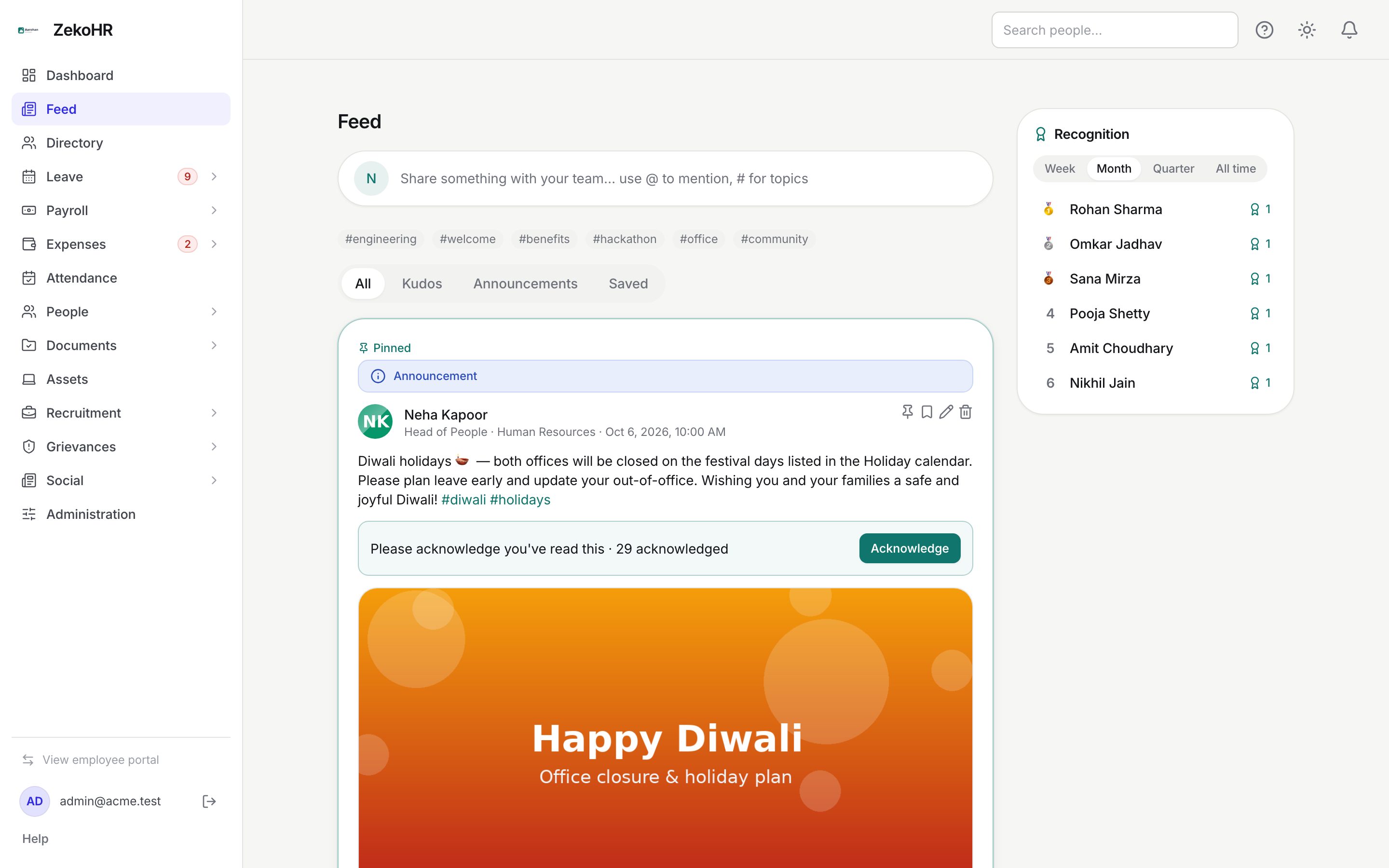
Posting an announcement
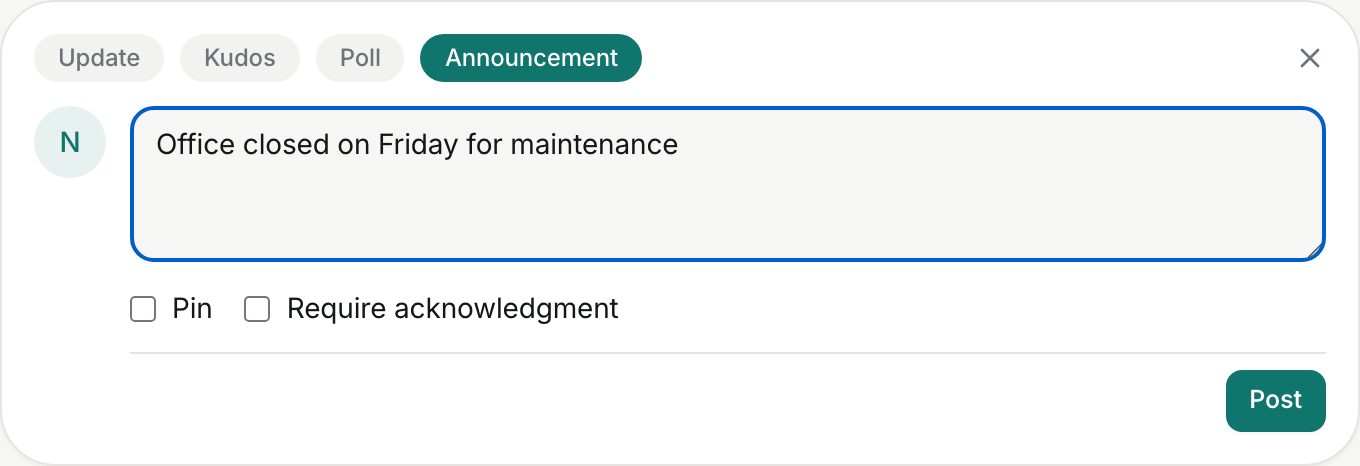
- Click Share something with your team… and choose the Announcement tab. The tab is only visible to HR Managers and Admins.
- Write the message in Write the announcement… (up to 5,000 characters, `@mentions`, `#hashtags` and a link preview all work). An announcement must have text; attachments are not available on this tab.
- Tick Pin to keep the post at the top of the feed above everything else.
- Tick Require acknowledgment to add a Please acknowledge you've read this bar with an Acknowledge button and a running count.
- Click Post.
After posting, the pin icon in the post header toggles pinning on or off for any announcement. Readers who acknowledge see You acknowledged this · N acknowledged; you see the same count.
Announcement banners and expiry
Every announcement carries a banner above the author line. Announcements you post show the blue Announcement banner. Platform-wide notices sent by ZekoHR itself appear on the same feed and may show Important announcement (amber) or Critical announcement (red) with an until date; once that date passes the post drops out of the feed automatically.
Running a poll
- Open the composer and choose Poll.
- Type the question in Ask a question….
- Fill Option 1 and Option 2. Click Add option for more, up to six; the cross beside an option removes it (a poll keeps at least two). Each option can be up to 200 characters; blank options are ignored.
- Click Post. A poll with fewer than two filled options is rejected with "A poll needs at least two options."
Readers click an option to vote. The bar fills to the option's percentage, a tick marks the voter's choice, and N votes shows the total. Clicking a different option moves the vote. A poll stays open until its post is deleted.
Statuses
| Marker | Meaning | What happens next |
|---|---|---|
| Pinned | Sorted to the top regardless of date | Unpin from the pin icon to let it fall back into date order |
| Please acknowledge you've read this | Reader has not acknowledged | Clicking Acknowledge records their user and time |
| You acknowledged this | Reader has acknowledged | Count increments; cannot be undone |
What happens next
- Posting an announcement sends no broadcast email or notification by itself. People you `@mention` get the normal mention notification.
- Acknowledgements are stored per user with a timestamp. Pinning, acknowledging and voting are not written to the audit log.
- Contractors see announcements only if Announcements is enabled for them in Contractor access settings.
Rules and limits
- Pin and Require acknowledgment exist only on the Announcement tab; ordinary updates, kudos and polls cannot be pinned or acknowledged.
- Pinned posts are ordered among themselves by newest first.
- One vote per person per poll; votes can be changed but not withdrawn.
- Polls cannot be edited after posting except for the question text; options are fixed.
- Announcements follow the feed audience setting: per-company announcements reach your own company, organisation-wide ones reach everyone.
Troubleshooting
I do not see the Announcement tab. Only HR Managers and Admins can post announcements. Managers and employees cannot.
Readers say they cannot see my announcement. They are in a different company and the feed is per-company, or they are contractors with announcements switched off.
Readers cannot find the Acknowledge button. It appears only when Require acknowledgment was ticked when posting; a reader who has already acknowledged sees You acknowledged this instead.
I want voting to stop. Delete the poll post; the votes go with it.