My policies
My policies shows every published policy that applies to your company and department, split into the ones you still need to acknowledge and the ones you already have. Acknowledging is your confirmation that you have read and understood a specific version; when HR publishes a new version the policy moves back to the top until you confirm again.
Who can do this: Every employee with policies.view, which all default roles have.
Where to find it
Documents → My policies (`/my-policies`).
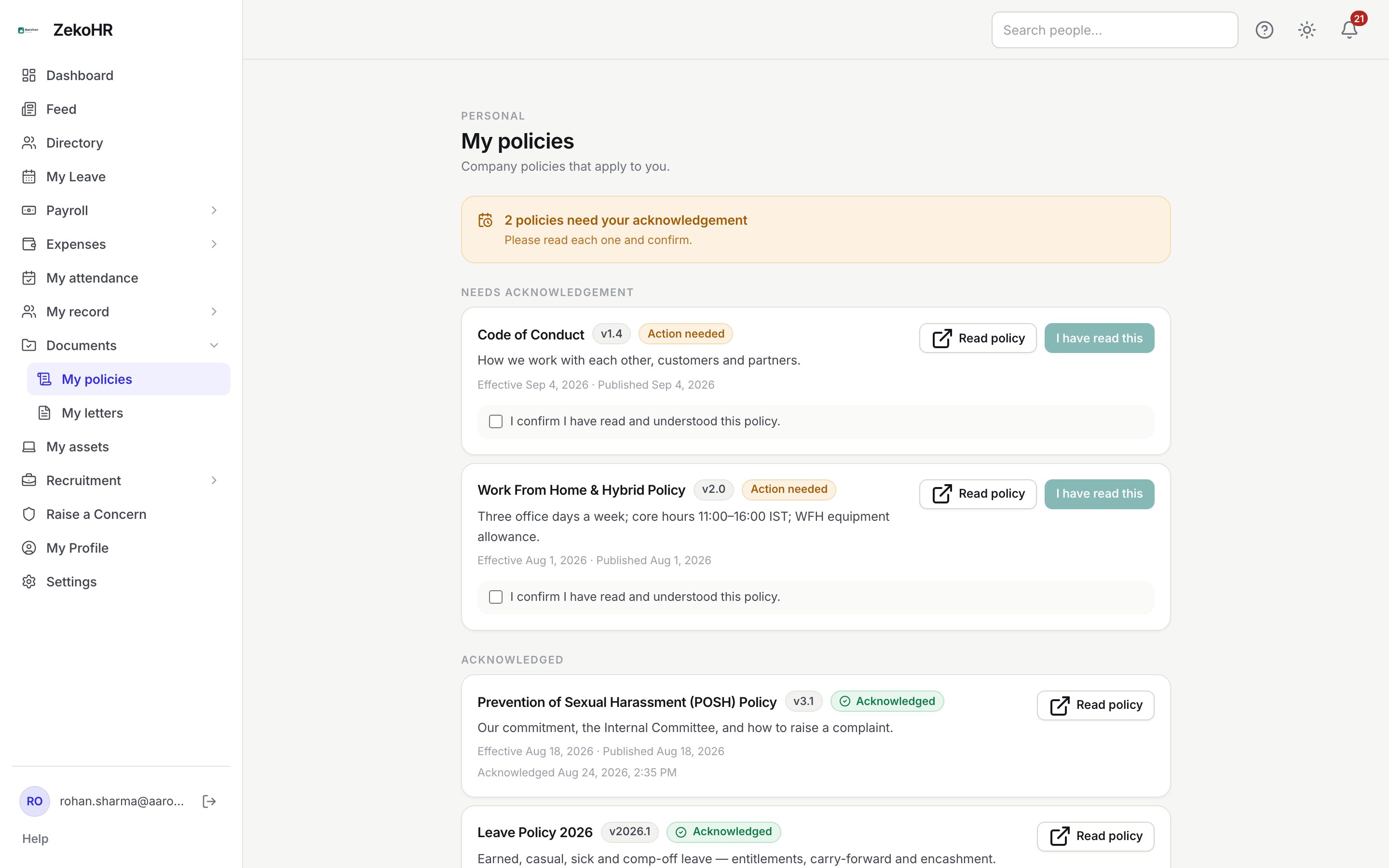
Acknowledging a policy
- A banner at the top says how many policies need your acknowledgement. Each one is listed under Needs acknowledgement with an Action needed badge, the version label, the summary HR wrote, and Effective {date} and Published {date}.
- Click Read policy to open the attached document in a new tab.
- Tick I confirm I have read and understood this policy. The I have read this button stays disabled until you tick it (when a policy has no attached file, the checkbox is not shown and the button is enabled directly).
- Click I have read this. The card moves to Acknowledged and shows Acknowledged {date and time} with the version you confirmed.
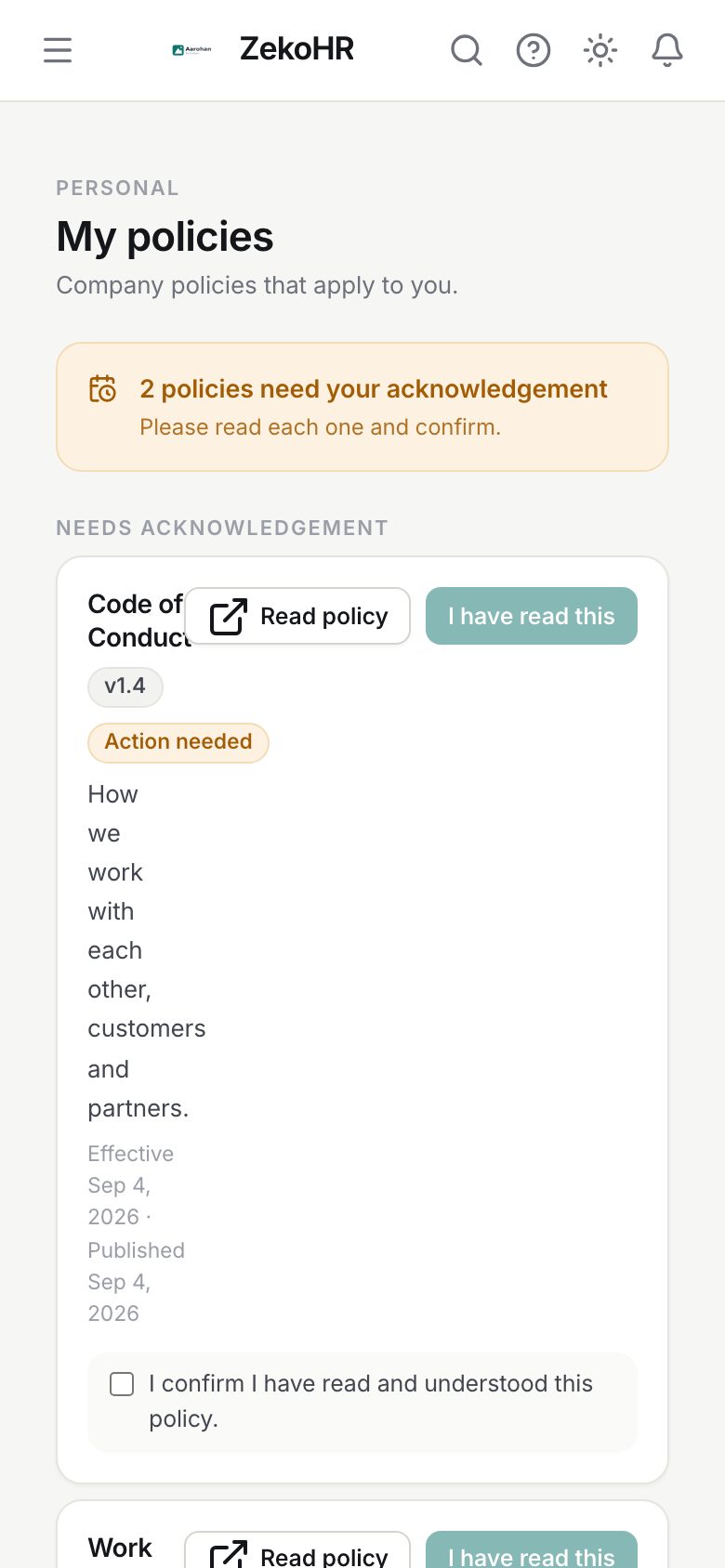
What the badges mean
| Badge | Meaning | What happens next |
|---|---|---|
| Action needed | You have not acknowledged the current version | Read and confirm |
| Acknowledged | Your acknowledgement is on file for the current version | Nothing until a new version is published |
| Version label (v1.4, v2.0, v2026.1) | The version HR gave this policy | A new label usually means a new version to acknowledge |
What happens next
- Your acknowledgement is stored with the policy version and the time. HR sees it in the acknowledged count on their Policies page.
- Acknowledging twice on the same version records one entry; clicking again is harmless.
- When HR publishes a new version, the policy returns to Needs acknowledgement. Your earlier acknowledgement is kept as history and the new one is recorded separately.
- If HR archives a policy it disappears from this page; your acknowledgement remains on record.
- No email is sent when a policy is published; check this page or the Feed for announcements.
Rules and limits
- You see only published policies scoped to all companies or your company, and to all departments or your department. Drafts and archived policies never appear.
- If your record has no company or department, you see only policies that are not narrowed on that axis.
- Acknowledgement cannot be withdrawn from this page. If you confirmed by mistake, tell HR.
- Reading the file requires being in the policy's audience; a direct link to a policy that does not apply to you returns not found.
- The Policies module must be enabled on your plan; Admins can check Settings → Billing.
Troubleshooting
I have read this is disabled. Tick the confirmation checkbox first. If there is no checkbox, reload the page.
A policy I acknowledged last month is back under Needs acknowledgement. HR published a new version. The version label on the card has changed; read it again and confirm.
Read policy opens nothing. The policy has no file attached, or your browser blocked the new tab. Allow pop-ups for ZekoHR or ask HR to attach the document.
A policy my colleague sees is missing for me. Policies can be scoped by company and department. If you have recently moved teams, your record may still show the old department; check My record.
The page says No policies yet. HR has not published anything that applies to you.