Your profile
My Profile is your own record in ZekoHR. The left card shows your photo, designation and employee code with a summary of personal and job details; the tabs on the right hold the full About view, your employment Timeline and your Documents. Some fields you edit directly, some go through HR as a change request, and some only HR can change.
Who can do this: Every employee, with `profile.update.self` for editing and `employees.view.self` for viewing. Bank and statutory details go through `change_requests.submit.self`.
Where to find it
My Profile at the bottom of the sidebar, `/profile`. The tabs are `/profile?tab=timeline` and `/profile?tab=documents`.
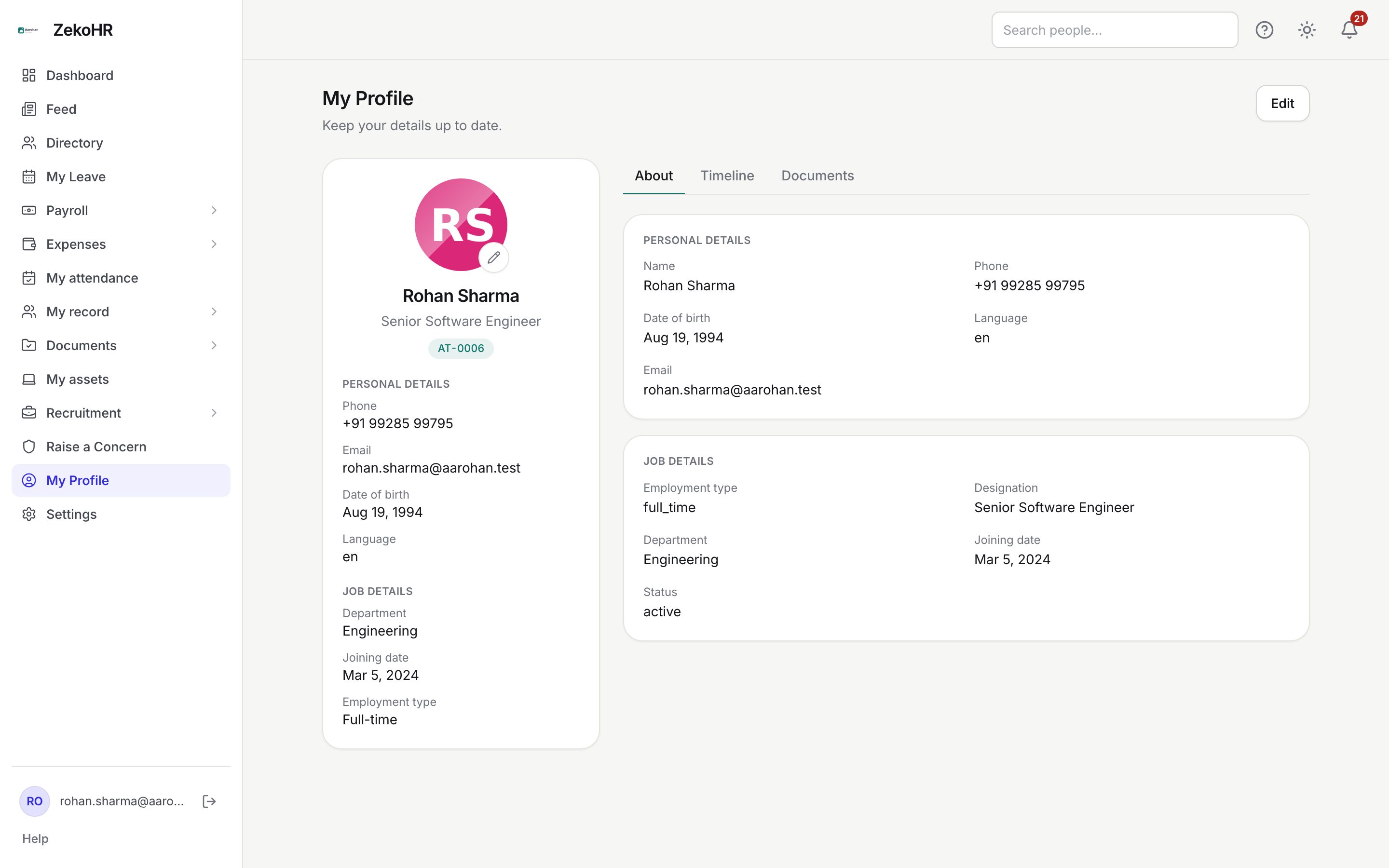
The About tab
| Card | Fields | Who changes it |
|---|---|---|
| Personal details | Name, Phone, Date of birth, Language, Email | You, except Email, which HR sets |
| Job details | Employment type, Designation, Department, Joining date, Status | HR only |
Empty values show as a dash.
Editing your details
- Press Edit at the top right of the About tab.
- Change any of Name (required, up to 255 characters), Phone (up to 32 characters, free text so you can include +91), Date of birth (a date before today) and Language.
- Press Save. A Profile saved toast confirms it. Cancel discards the changes.

Only English can be saved for Language today; leave it as it is. Saving also refreshes the Profile completeness card on the dashboard.
Changing your photo
- Press the pencil on your avatar in the left card. The Profile photo dialog opens.
- Drag an image onto the dropzone or click to browse. Accepted: PNG or JPG (also JPEG and WebP), up to 50 MB unless your organisation has set a lower cap.
- The photo is saved as soon as the upload finishes and replaces the previous one. Remove photo deletes it and shows your initials again.
The photo appears in the directory, the feed, search results and the on-leave list.
Details that go through HR
Bank and statutory details are not on this page. They are changed by raising a change request under My record → My change requests, which HR reviews before anything is written to your record: Mobile number, Date of birth, Bank account number, IFSC, Bank name, PAN, UAN and ESIC number. Phone and date of birth exist in both places; editing them on the profile is immediate, while the change request path lets you attach a supporting document (a cancelled cheque, an ID copy) and leaves an HR-approved trail.
Everything under Job details, your email address, your company and your reporting manager are maintained by HR from your employee record.
The Timeline tab
A dated list of milestones, newest first, drawn from your record and the audit log:
| Event | When it appears |
|---|---|
| Joined | Your joining date |
| Work anniversary | Each completed year since joining |
| Designation changed, Department changed, Manager changed | When HR updates the field |
| Status changed | Active, on notice, exited and similar |
| Onboarding completed | When your checklist was verified |
| Offboarding started, Offboarding completed | During an exit |
The empty state says No timeline events yet.
The Documents tab
The same list as Documents in the sidebar: your uploads with their verification status, requests from HR and company documents to acknowledge. Contractors whose organisation has switched documents off do not see this tab.
What happens next
Profile edits are saved immediately with no approval. A photo upload replaces the old file at once. Change requests notify HR, and you are notified when they are decided.
Rules and limits
- Name: required, max 255. Phone: max 32, optional. Date of birth: must be before today, optional. Language: only English is accepted.
- Photo: must be an image of type jpg, jpeg, png or webp; the size cap is the organisation-wide upload limit (50 MB by default).
- Your theme preference (light, dark, system) is also stored on your profile so it follows you between devices.
- Profile completeness counts the fields and document categories your organisation has marked as required; HR configures the list.
Troubleshooting
Save fails with "Could not save your profile". Check the date of birth is in the past and the phone is under 32 characters. The message shows the reason.
The photo upload keeps failing. If the file is a supported image under the size cap, the problem is not your file. Tell your Admin.
I cannot change my designation or department. These are HR-maintained. Ask HR, or raise a change request if your organisation prefers that path.
My timeline is empty. Only HR-made changes and your joining date generate events. A freshly imported record with no joining date shows nothing.