Organization documents
Organization documents are files HR publishes for employees to read: handbooks, codes of conduct, IT guidelines, holiday circulars. Each can be scoped to all companies or a subset, can require acknowledgement, and carries a version number so that replacing the file puts everyone back into "needs acknowledgement" without losing the record of who agreed to the earlier version. For formal policies with drafts, effective dates and department scoping, use Policies instead.
Who can do this: Admins with documents_center.manage.any; HR Managers with documents_center.manage.assigned_companies can publish and manage documents scoped entirely to their assigned companies.
Where to find it
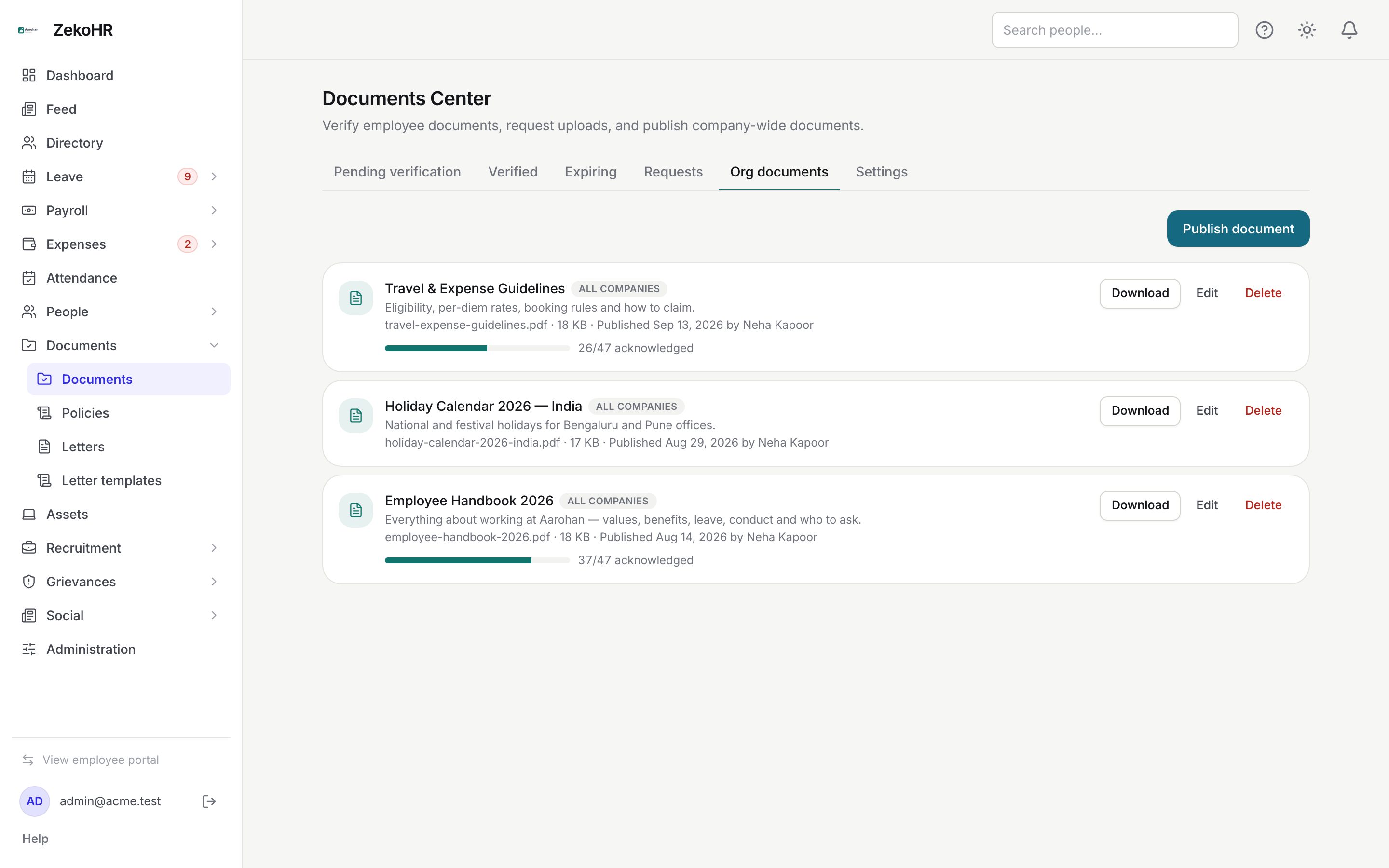
Documents → Documents, then the Org documents tab (`/documents?tab=org`). Employees see the result under My Profile → Documents → Company documents.
Publishing a document
- Click Publish document.
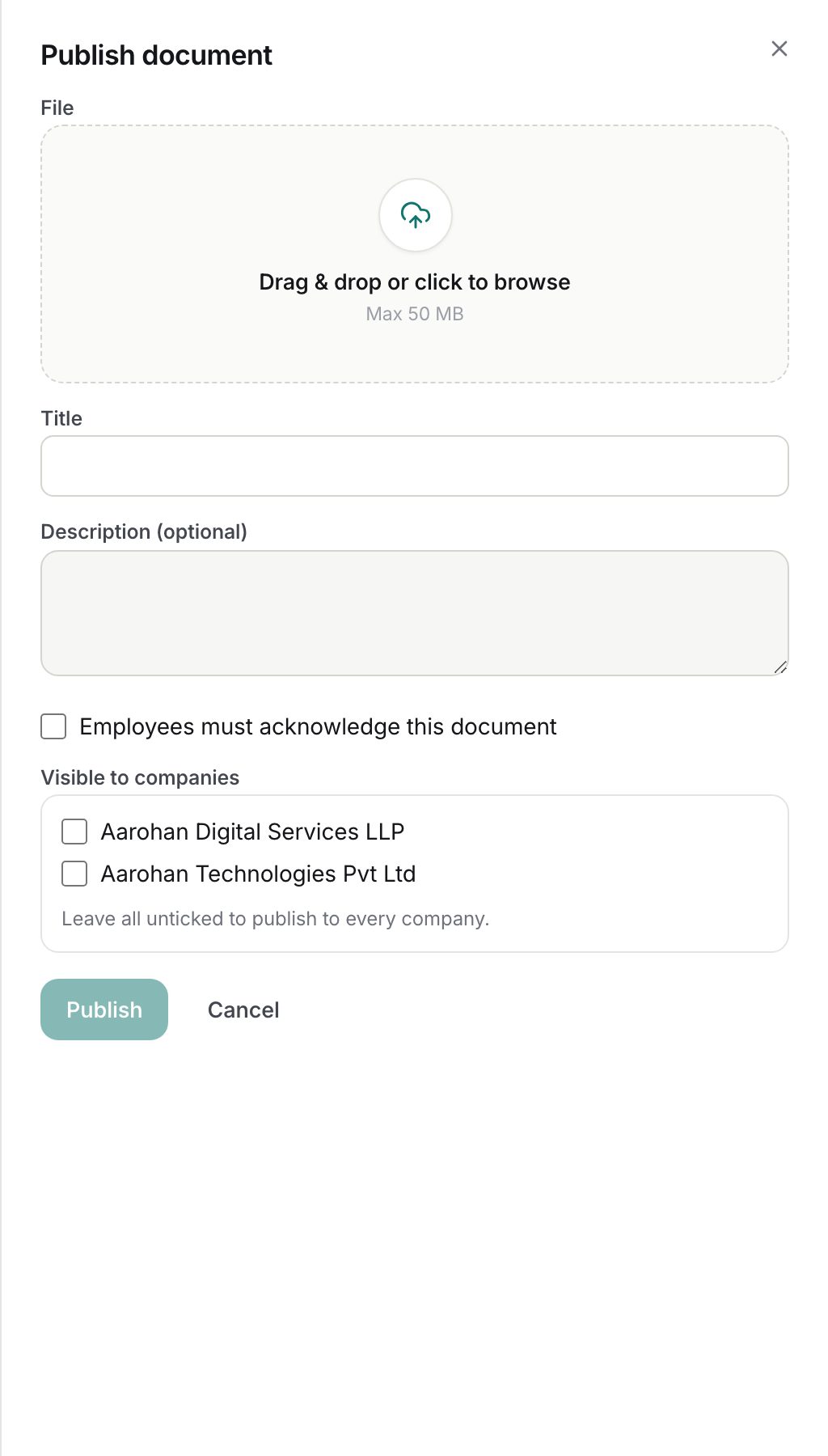
- File (required): drag or click to choose a PDF, JPG, JPEG, PNG, WEBP, DOC or DOCX up to the cap shown in the drop area (50 MB by default).
- Title (required, up to 160 characters) and Description (optional) (up to 1000 characters), both shown to employees.
- Tick Employees must acknowledge this document if you need a read receipt. Untick it for reference material.
- Visible to companies: tick the companies that should see it. Leave all unticked to publish to every company.
- Click Publish.
Editing and publishing a new version
Click Edit on a card. The same dialog opens with two extra controls:
- Replace file (optional): attaching a file always publishes a new version, because nobody has read the new file yet.
- Publish as a new version (vN): tick this when the content changed materially without the file changing. Leave it unticked for a title fix or a tidier description, which keep the current version so nobody is asked again.
When a new version will re-open acknowledgement, a warning says Everyone in scope will be asked to acknowledge vN. Existing acknowledgments of v{current} are kept as a record. Click Save.
Acknowledgement report
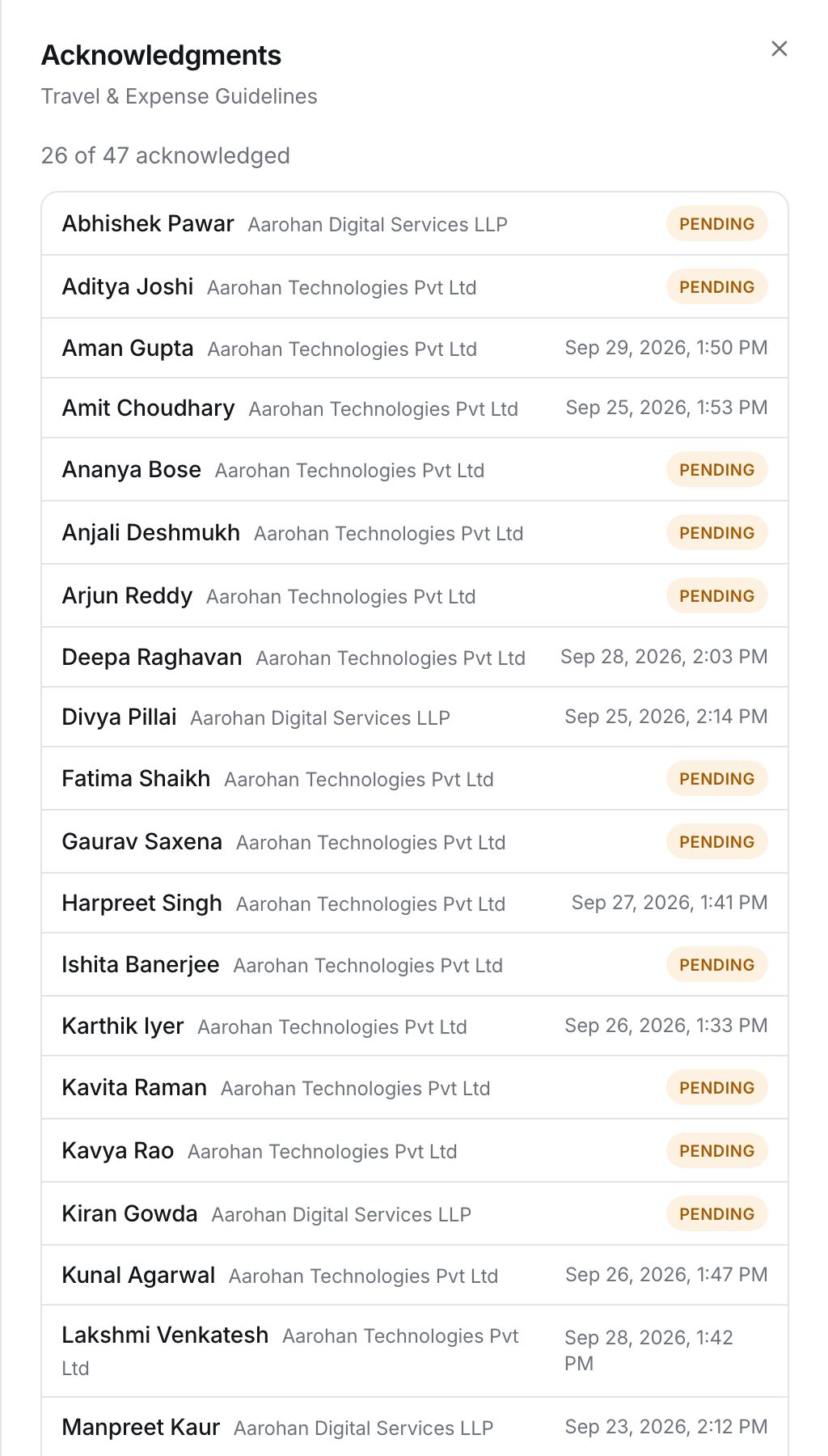
Click anywhere on a card to open Acknowledgments. It lists every active employee in scope with their company and either the time they acknowledged the current version, Pending, or Acknowledged vN only for someone who signed an earlier version and has not re-read the new one. The summary line reads X of Y have acknowledged vN. The progress bar on the card shows the same count.
Deleting
Delete asks for confirmation: the file and all acknowledgements are removed permanently. Prefer narrowing the companies list or unticking acknowledgement if you only want it out of the way.
What the card shows
| Element | Meaning |
|---|---|
| vN badge | Current version; shown from v2 onward |
| Company pills or All companies | Visibility scope |
| File name, size, Published {date} by {name} | File metadata and publisher |
| Requires acknowledgment progress | Acknowledged at current version / employees in scope |
What happens next
- Publishing a document that requires acknowledgement notifies every employee in scope in-app and by email (org_document.published template). Documents without acknowledgement are published silently.
- Publishing a new version of a document that requires acknowledgement notifies everyone in scope again.
- Unacknowledged required documents appear on the employee dashboard under Needs your attention as Documents to acknowledge, and on their Documents tab with an Acknowledge button.
- Audit entries: org_document.created, org_document.updated, org_document.version_published (with reason file_replaced or content_updated) and org_document.deleted. Individual acknowledgements are not audited; the acknowledgement row is the record.
Rules and limits
- Scope: an empty company list means every company in the organization. Only Admins can publish or manage an org-wide document; assigned-companies HR must tick companies and all of them must be in their assigned set. They can still see org-wide documents in the list because those apply to their companies too.
- Employees with no company assigned see org-wide documents only.
- Acknowledgement counts and the report count only acknowledgements at the current version.
- Changing the company list is a metadata edit: it does not bump the version.
- One file per document; replacing it discards the old file.
- The Documents Center module must be enabled on your plan; Admins can check Settings → Billing.
Troubleshooting
Publish is refused with a permission error. You are assigned-companies HR and left the company list empty, or ticked a company outside your assignment. Tick only your companies, or ask an Admin to publish org-wide.
I fixed a typo and everyone got asked to acknowledge again. You attached a file or ticked Publish as a new version. A plain title or description edit does not bump the version. There is no way to roll a version back; let employees acknowledge the current one.
The report says Acknowledged v1 only for several people. They read the first version and the document has since moved to v2 or later. They need to acknowledge again; a reminder is not sent automatically, so mention it in the Feed or by email.
An employee cannot see a document. Check the scope pills: their company must be listed, or the document must be All companies. An employee with no company sees only All companies documents.
I need departments, effective dates or draft status. Use Documents → Policies, which supports those.