My record and change requests
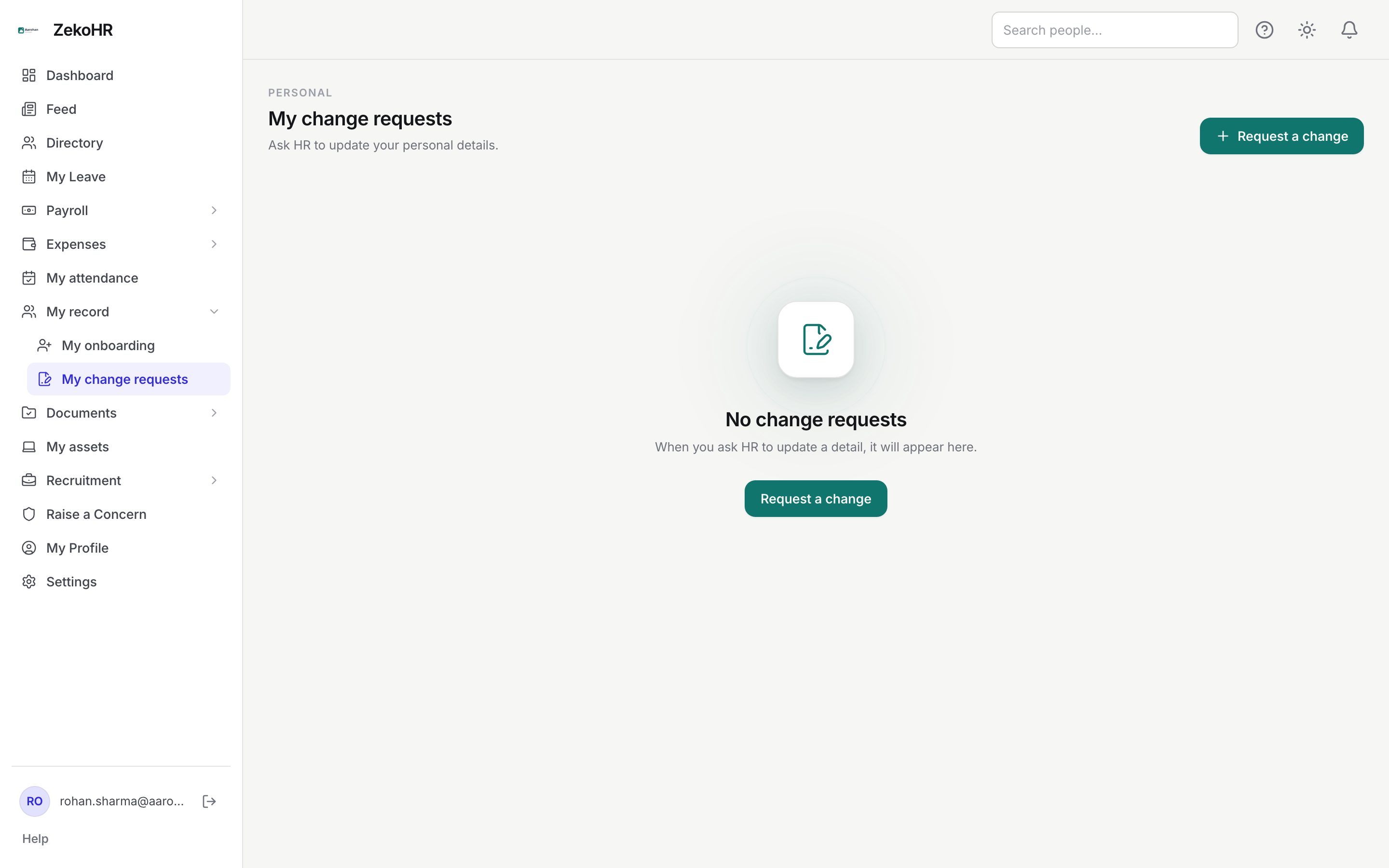
Your employee record has two kinds of fields. A few you edit directly on My Profile. The rest, such as your bank account, PAN or mobile number, change only through a change request that HR reviews. A request records the value held now and the value you want, so HR sees exactly what will change, and nothing is written until they approve.
Who can do this: Every employee with `change_requests.submit.self` and `change_requests.view.self` (all default roles). Editing My Profile needs `profile.update.self`.
Where to find it
My record → My change requests in the employee portal. URL path: `/my-change-requests`. Direct edits live on My Profile (`/profile`).
What you can change directly
On My Profile → Edit you can change Name, Phone, Date of birth (must be before today) and Language, and upload or remove a profile photo (JPG, PNG or WebP). Your Timeline tab there shows your joining date, moves and anniversaries. See Your profile.
Filing a change request
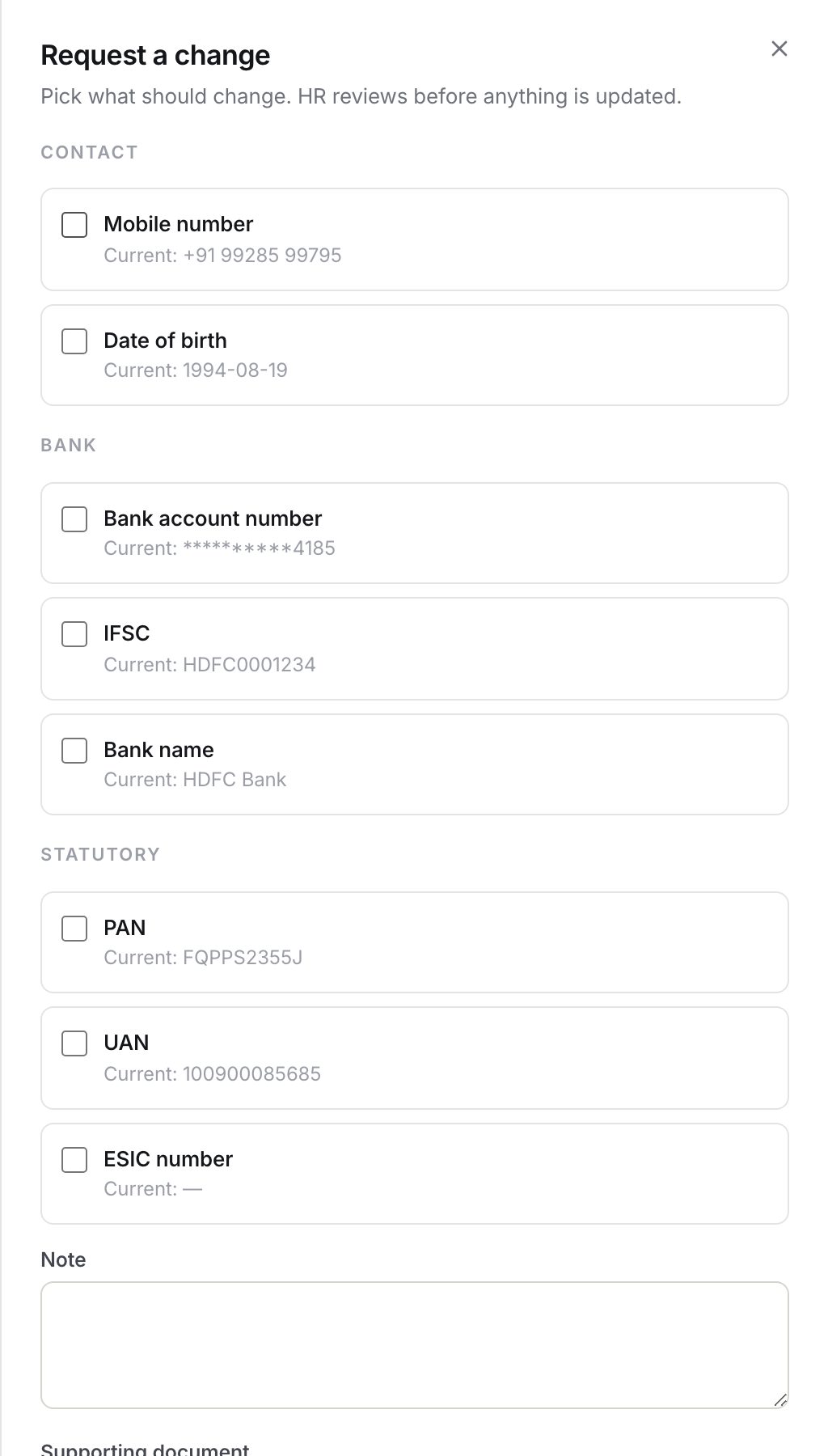
- Click Request a change.
- Tick each field you want corrected. They are grouped as Contact details (Mobile number, Date of birth), Bank account (Bank account number, IFSC, Bank name) and Statutory identifiers (PAN, UAN, ESIC number). Under each field the form shows Current: with the value held today, or Not set. Bank and statutory values come from your payroll profile and the account number is shown masked.
- Enter the New value for every ticked field. Limits: mobile 32 characters, account number 34, IFSC 11, bank name 120, PAN 10, UAN 12, ESIC 17; date of birth is a date picker.
- Optionally add Anything HR should know (max 2000 characters).
- Optionally attach a Supporting document such as a cancelled cheque or ID copy: PDF, JPG, PNG or WebP, up to 50 MB.
- Click Send to HR. The button stays disabled until every ticked field has a value.
Each request appears as a card with a status badge, the date raised, a Field / Current / Requested table, your note, the attachment link and later the HR note.
Statuses
| Status | Meaning | What happens next |
|---|---|---|
| Awaiting HR | Filed, awaiting a decision | HR reviews it; you can Withdraw |
| Approved | HR applied the new values to your record | Nothing more to do |
| Rejected | HR declined; the HR note explains why | File a new request with the corrected value or proof |
| Withdrawn | You cancelled it before a decision | File again if needed |
What happens next
- Everyone in your organisation who can review change requests is notified in-app and by email that you filed one.
- When HR decides, you get an in-app notification and an email with the decision and their note.
- On approval the values are written to your record immediately and the change is audited, with bank, PAN and UAN values masked in the audit log.
- Bank and PAN changes feed your payroll profile, so they affect the next payslip HR generates.
Rules and limits
- Only the eight fields above can be requested. Company, department, designation, manager, joining date, status, salary, name and email cannot; ask HR to edit those.
- A value identical to the current one is dropped, and a request where every line matches is refused with "None of those values differ from what we already hold for you".
- Each field may appear once per request. There is no cap on how many requests you file.
- You can withdraw only while the request is Awaiting HR.
- If HR changes a field after you filed, your request becomes stale and cannot be approved; HR will reject it and ask you to re-file against the new value.
- Attachments are visible to you and to the reviewing HR users only.
Troubleshooting
Request a change is missing. Your role lacks the permission to file requests, or the module is off. This module must be enabled on your plan; Admins can check Settings → Billing.
Current shows Not set for bank fields. Your payroll profile has no value yet, or you cannot view payroll data. The request still works.
Send to HR is disabled. A ticked field has an empty new value, or no field is ticked.
My request was rejected as stale. The record moved after you filed. Open the dialog again, check Current, and re-file.
I need my name or email changed. Those are identity fields; contact HR, who edit them on your record.