Publishing, rolling back and the register
Publishing is the moment a payroll month becomes real for employees: payslips appear in self-service, the "Your payslip is ready" email goes out and queued expense reimbursements are marked paid. Rollback reverses that so you can correct and republish. The register CSV gives you the whole run in one spreadsheet for your bank file or accountant.
Who can do this: publishing needs `payroll.manage.any` or `payroll.manage.assigned_companies`. Rolling back additionally needs `payroll.rollback`, which Admin and HR Manager hold by default. The register needs only payroll view rights.
Where to find it
Sidebar Payroll → Payroll, open the run (`/payroll/runs/<id>`). The buttons change with status: Publish on a finalized run, Roll back to edit on finalized and published runs, Download register always. This module must be enabled on your plan; Admins can check Settings → Billing.
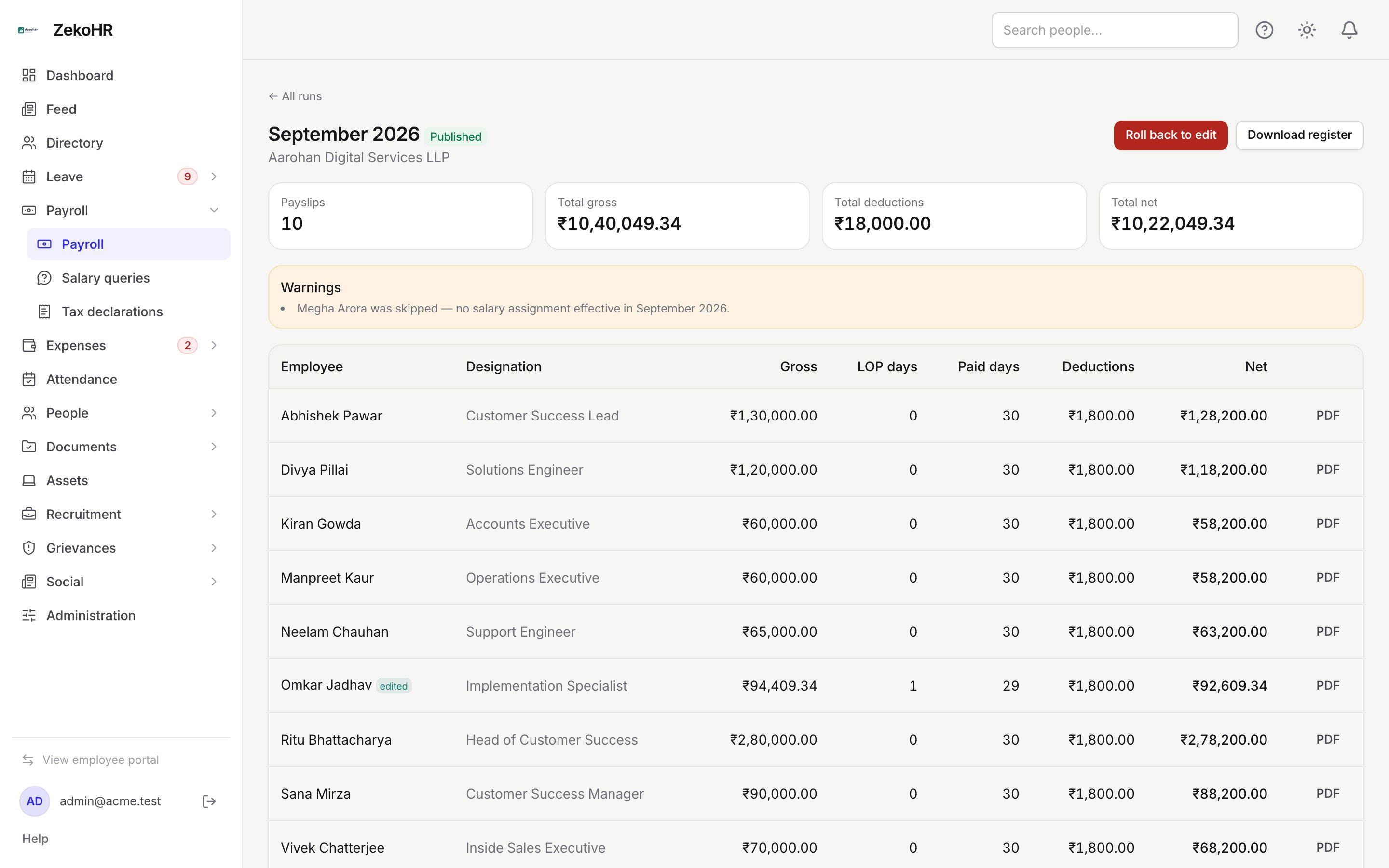
Publishing
- Finalize the run first; Publish appears only in Finalized status.
- Click Publish and confirm the prompt: "Employees will see their payslips in self-service and receive email notifications."
- The status becomes Published and the time is recorded.
You do not need to wait for every PDF before publishing; the in-app breakdown is available immediately and each PDF download works as soon as its file exists.
What happens next
- Every employee in the run receives an in-app notification and the Your payslip is ready email (editable under Settings → Email templates) with the period, company, net pay and a link that opens their payslip directly.
- Expense payouts that rode this run flip to paid and their claims to reimbursed.
- The publish is written to the audit log.
- Employees can now raise salary queries against these payslips.
Downloading the register
Click Download register in any status. The file `payroll-register-<year>-<month>.csv` has one row per payslip and these columns:
| Column | Content |
|---|---|
| employee | Employee name |
| code | The employee's user id, not their employee code |
| gross | Assigned monthly gross |
| one column per component code | Amount for that line; blank if the employee has no such line |
| lop_days | LOP days, one decimal |
| net_pay | Net pay, two decimals |
Component columns are sorted alphabetically and include EXTRA when any payslip has extra lines (all extras on a payslip are summed into it). Figures are plain numbers without currency symbols, which suits bank upload templates and accounting imports.
Rolling back
- Click Roll back to edit (red on a published run) and confirm. The prompt warns that published payslips are withdrawn from employee view and generated PDFs are deleted.
- The run returns to Draft with its finalized and published timestamps cleared. All manual inputs on payslips are kept.
- Edit, recalculate, finalize and publish again. Employees are notified again on the second publish.
Rollback is refused when a later run for the same company is already finalized or published: "Roll that one back first." A later run still in draft does not block it. It is also refused if the run is already in draft.
What happens at rollback
- Every payslip PDF is deleted; new ones are generated at the next finalize.
- Payslips disappear from My Payslips immediately. Existing salary queries that reference them keep their period label but can no longer open the slip until it is republished.
- Expense payouts linked to the run return to queued for payroll and their claims to the queued reimbursement status, so they are re-injected on recalculate.
- The rollback is written to the audit log with the previous status and timestamps.
Rules and limits
- Publish only from Finalized; rollback only from Finalized or Published; delete only from Draft.
- Rollback withdraws pay information employees may already have downloaded. Tell them before you do it.
- No email is sent at rollback.
- Statutory filings are outside ZekoHR; the register is your source for them, and the component columns reflect exactly what you configured.
Troubleshooting
Roll back to edit is missing. Your role lacks `payroll.rollback`, or the run is in draft.
Rollback says a later run is finalized. Roll back the later month first, then this one, then redo both in order.
Employees did not get the email. Check Settings → Email log. The notification is sent per employee at publish; a missing address or a disabled template is the usual cause.
The register is missing a component column. No payslip in that run has a line for that component. Check the structure and recalculate while in draft.