Leave types and your balances
My Leave is where you see how much leave you have for the current leave year, per leave type, and what has happened to it. The same numbers appear on your dashboard in the My leave balance panel. Every figure comes from a ledger that records each credit and debit, so the balance you see is the same one HR and your manager see.
Who can do this: every employee with `leave_allocations.view.self` and `leave_requests.view.self` (both are in the Employee role). Your reporting manager and HR see the same figures from your employee record.
Where to find it
Leave → My Leave in the sidebar, or the dashboard panel My leave balance and its Full breakdown → link. URL: `/my-leave` (the balance tab is `/my-leave?tab=balance`).
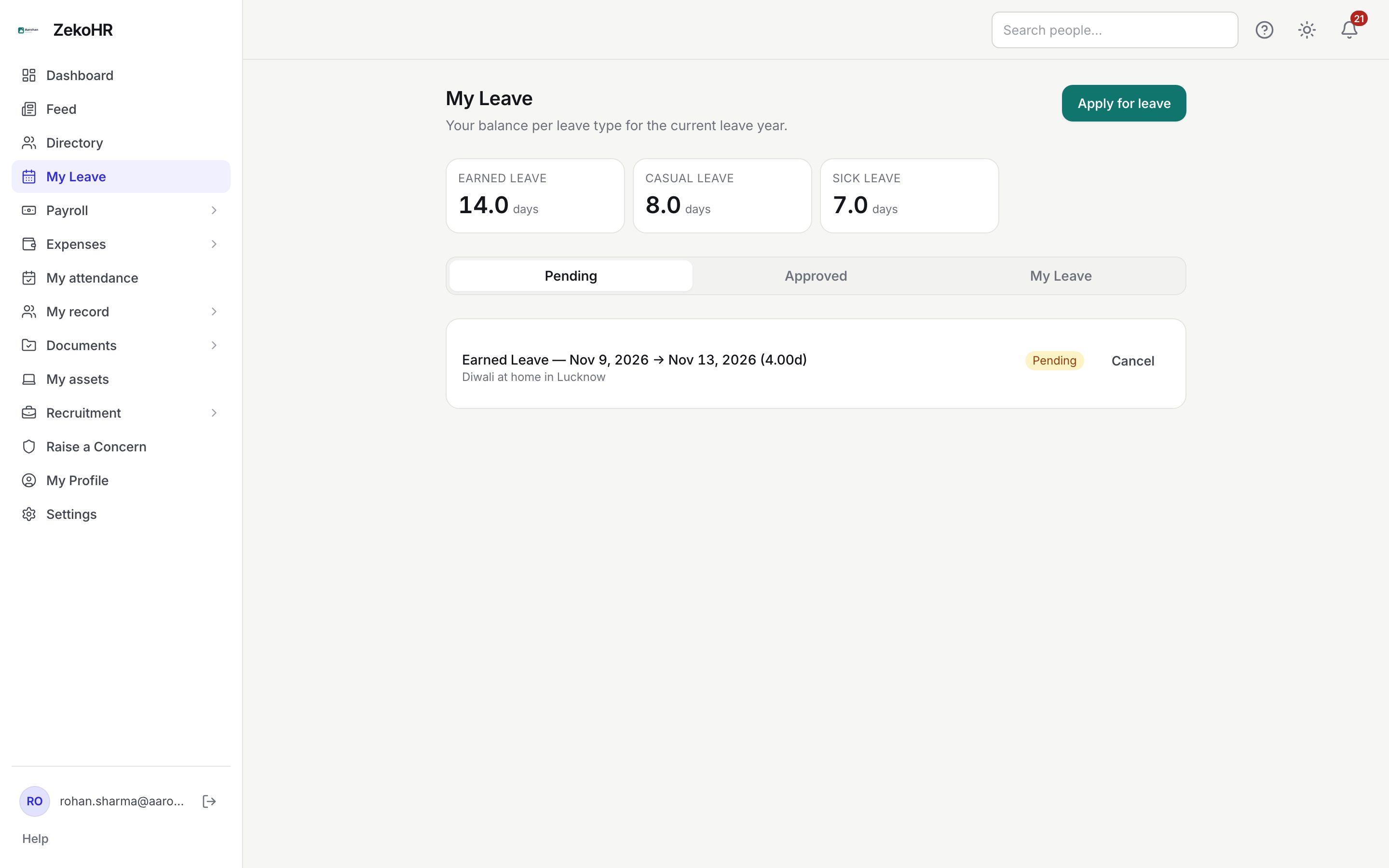
Reading the page
- The strip under the heading shows one tile per leave type with your current balance, in days or hrs depending on how the type is configured.
- Three tabs follow: Pending (requests awaiting a decision), Approved (approved leave, newest first) and My Leave (the full balance breakdown).
- Apply for leave at the top right opens the application form.
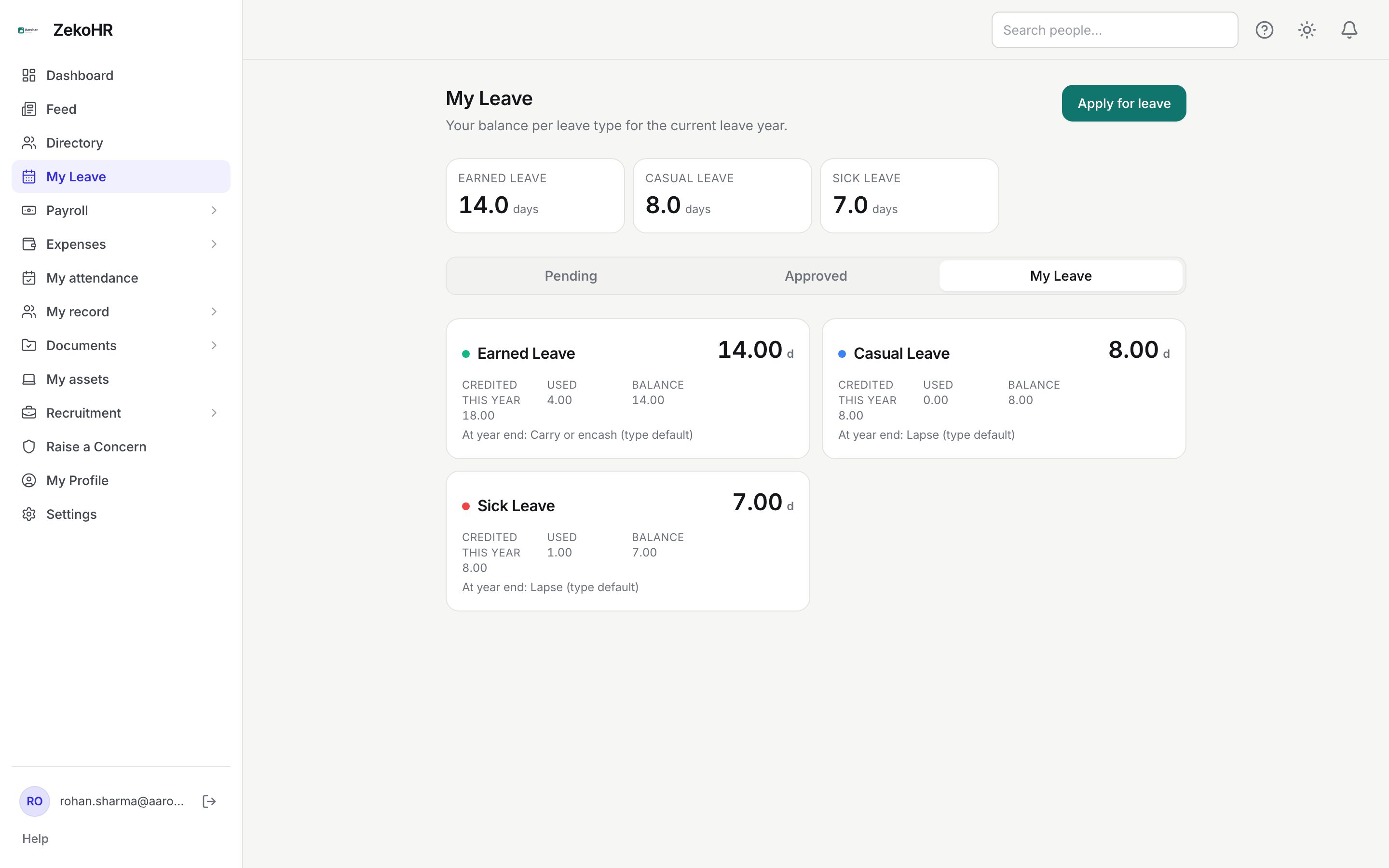
Open the My Leave tab to see a card per leave type.
What the figures mean
| Figure | Meaning |
|---|---|
| Credited this year | Everything added to this year's balance: the opening allocation, anything carried in from last year, accruals and HR adjustments (negative adjustments reduce it). |
| Pro-rata of N | Shown under Credited when you joined part-way through the year and received a proportion of the full annual amount N. |
| Used | Days or hours debited by approved leave. |
| Refunded | Shown only when non-zero. Approved leave you later cancelled, or HR reversed, is refunded here. |
| Lapsed | Shown only when non-zero. Balance that expired at the last year end. |
| Encashed | Shown only when non-zero. Balance paid out at year end instead of carried. |
| Balance | Credited minus Used, plus Refunded, minus Lapsed and Encashed. This is the number on the tile. |
| At year end: … | What will happen to any unused balance when the leave year closes: Carry forward, Encash, Lapse or Carry or encash. (type default) means HR has not set a personal override. |
Kinds of leave type
Each company defines its own types under Settings. The ones you will commonly meet in an Indian setup:
| Type | How it usually behaves |
|---|---|
| Earned or Privilege Leave | Allocated annually, often pro-rated for joiners, usually carried forward with a cap. |
| Casual Leave, Sick Leave | Allocated annually, usually lapses at year end. |
| Comp-off | No annual allocation. The balance is the sum of credits HR grants when you work on an off-day. The card says "Comp-off credits are granted by HR for working on off-days." |
| Hour-based types | Measured in hours; the tile shows hrs and the apply form offers an Hourly mode. |
The leave year itself is set per company (for example 1 April to 31 March). The dates on your allocation follow that boundary, not the calendar year.
What happens next
- When HR allocates or adjusts your balance you receive an in-app notification and an email ("leave allocated") with a link back to My Leave.
- Pending requests are not debited until approval, but they reduce what the apply form shows as Available. Approval debits the balance; cancellation of approved leave refunds it.
- Every change is a ledger row that HR can see on your record under Leave Allocation → History.
Rules and limits
- Balances are per company and per leave year. You only see types that are active and that your employment type (full-time, part-time, intern, contractor) is eligible for.
- Accrual types (monthly or quarterly) credit a slice on each period boundary; the credit appears early in the morning of that day.
- Contractors only have leave when their engagement is configured with employee-style leave.
- This module must be enabled on your plan; Admins can check Settings → Billing.
Troubleshooting
The page says no leave has been allocated to me yet. HR has not initialised your balances. Use Apply for leave and send a Request Leave Allocation nudge, see Request a leave allocation.
My Credited figure is lower than my colleagues'. You joined mid-year and the type is pro-rated; the card shows "Pro-rata of N" where N is the full-year amount.
The tile shows fewer days than Credited minus Used. Check for Lapsed or Encashed lines, and remember pending requests do not reduce the tile but do reduce Available on the apply form.
My comp-off shows 0 even though HR said it was granted. Comp-off balance is only the credits with status available. Ask HR to check the grant under your Leave Allocation tab.