Contractor access settings
Contractor access decides what the two Contractor roles can open. Each module is a switch; turning one off removes that access from the Contractor and Contractor Agency Admin roles across your organisation. The same page sets the default leave mode prefilled on new engagements.
Who can do this: Admins and HR Managers with `contractors.manage`. Changes may be locked behind an admin override on some tenants; the page asks you to confirm when they are.
Where to find it
Administration → Settings → Contractor access, at `/settings/contractor-access`.
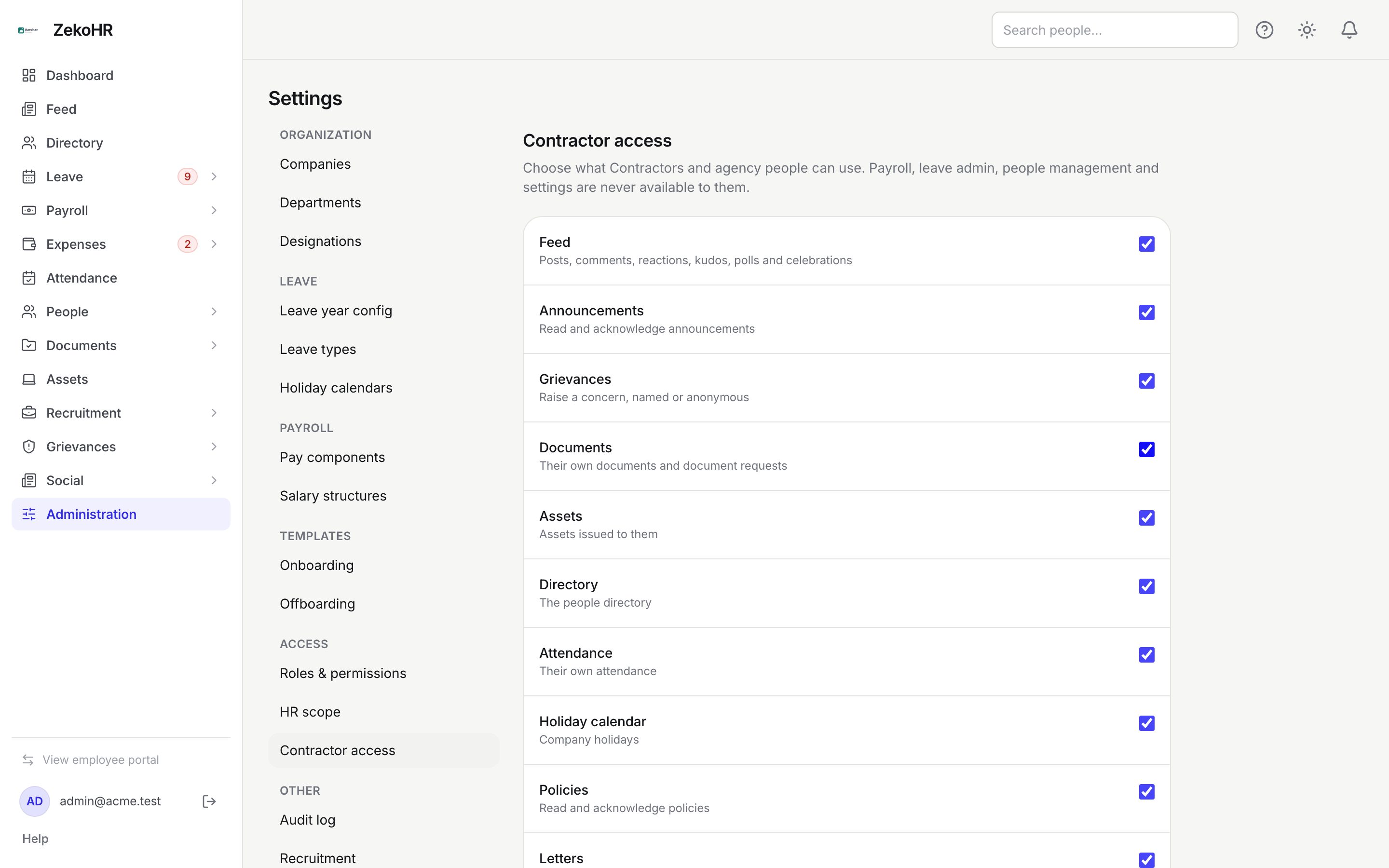
Module switches
All switches are on by default. Toggle, then Save; Discard changes restores the saved state. Contractors see the change the next time they load a page.
| Module | What it grants a Contractor |
|---|---|
| Feed | Posts, comments, reactions, kudos, polls and celebrations, with the same rights as employees. |
| Announcements | Read and acknowledge announcements. |
| Grievances | Raise a concern, named or anonymous. |
| Documents | Their own documents and document requests. |
| Assets | Assets issued to them. |
| Directory | The people directory. |
| Attendance | Their own attendance. |
| Holiday calendar | Company holidays. |
| Policies | Read and acknowledge policies. |
| Letters | Letters issued to them. |
When a module is off, Contractors are refused if they try to open it and the Contractor home hides the entry.
Engagement defaults
- Default leave: No leave, or Same as employees. Prefilled on new engagements; the engagement's own value is what counts.
Statuses
| Setting | Default |
|---|---|
| Every module switch | On |
| Default leave | No leave |
What happens next
Saving updates the access of the Contractor and Contractor Agency Admin roles; the change is audited. A module you switched off is never granted back by platform maintenance. Existing engagements keep their own leave value.
Rules and limits
- Payroll administration, leave administration, people management, organisation settings and other people's data are never available to Contractors, regardless of these switches.
- Leave eligibility is per engagement, not a switch here: a Contractor applies for leave only while an active engagement has Same as employees.
- The Contractor Agency Admin role keeps its own-agency view and worker-proposal rights whatever you switch off.
- Employees are unaffected by this page.
Troubleshooting
Save says the configuration is locked. Confirm the override when prompted; the override is recorded in the audit log.
A Contractor still sees a module I switched off. Ask them to reload; permissions are re-read on the next page load.
A Contractor cannot apply for leave although Leave is not listed here. Leave is set on the engagement, not on this page. Open the engagement and set Leave to Same as employees.