Candidates and applications
A candidate is a person in the talent pool, one record per organisation, de-duplicated by email and then mobile number. An application is that candidate against one job, and screening, interviews, offers and pre-joining hang off it.
Who can do this: HR and Recruiters with `recruitment.manage.any` or `recruitment.manage.assigned_companies` add, edit, screen and email candidates. A hiring manager sees the candidates on their own jobs, adds notes and moves stages, but cannot screen (salary fields) or send emails. Panelists see a summary and resume only.
Where to find it
Recruitment → Talent pool, at `/recruitment/candidates`. A candidate profile is `/recruitment/candidates/{id}`; an application is `/recruitment/applications/{id}`.
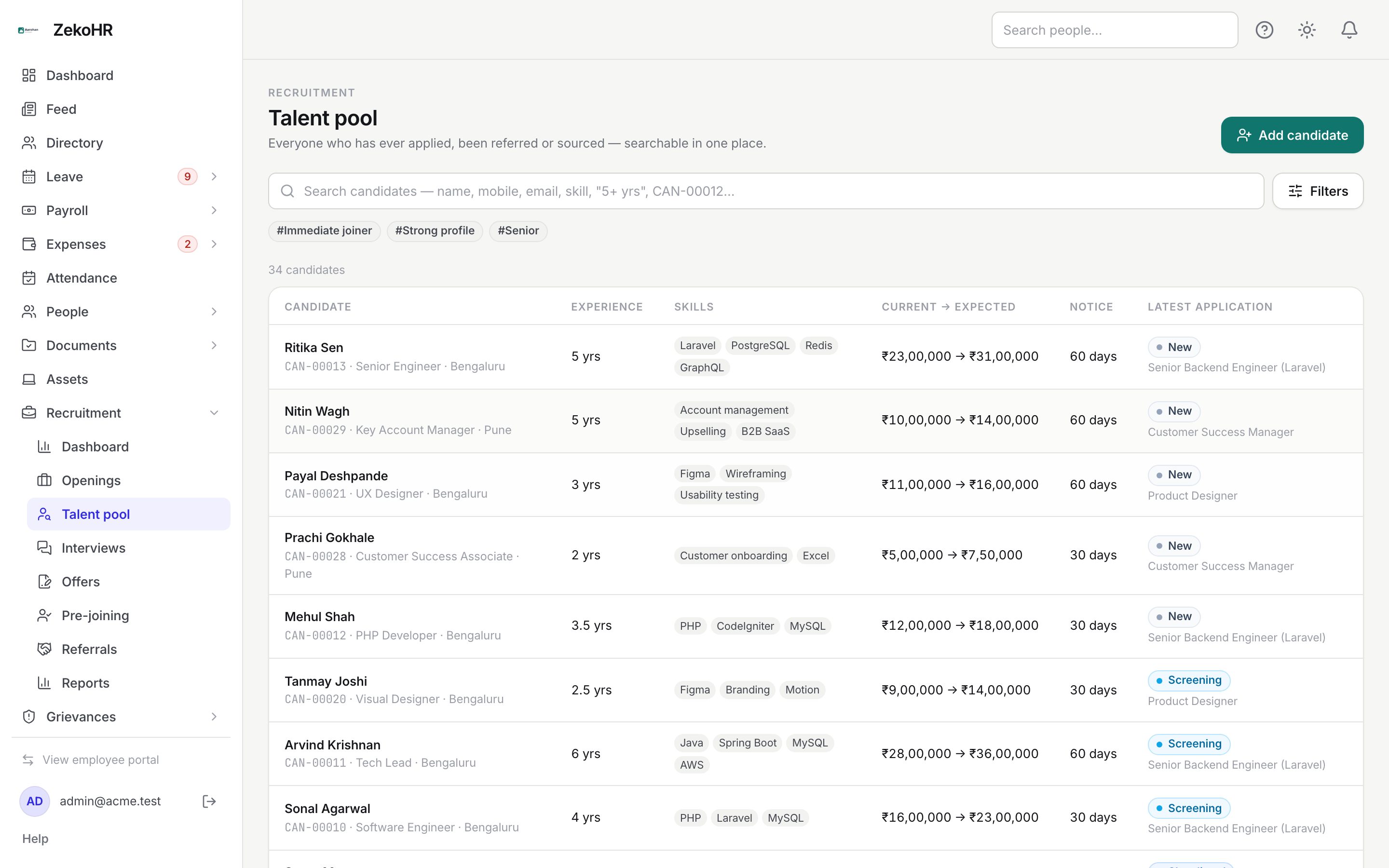
Searching and filtering
The search box accepts a name, mobile, email, skill, designation, candidate code or experience such as `5+` or `3-6 yrs`; press Enter to open the pool filtered by the text. Filters opens a sheet with Skills, Tags, Min / Max experience (yrs), Qualification, Location, Current salary ≤, Expected salary ≤, Notice period ≤ (days), Source, Previous application (Applied before / Never applied), Job and Stage. Active filters show as chips, and the tag chips under the search box toggle the most used tags.
Adding a candidate
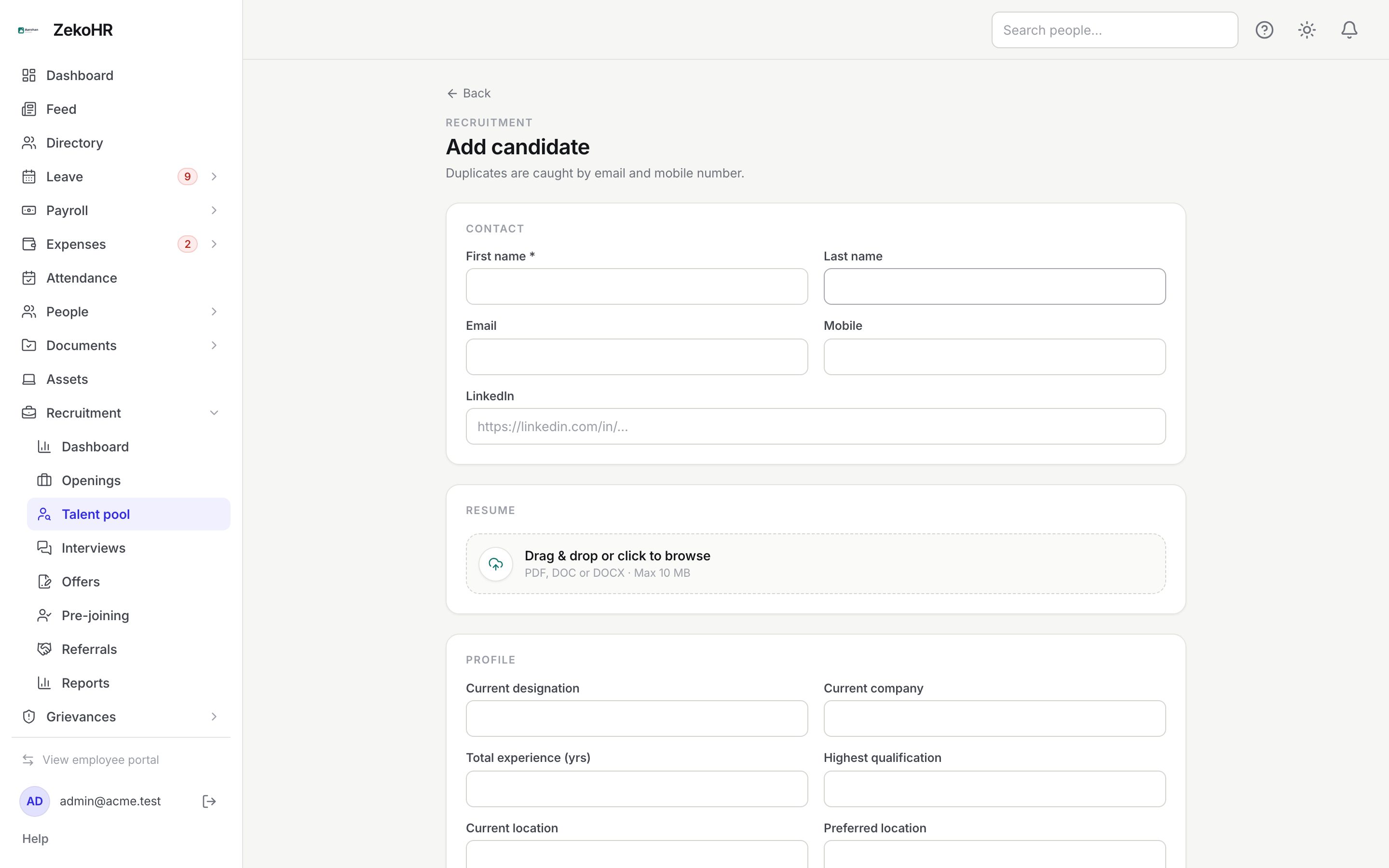
- Click Add candidate (`/recruitment/candidates/new`). From a job board, Add candidate → Create a new candidate opens the same form with the job preselected.
- Contact: First name (required, max 100), Last name, Email, Mobile (6 to 25 digits, spaces and + - ( ) allowed) and LinkedIn (a full URL). Either an email or a mobile is required.
- Resume: drop a PDF, DOC or DOCX up to 10 MB.
- Profile: Current designation, Current company, Total experience (yrs) (0 to 60), Highest qualification, Current location, Preferred location, Current salary (annual), Expected salary (annual), Notice period (days) (0 to 365), Skills (up to 50) and Tags (up to 30, for example Fresher, Immediate Joiner, Rehire).
- Where they came from: Source (defaults to Direct) and a detail field that becomes Consultant name or Campus for those sources; Notes.
- Click Add candidate. If the email or mobile already exists you get a link to Open the existing candidate. If the email matches a former employee, the form offers to add the Rehire tag.
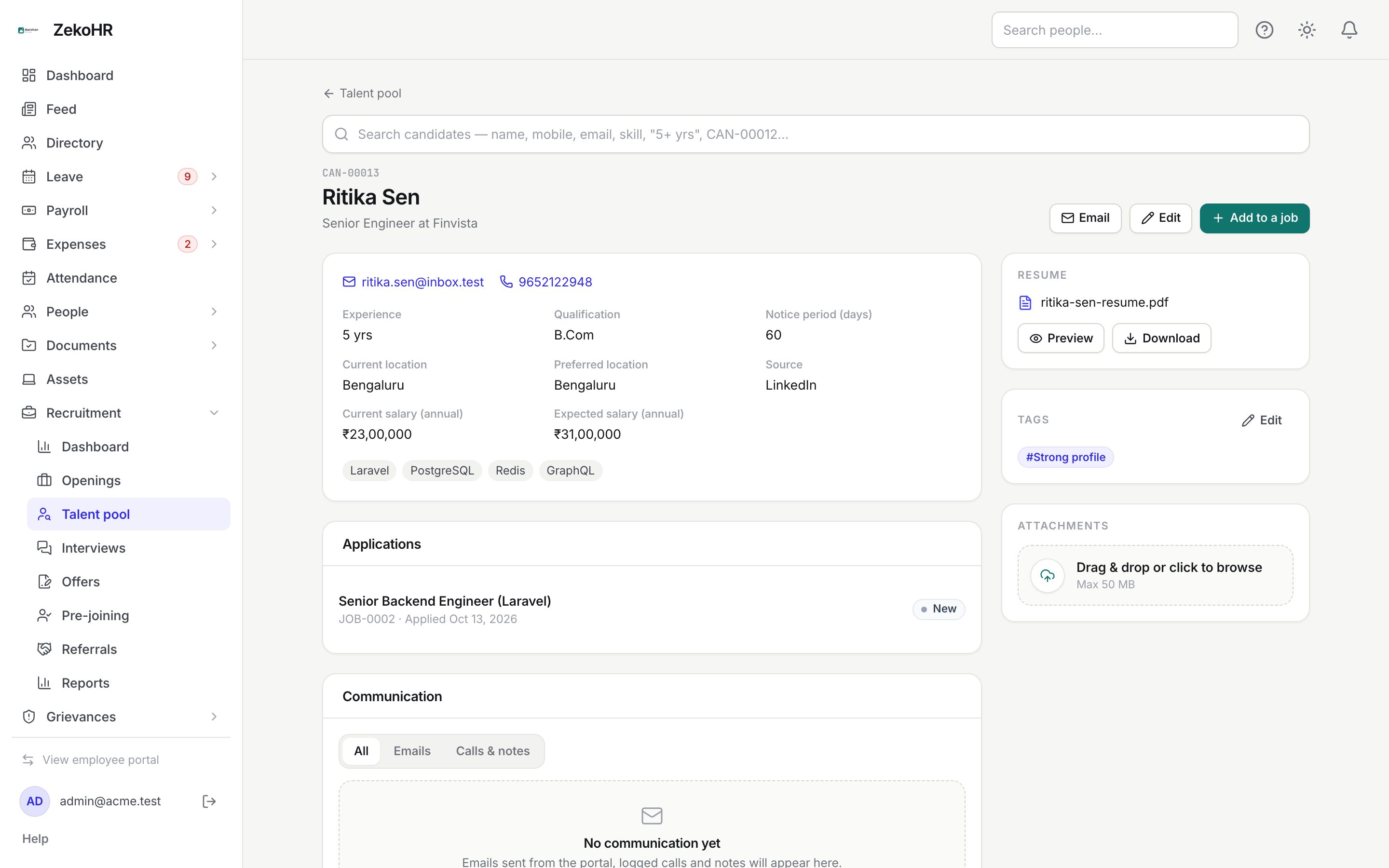
The candidate profile
The profile shows contact links, facts, skills, notes, Applications with stage badges, the Communication timeline, and a side rail with Resume (preview PDFs inline or Download), Tags (edit inline) and Attachments (up to 10 files of 10 MB each: PDF, Word, images, Excel, PowerPoint, text, zip). Header buttons: Email, Edit and Add to a job, which picks an open or on-hold job and a source.
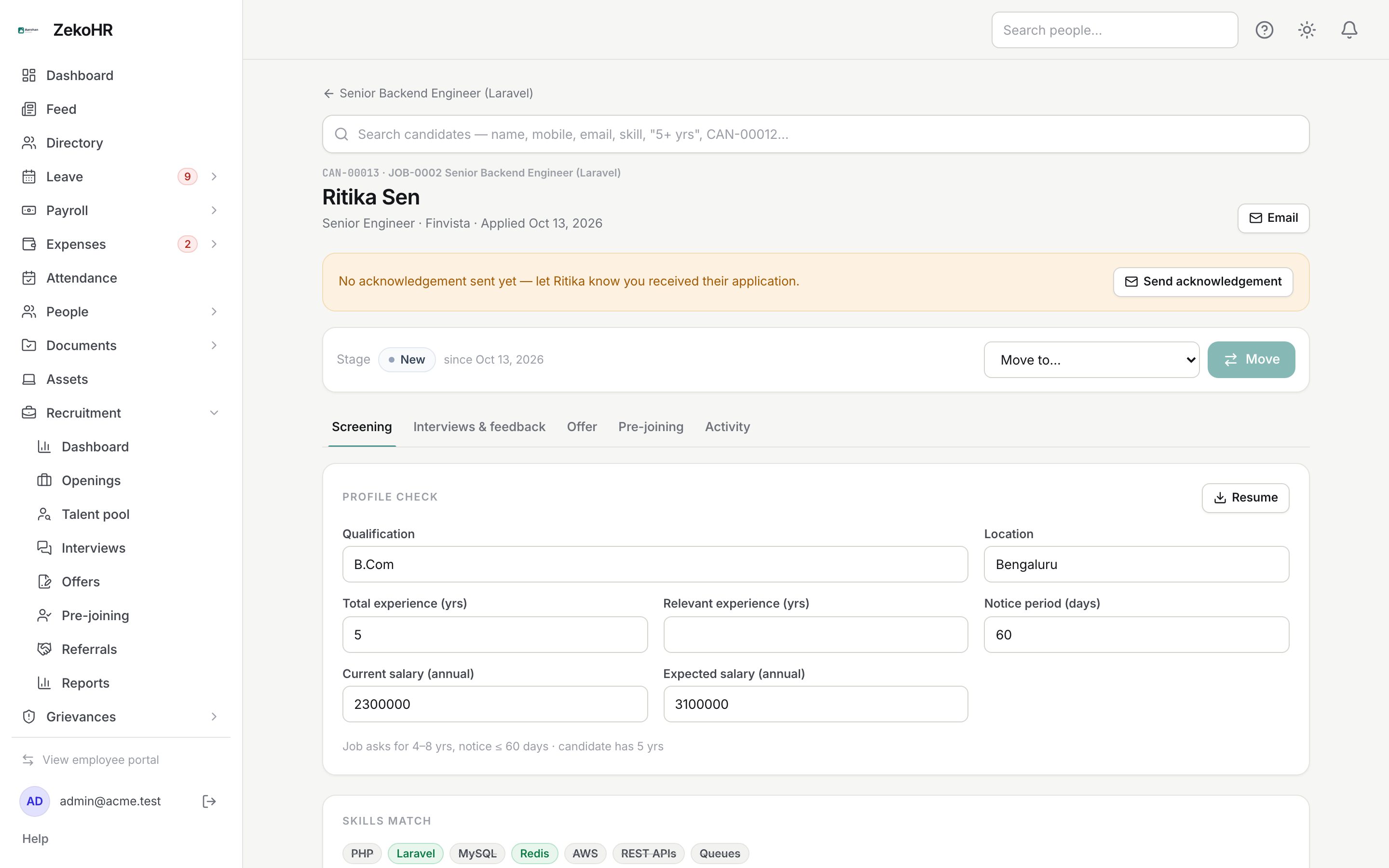
The application page
The header shows the candidate code, job, current stage and a Move to… selector (see Pipeline stages). An amber banner nudges you when no acknowledgement email has been sent. Tabs:
| Tab | What it holds |
|---|---|
| Screening | Profile check (qualification, location, total and relevant experience, notice, current and expected salary), Skills match (auto percentage from the job's skills, overridable 0 to 100), Screening score 1 to 10, HR recommendation (Strongly recommend, Recommend, Hold, Not recommended) and Remarks. Save screening records who screened and when. |
| Interviews & feedback | Rounds, scheduled interviews and the scorecard. See Interviews and scorecards. |
| Offer | The live offer and earlier ones. See Offers and approvals. |
| Pre-joining | Appears once the offer is accepted. See Pre-joining. |
| Activity | Every stage change, note, screening, interview, offer, email and pre-joining event, newest first. Add a note is open to HR and the hiring manager. |
Emailing, calls and notes
Email on a candidate or application opens Contact candidate. Choose Email, Log call or Note. For email pick a Template (blank or one of the candidate templates, grouped by hiring step), check To and Cc (comma separated, up to 10), edit the Subject and Message in the Visual or HTML editor, then Send email. Replies go to the job's recruiter. When an offer is in play you can Attach the offer letter (PDF). Calls and notes take an optional title and a summary and send nothing. Everything lands on the Communication timeline with delivery status (queued, sent, failed) and on the Activity tab.
What happens next
Adding a candidate to a job creates the application in the job's first New column and, when Acknowledge new applications automatically is on in settings, sends the application-received email. Sent emails count against the tenant email quota. Candidate writes are audited.
Rules and limits
- Email and mobile are unique per organisation; duplicates are refused with a link to the existing record.
- A candidate cannot be added to the same job twice.
- Salary fields are visible to HR only; hiring managers see the screening tab without them.
- Candidate emails are HR-only; hiring managers cannot open the compose dialog.
Troubleshooting
The resume will not upload. Only PDF, DOC and DOCX up to 10 MB are accepted.
I cannot find a candidate I know exists. Search needs at least two characters, and the pool is organisation-wide. Try the mobile number or candidate code.
Add candidate is missing on the board. The job is on hold or closed, or you only have hiring-manager access.